React Native Text to Speech with AI uses cloud APIs like Google Cloud TTS or Amazon Polly to turn text into natural, human-like voice. It supports 50+ languages, emotional tone, and custom voices with just a few lines of code.
What if your app could actually talk like a human?
We’re not talking about robotic voices from the 2020s.
We mean lifelike, expressive, multilingual voices powered by AI.
Let’s give your app a real voice, not a robotic one.
This guide covers React Native Text to Speech with AI, complete with working code and a GitHub demo.
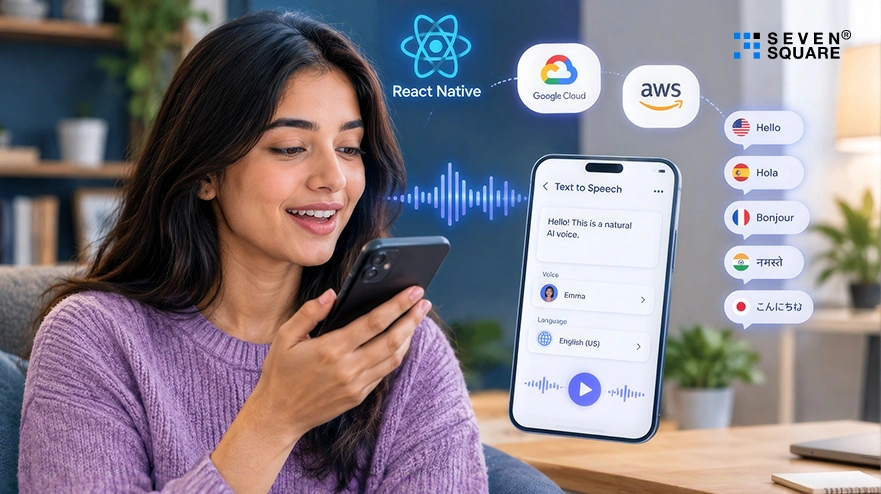
What Is React Native Text to Speech With AI?
Text-to-Speech with AI goes beyond just reading words aloud.
Unlike traditional or native TTS, which sounds robotic and monotone, AI-based speech synthesis in React Native uses deep learning models to create lifelike speech that adjusts pitch, emotion, and rhythm, just like a real human.
Here’s the difference:
| Feature | Native TTS | AI TTS (e.g., Google, OpenAI, Amazon Polly) |
|---|---|---|
| Voice Quality | Robotic, flat | Human-like, natural |
| Language Support | Limited | 50+ languages, multiple accents |
| Emotion & Tone | Not available | Yes (happy, sad, excited, etc.) |
| Custom Voice Creation | No | Yes (in some APIs) |
Use Cases:
- Voice assistants
- Language learning apps
- Accessibility tools
- Chatbots with voice output
- Educational apps for kids
So if you want your app to communicate with clarity, emotion, and accuracy, AI TTS is the way forward.
Why Build React Native Text to Speech Instead of Using Native TTS
React Native is already known for its cross-platform power, and it’s a natural fit for integrating AI TTS features. Here’s why:
- One codebase for iOS and Android.
- Fast development cycles with access to native APIs.
- Easy integration with AI services like Google Cloud, OpenAI, or Amazon Polly.
With tools like react-native-tts, expo-speech, or direct API access, developers can build apps that talk to users in real-time, which is perfect for:
- Productivity tools that read out tasks.
- Accessibility apps for visually impaired users.
- AI chatbots that speak in responses.
- Voice-based surveys or guides.
Best AI Providers for React Native Text to Speech
If you’re adding AI TTS APIs to React Native, choosing the right provider is crucial. Let’s compare the top options:
| Provider | Voice Quality | Pricing | Real-Time Speed | Features |
|---|---|---|---|---|
| Google Cloud TTS | Very high (WaveNet) | Pay-as-you-go | Fast | Multiple languages, SSML, emotion |
| Amazon Polly | High | Free tier + pay | Fast | Neural TTS, real-time, caching |
| OpenAI(via Whisper + TTS APIs) | Very high | Custom pricing | Moderate to fast | Human-like voices, expressive tones |
For most mobile apps, Google Cloud Text-to-Speech is a go-to option due to its realistic WaveNet voices, speed, and wide support.
Use these AI TTS APIs for React Native to build apps that truly connect with users, especially when spoken communication matters.
Project Setup for React Native Text to Speech
Before we write a single line of code, let’s set up your environment for integrating AI Text-to-Speech in React Native.
Here you can see the exact setup needed to follow along with the React Native text to speech code example and fork our TTS GitHub demo.
Tools Required:
- Node.js ≥ 18.x
- React Native CLI (or Expo for quick setup)
- Android Studio / Xcode (for testing)
- Google Cloud account (for API key)
- Git (to clone or fork the GitHub repo)
Project Structure Overview
Here’s what your folder structure will look like:
my-tts-app/
│
├── App.js
├── components/
│ └── TextToSpeech.js
├── utils/
│ └── googleTTS.js
├── assets/
├── package.json
└── .env
We’ll keep it modular, separating logic, UI, and API calls, so it’s easy to extend or plug into your project.
Install Required Dependencies
Run the following commands to install the dependencies:
            npm install react-native-dotenv
            npm install expo-av
            npm install axios
If you’re using bare React Native CLI (not Expo), use react-native-sound instead of expo-av.
Also, enable .env support by editing your babel.config.js:
           module.exports = {
              presets: ['babel-preset-expo'],
              plugins: [['module:react-native-dotenv']],
            };
Full Code: React Native Text to Speech With AI
Here’s a complete, working example of step-by-step AI TTS integration using React Native + Google Cloud TTS.
Input-to-Voice: Complete Code Example
App.js
            import React, { useState } from 'react';
            import { View, TextInput, Button, StyleSheet, Text } from 'react-native';
            import { playAudioFromBase64 } from './utils/googleTTS';

            export default function App() {
              const [text, setText] = useState('');

              const handleSpeak = async () => {
              if (text.trim()) {
                await playAudioFromBase64(text);
              }
              };

              return (
              < View style={styles.container}>
                <Text style={styles.title}>AI Text-to-Speech Demo</Text>
                <TextInput
                  style={styles.input}
                  placeholder="Enter text here..."
                  value={text}
                  onChangeText={setText}
                />
                <Button title="Speak" onPress={handleSpeak} />
              </View>
              );
            }

            const styles = StyleSheet.create({
              container: { flex: 1, padding: 20, justifyContent: 'center' },
              title: { fontSize: 24, marginBottom: 20, textAlign: 'center' },
              input: {
              borderWidth: 1, borderColor: '#ccc', padding: 10, marginBottom: 20,
              borderRadius: 5
              }
            });
utils/googleTTS.js
            import { Audio } from 'expo-av';
            import axios from 'axios';
            import { GOOGLE_TTS_API_KEY } from '@env';

            export async function playAudioFromBase64(text) {
              try {
              const response = await axios.post(
                  `https://texttospeech.googleapis.com/v1/text:synthesize?key=${GOOGLE_TTS_API_KEY}`,
                {
                  input: { text },
                  voice: {
                    languageCode: 'en-US',
                    name: 'en-US-Wavenet-D'
                  },
                  audioConfig: {
                    audioEncoding: 'MP3',
                    pitch: 0,
                    speakingRate: 1.0
                  }
                }
              );

              const { audioContent } = response.data;
              const soundObject = new Audio.Sound();
              const base64Sound = `data:audio/mp3;base64,${audioContent}`;

              await soundObject.loadAsync({ uri: base64Sound });
              await soundObject.playAsync();
              } catch (err) {
              console.error('Error using Google TTS API:', err.message);
              }
            }
.env
GOOGLE_TTS_API_KEY=your_google_tts_api_key_here
Code Logic Breakdown
- User types text in the input box.
- On button click, the text is sent to the Google Cloud TTS API.
- The API returns a base64-encoded MP3 audio.
- expo-av plays the audio in real-time.
- Fully cross-platform with just a few lines!
Fork this TTS GitHub demo and add voice input next!
Why Choose Seven Square for React Native Text to Speech Apps
At Seven Square, we create intelligent mobile apps that speak to your users.
Our team has deep expertise in AI-based speech synthesis in React Native, helping startups and enterprises add natural, multilingual voice capabilities to their apps using tools like Google Cloud TTS, Amazon Polly, and OpenAI Whisper.
- Production-Ready AI TTS Integration: We go beyond tutorials; our developers deliver real-world, scalable solutions that plug AI TTS into your React Native stack without compromising performance or UX.
- Multi-Platform, Multi-Language Support: From English to Arabic, Hindi to French, we build apps that speak your users’ language on iOS and Android, all from a single codebase.
- Custom Voice & Smart Features: We’ve built voice-enabled tools for productivity apps, language tutors, fitness apps, and accessibility-first platforms.
Want a Customized AI Chatbot? Contact Us Now!
What Are the Advanced Features for React Native Text to Speech
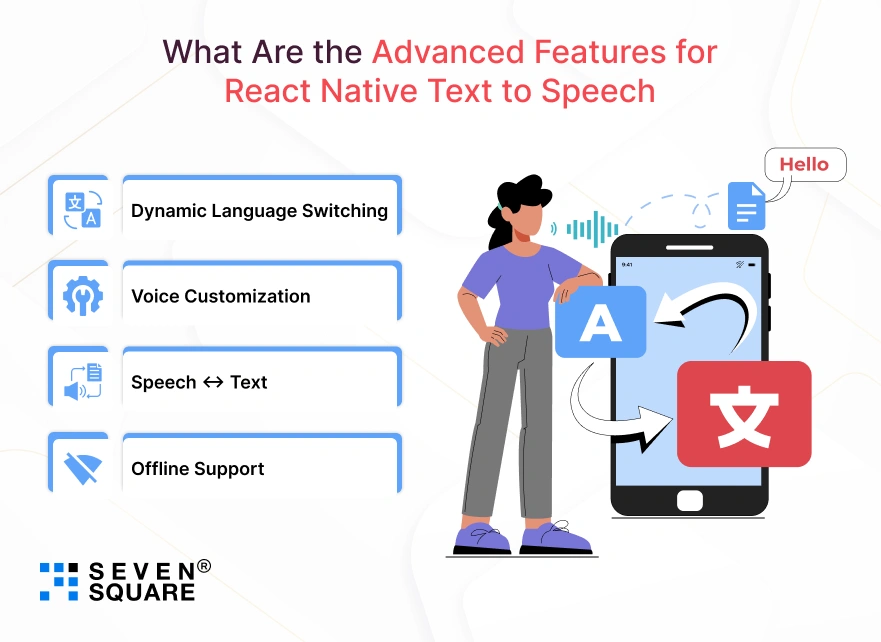
Once the basic TTS is in place, go a step further with these AI-based improvements:
- Dynamic Language Switching: Detect and switch between languages on the fly.
- Voice Customization: Adjust pitch, speed, and tone for different personas.
- Speech ↔ Text: Combine with transcription to create two-way voice apps.
- Offline Support: Cache voices or add a local fallback when the internet is unavailable.
These features boost the user experience, especially for global, educational, or accessibility-first apps.
Let Your App Speak with AI
In 2025, users expect smart apps, not just silent screens.
By integrating AI text-to-speech in React Native, you’re giving your app a human-like voice that engages, explains, and guides users.
From language apps to smart assistants, the use cases are endless, and your opportunity is now.
FAQs
- To add AI text-to-speech in React Native, use cloud APIs like Google Cloud TTS or Amazon Polly.
- Send user text to the API, get audio output, and play it using libraries like expo-av or react-native-sound.
- AI TTS offers more natural and expressive voices compared to native TTS in React Native.
- It supports multiple languages, emotional tones, and better pronunciation to make it ideal for global and accessibility-focused apps.
- Top AI TTS APIs for React Native include Google Cloud Text-to-Speech, Amazon Polly, and OpenAI’s Whisper.
- Google offers lifelike voices with WaveNet and supports many languages with emotional expressions.
- Yes. Google Cloud offers a generous free tier for Text-to-Speech, including WaveNet voices.
- Amazon Polly also includes a 12-month free tier. These are great for testing or building MVPs in React Native.