Building a read it later app means combining a browser extension, offline reader, and cross-device sync into one core system, then layering in AI summarization and search. MVPs with core saving features cost $40,000 to $75,000, while full AI platforms run up to $200,000+.
Would you rather build the reading habit your users trust,
or rent space in someone else’s app that could vanish overnight?

It’s 9 PM on a Sunday.
Someone finally sits down to clear their reading list.
400 saved articles.
Research for a thesis.
Long reads promised all week.
They open the app.
A blank screen stares back.
No warning email. No migration prompt. Just gone.
The next hour goes to bouncing between three apps,
saving what’s left, losing the rest.
By midnight, the search for what’s missing stops.
The habit of saving articles never went away.
The app they trusted to hold it did.
Somewhere in that scramble is your next user,
if you build the app worth trusting first.
Why Build a Read It Later App After Pocket?
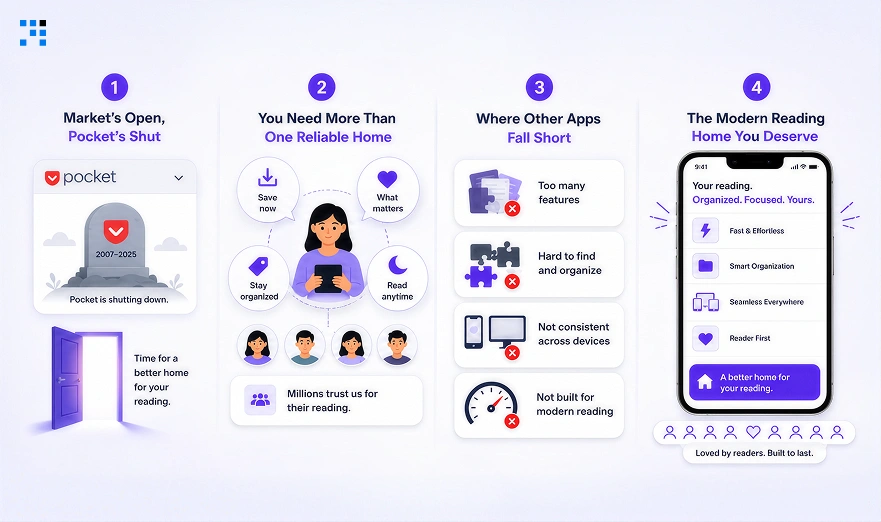
1. Pocket’s Shutdown Left a Market Open
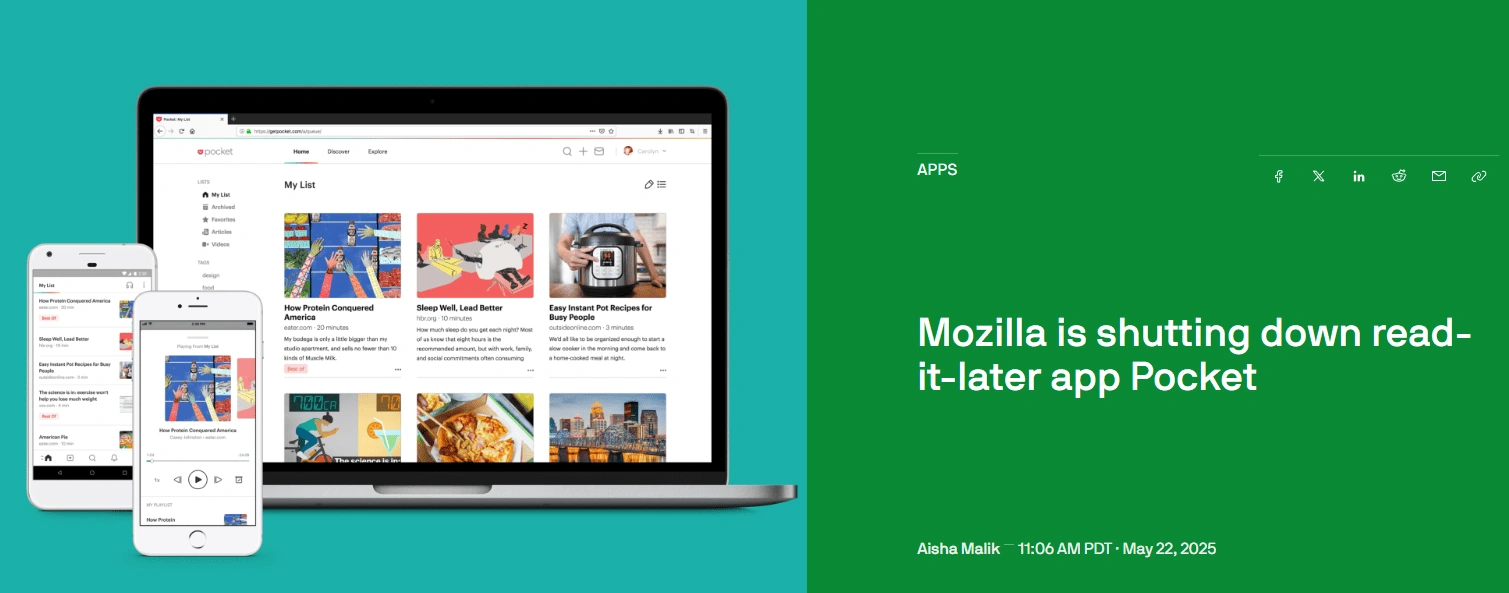
Pocket shut down in 2025 without much warning.
Over 20 million users and 2 billion saved articles lost their home overnight.
That single event triggered a real market reset.
Founders now have an opening that rarely repeats.
2. Pocket Users Still Need One Reliable Home
Users still want one place for scattered reading.
They want saves that sync across every device.
They want an app that survives longer than a headline.
Trust matters more than features right now.
3. Where Existing Read It Later Apps Fall Short
Most alternatives are built for general use only.
None are built around a specific reader’s workflow.
Generic apps ignore niche use cases like research teams.
That gap is exactly where a custom build wins.
4. The Opportunity for a Modern Read It Later App
The category is open again for the first time in years.
Users are actively searching for a permanent replacement.
A focused build can capture that displaced demand.
Waiting means competing for users someone else already converted
What Features Should a Read It Later App Have?
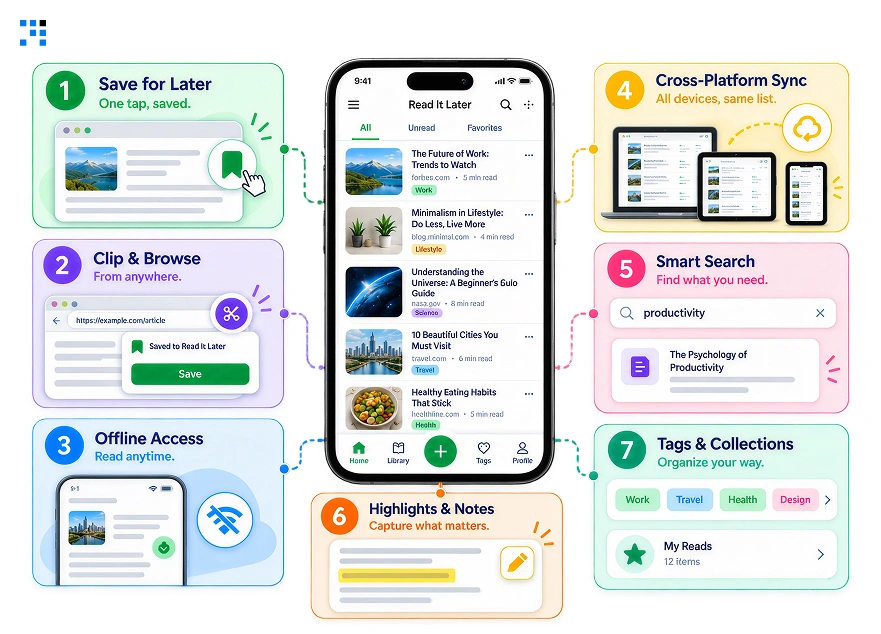
1. One-Tap Article Saving
Saving should never take more than one tap.
Friction at this step kills daily usage fast.
Users decide whether to trust the app immediately.
A slow save button gets abandoned within days.
2. Web Clipper and Browser Extension
A browser extension captures articles at the source.
It saves full page content, not just the link.
This removes the need to switch apps mid-browse.
Most read it later users install this first.
3. Offline Reading Access
Saved articles must open without an internet connection.
Local storage keeps content available on flights and commutes.
Skipping this loses one of the most requested use cases.
This single gap alone drives users toward competitors
4. Cross-Platform Sync
Articles saved on phone must appear on desktop instantly.
Sync runs on a shared backend, not device-local storage.
Users test this within their first session.
A failed sync test often ends the trial right there.
5. Full-Text Search
Users forget article titles within days of saving.
Search needs to scan full content, not just headlines.
Indexing has to happen the moment an article saves.
Good search is what makes old saves useful again.
6. Highlights and Notes
Readers want to mark and remember key lines.
Highlights need to stay attached to the article permanently.
This turns passive reading into active research.
Notes give saved articles a reason to be revisited.
7. Tags and Smart Collections
Manual folders get abandoned within a few weeks.
Smart collections group saves by topic automatically on save.
Tags let users filter fast without searching manually.
This structure keeps large libraries usable instead of buried.
How AI Can Make a Read It Later App More Useful
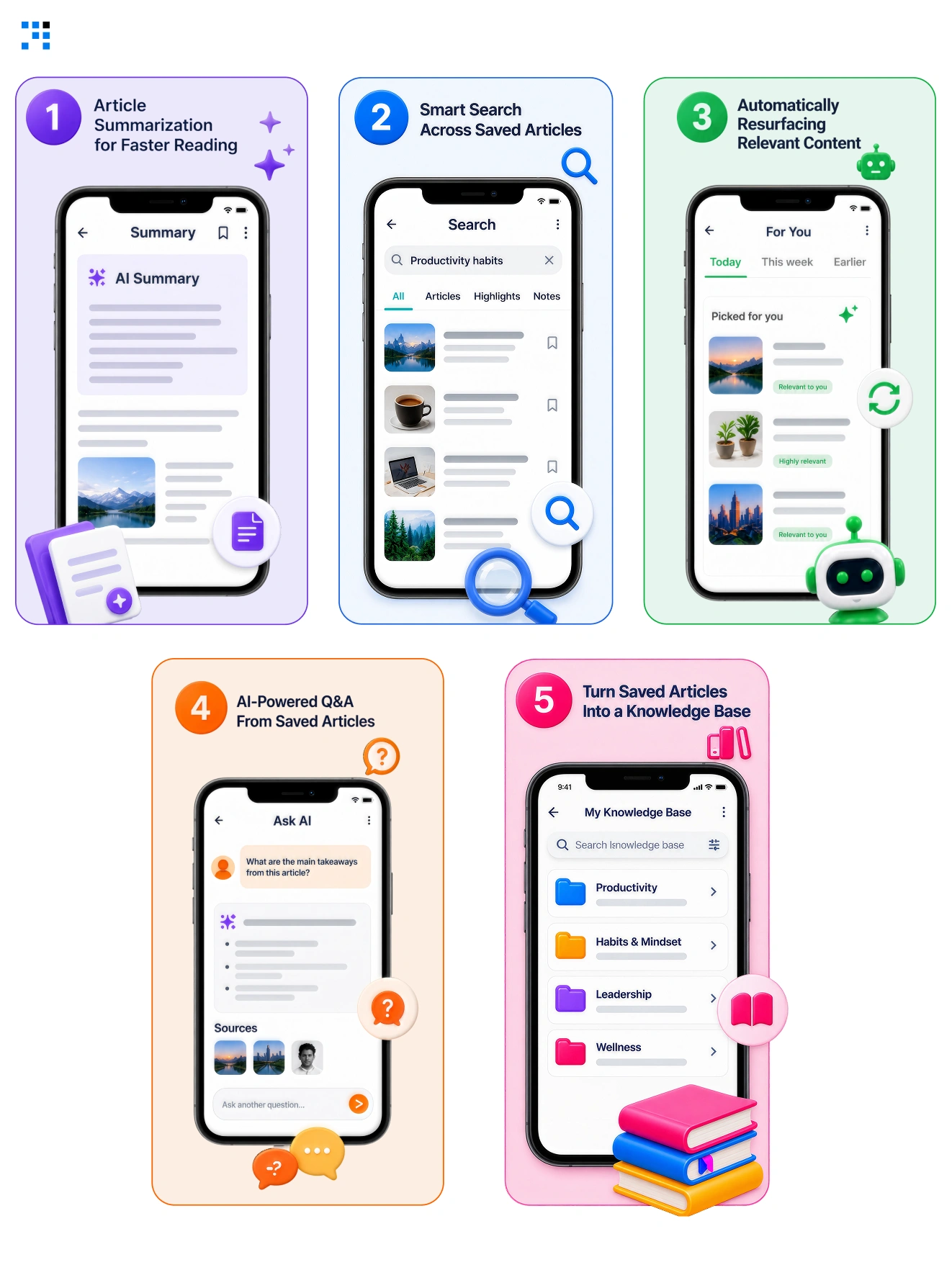
1. Article Summarization for Faster Reading
Long articles get a short summary before opening.
Users decide faster whether the piece is worth reading.
This alone can change daily open rates.
It saves users from opening articles they’ll abandon.
2. Smart Search Across Saved Articles
Search understands meaning, not just exact keywords.
Users find articles by describing the idea instead.
This matters most once libraries grow large.
Keyword-only search fails users the most at this stage.
3. Automatically Resurfacing Relevant Content
Old saved articles get pulled back at the right moment.
A saved recipe resurfaces the week before a trip.
Timing turns forgotten saves into active value.
Without resurfacing, most saves are never opened again.
4. AI-Powered Q&A From Saved Articles
Users ask questions directly across their saved library.
The system answers using only what they saved.
It replaces re-reading with a direct answer.
5. Turn Saved Articles Into a Knowledge Base
Years of saves become a searchable personal archive.
AI connects related articles a user saved separately.
This is the feature that keeps users for years.
It’s the hardest feature for competitors to copy.
How to Design the Reading Experience for a Read It Later App
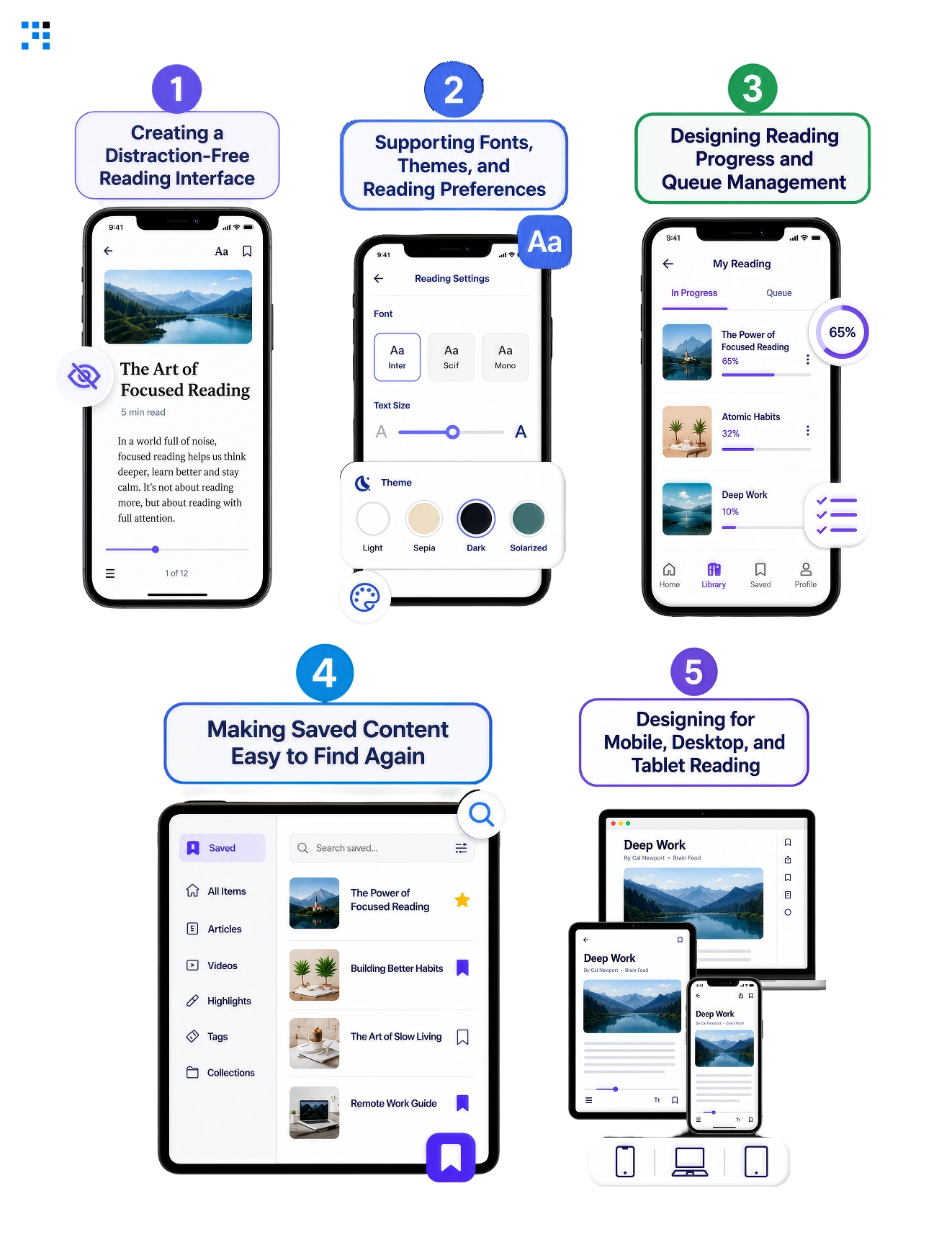
1. Creating a Distraction-Free Reading Interface
Remove every element competing with the article text.
No sidebars, no autoplay, no popup prompts.
The reading view should feel calm immediately.
Every extra element on screen costs reading focus.
2. Supporting Fonts, Themes, and Reading Preferences
Readers want control over font size and spacing.
Dark mode is not optional in 2026.
Preferences should persist automatically across sessions.
Resetting preferences every session frustrates daily readers.
3. Designing Reading Progress and Queue Management
Users need a visible queue of what’s next.
Progress bars reduce the anxiety of long reading lists.
A queue turns saving into an actual habit.
Without one, saved articles pile up unread.
4. Making Saved Content Easy to Find Again
Search and filters need to feel instant.
Slow retrieval undoes the value of saving anything.
This is where most competitors quietly fail.
Fast retrieval is what separates storage from usefulness.
5. Designing for Mobile, Desktop, and Tablet Reading
Each device needs its own reading rhythm considered.
Mobile favors quick sessions, desktop favors longer reads.
One layout copied across devices always feels wrong.
Matching the device improves how often users return.
What Does It Cost to Build a Read It Later App?
| Platform Tier | What’s Included | Cost Range | Timeline |
|---|---|---|---|
| MVP | Save, clean reader, offline access, basic sync | $40,000 – $75,000 | 10 – 14 weeks |
| Mid-Level | AI summarization, smart tagging, full-text search | $85,000 – $140,000 | 16 – 20 weeks |
| Full Platform | Personal knowledge base, AI Q&A, cross-device intelligence | $150,000 – $200,000+ | 6 – 9 months |
An MVP proves people will actually use the habit before you add AI.
Mid and full-tier builds only make sense once real users prove that out.
Custom software development lets each stage build on the last one.
Skip a stage, and you end up rebuilding the AI layer later.
Why You Can Trust Us to Build Your Read It Later App
1. We Map the Reading Habits First
Save behavior gets studied before a single screen.
When users save, forget, and return get tracked.
That pattern becomes the actual product blueprint.
No design decision ships on assumption.
2. AI Architecture Built Around Real Behavior
Summarization and recommendations ship as one connected system.
Nothing gets bolted on as an afterthought feature.
The system reflects how your users actually read.
Generic AI wrappers get rejected at the design stage.
3. Real Readers Test Every Flow Before Launch
Working prototypes reach real users before launch day.
Friction points surface before development locks anything in.
Every fix happens before it costs you a user.
Nothing ships untested against actual reading behavior.
4. You Run the Brand We Handle the Rest
Sync, offline storage, and AI get configured first.
Roles and workflows are ready before first login.
Your brand and content stay entirely in your hands.
The system underneath runs without your daily involvement.

Millions of displaced readers are choosing a new home right now.
Every week you wait is a week a competitor wins them instead.
FAQ
Data portability sits inside the architecture from day one. Users can pull their full library out anytime, and we build that in from the start. Skipping it repeats the exact mistake Pocket’s shutdown exposed.
Free tools compete on price, not trust, and that gap is where a custom build wins. Displaced Pocket users want reliability, so we focus on sync speed and consistency. Price was never the reason people are searching for alternatives.
An import flow for CSV and JSON gets built into the MVP. Most displaced users have an old export sitting unused, so we make that migration path a priority. It’s often the single decision that wins the signup.
No, the app organizes what users save, and we design it to run off user activity alone. This keeps operating costs low compared to a content product. The AI layer we configure handles categorization without daily upkeep from you.
Daily save and open behavior shows up within the first two weeks. Deeper signals need 60 to 90 days as we tune the recommendation system on real usage. Early weeks already show if the core saving loop works.