Customer data management for manufacturers is the practice of consolidating account records, quotes, service tickets, and communication histories into one governed database. Such a foundation gives sales, service, and dealer teams a trusted view of every buyer.
Would you rather answer an urgent distributor call in ten seconds,
or keep them on hold while five systems argue?

Tuesday, 8:40 AM.
A dealer calls to inform that
the gearbox you supplied has failed, and a packaging line is down.
Your coordinator needs three answers fast.
Warranty status?
Sitting in a partner’s spreadsheet.
Serial number?
Somewhere in a service engineer’s inbox.
Last quote?
Saved on a laptop who is currently on leave.
90 minutes wasted across calls, forwards, and guesses.
Six hours of lost output later, the buyer phones another supplier.
Politeness survives, but the standing reorder leaves.
No machine failed inside your plant that day.
The information existed all along,
just scattered across six places.
Tomorrow’s business goes to whoever has the full account picture first.
What Customer Data Management Means in Manufacturing
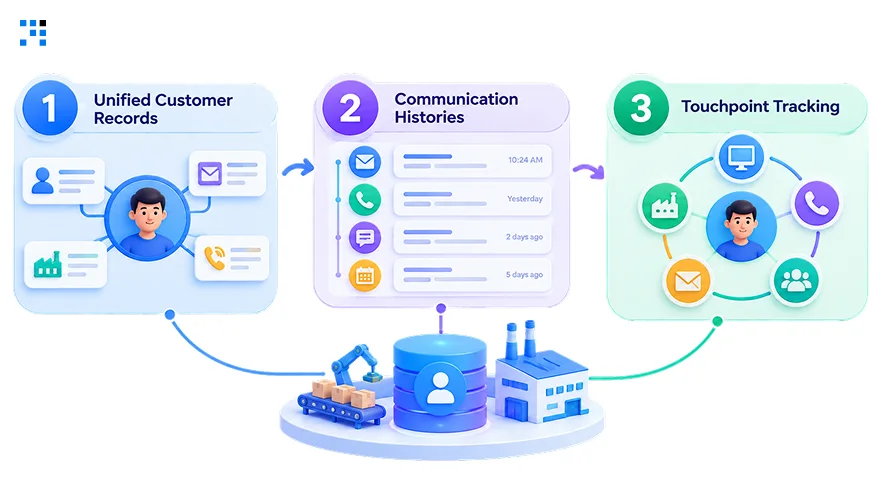
1. Unified Customer Records
Every distributor, OEM buyer, and dealer gets one master profile.
Quotes, purchase orders, and contract terms sit beside each account.
Duplicate entries across ERP and CRM disappear for good.
Sales engineers stop guessing which version of the truth applies.
2. Communication Histories
Emails, calls, and site visits land in one timeline.
Account managers pick up conversations without asking colleagues for context.
Handovers between plant, field, and back-office teams stay coordinated.
3. Touchpoint Tracking
Trade shows, portal logins, and RFQ downloads reveal buying intent.
Marketing finally sees which campaigns produced quotes, not just clicks.
Reps learn which plants keep revisiting the pricing pages.
Hot accounts reach the top of the queue automatically.
Why Customer Data Management Breaks Down in Manufacturing
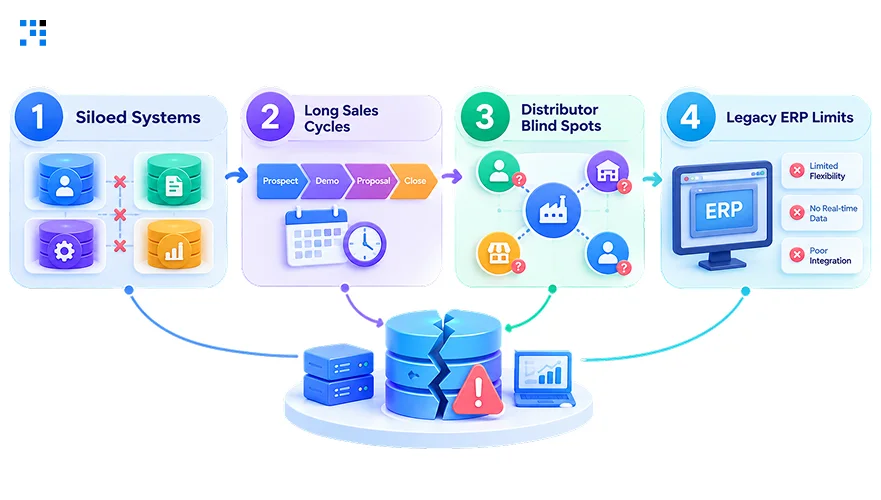
1. Siloed Systems
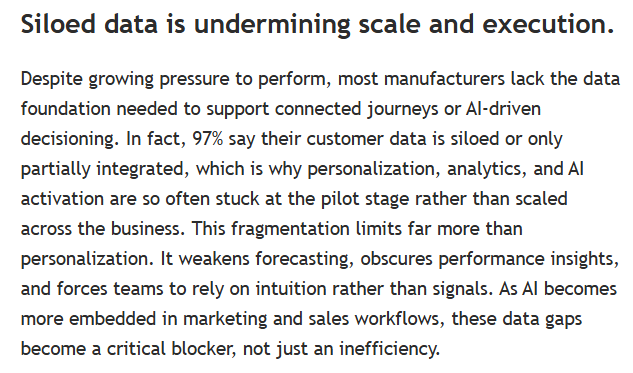
Adobe’s 2026 survey reveals 97% of manufacturers have fragmented data.
ERP holds invoices while CRM holds leads, yet neither talks.
Meanwhile, service teams track warranty tickets in separate spreadsheets.
Nothing connects these islands into a single account picture.
2. Long Sales Cycles
Capital equipment deals stretch across quarters and many decision-makers.
Lost context between engineers, procurement, and finance stalls every negotiation.
Revenue forecasts then fluctuate because pipeline evidence lives in inboxes.
3. Distributor Blind Spots
Most sales flow through dealers, so end-buyer identities stay hidden.
Registrations arrive late, incomplete, or never reach headquarters at all.
Aftermarket spare-parts demand therefore goes unforecast, unplanned, and unclaimed.
Channel partners consequently own relationships that manufacturers merely rent.
4. Legacy ERP Limits
Decades-old ERP builds were designed for inventory, never relationships.
Custom fields multiply, and reporting slowly becomes an archaeology project.
Migrating everything at once risks halting production scheduling and dispatch.
What Customer Data Management Delivers to Manufacturers
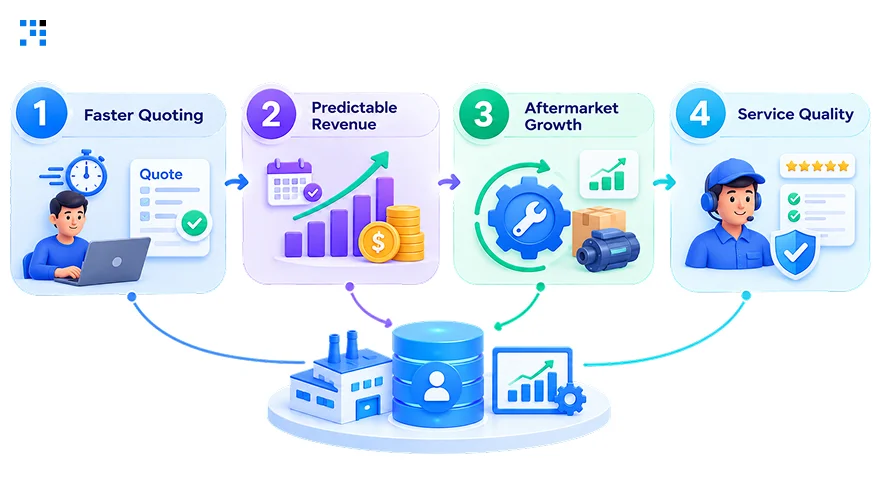
1. Faster Quoting
Configured pricing, past quotes, and BOM notes appear instantly.
Response time to each RFQ drops from days to hours.
Win rates climb since buyers feel remembered rather than processed.
2. Predictable Revenue
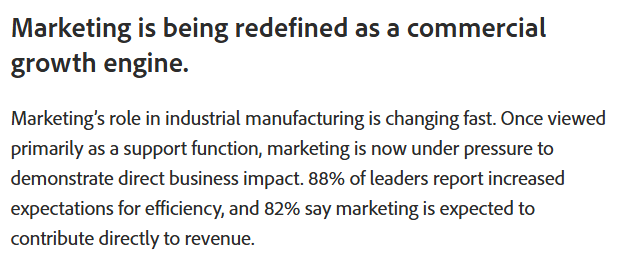
Incisiv’s research ties disconnected interaction data to weaker deal velocity.
Accurate pipeline stages make quarterly forecasts something leadership can trust.
Roughly 82% of leaders expect marketing to influence revenue directly.
Shared records give both teams identical numbers to work from.
3. Aftermarket Growth
Installed base visibility shows exactly which machines approach service intervals.
Proactive outreach converts maintenance contracts before competitors notice the opening.
Spare-parts upsells follow naturally from documented usage and failure patterns.
4. Service Quality
Technicians open a ticket and see machine and buyer history.
First-visit fix rates improve because parts arrive alongside the engineer.
Complaints get logged once, routed correctly, and closed with accountability.
Buyers notice the difference, and renewal conversations become noticeably easier.
Where Manufacturers Should Start With Customer Data Management
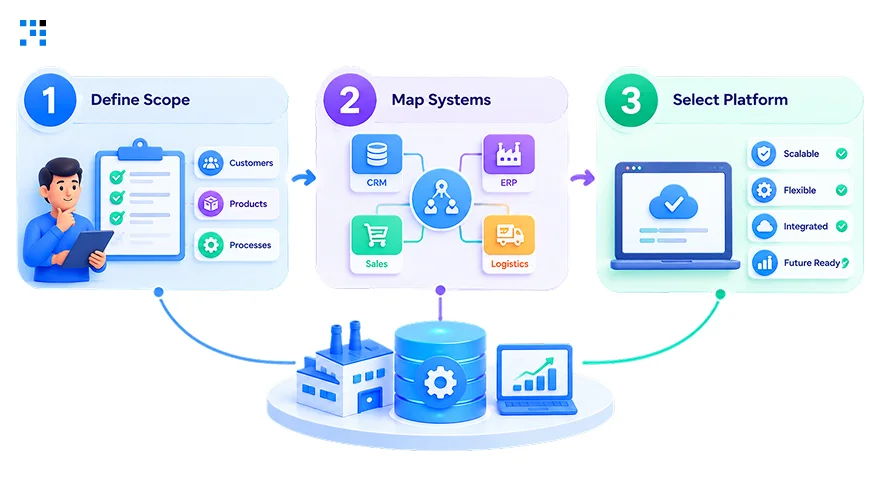
1. Define Scope
Pinpoint the costliest pain first, like duplicate dealer profiles.
Initial phase should cover one plant, region, or distributor tier.
Business cases need numbers like quote turnaround and forecast accuracy.
Leadership sponsors emerge quickly once hard evidence replaces gut-feel opinions.
2. Map Systems
Trace where data lives across ERP, CRM, billing, and support.
Regional tools and plant-level spreadsheets usually hide the messiest records.
Note which system owns each attribute, such as credit terms.
Complete diagrams prevent nasty conflicts once consolidation actually begins.
3. Select Platform
Evaluate vendors using your own messy data, never demo samples.
Matching accuracy, stewardship screens, and audit lineage deserve close scrutiny.
Deployment choice, whether cloud, hybrid, or on-premises, follows plant infrastructure.
Open APIs matter greatly, since limited connectivity creates lasting friction.
What Keeps Customer Data Management Accurate After Go-Live
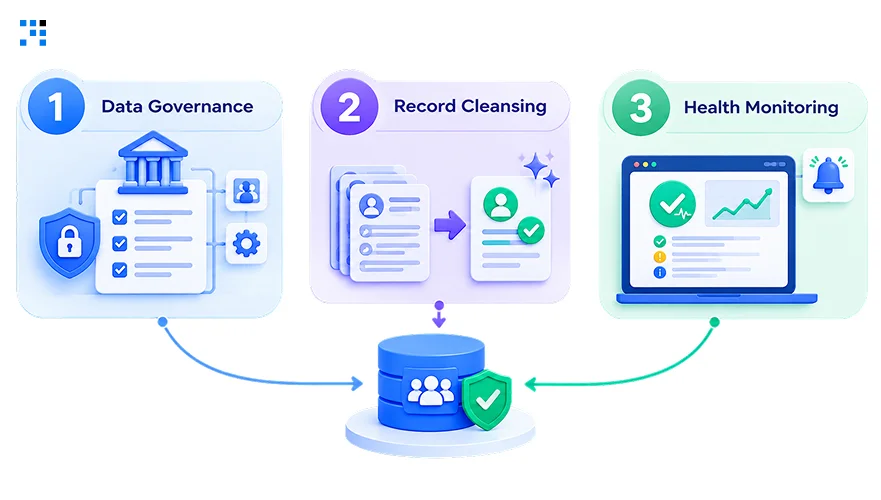
1. Data Governance
Named stewards own accounts, pricing terms, and dealer hierarchies.
Practical data governance rules stop busy sales teams ignoring them.
Exceptions flagged by matching logic get reviewed before records merge.
Permissions restrict who edits credit limits, and changes leave traces.
2. Record Cleansing
Standardize formats for company names, addresses, tax IDs, and contacts.
Merge rules decide which duplicate survives, keeping the best details.
Enrichment fills gaps like missing industry codes or parent links.
3. Health Monitoring
Track duplicate rates, completeness scores, and integration sync performance weekly.
Dashboards raise alerts before bad data reaches quotes or invoices.
New plants, acquisitions, and system upgrades constantly introduce fresh inconsistencies.
Quarterly reviews prove value through fewer errors and less rework.
How We Build and Integrate Customer Data Management
1. Discovery Workshops
Engagements open with plant visits and detailed stakeholder interviews.
Our engineers document each workflow from enquiry through dispatch.
Priorities then become a phased roadmap with measurable checkpoints.
2. ERP Integration
Connectors we build link SAP, Tally, Dynamics, and homegrown ERPs.
CRM, MES, and support desks feed one governed database.
Real-time syncing keeps quotes, orders, and tickets aligned across departments.
Existing operations continue uninterrupted while the new layer gets validated.
3. Predictive Analytics
Clean, unified records let machine learning predict churn and demand.
Assistants can summarize account histories before every dealer meeting.
Pilots stop stalling because trustworthy data finally sits beneath them.
4. Secure Rollout
Role-based access protects pricing, contracts, and confidential engineering drawings.
Audit trails support ISO, GDPR, and customer-mandated compliance requirements.
Training sessions ensure shop-floor supervisors actually adopt the platform.
FAQs
Pricing shifts with ERP integrations, data volume, and user count across plants. One product line or dealer tier usually proves value first, so we scope phase one around quotes and duplicate cleanup.
Neither works alone, since ERP handles invoices and dispatch while CRM handles leads and follow-ups. We usually place a unified database between them, so quotes, tickets, and payment history stay together.
Yes, APIs, middleware, and scheduled pipelines reach even decades-old ERP and MES setups safely. Teams like ours rarely need rip-and-replace, since connectors read from existing databases without disturbing production scheduling.
RFQ turnaround and duplicate cleanup usually improve within ninety days. Forecast accuracy and aftermarket revenue take longer, so we plan for two or three quarters of steady refinement.
Absolutely, since even fifty-person shops juggle dealers, repeat orders, and warranty promises. Small teams feel it hardest when a salesperson leaves with the contacts, so we favor lightweight cloud setups.
Consolidation with encryption, granular permissions, and activity logs reduces exposure. Scattered spreadsheets and personal inboxes carry greater risk, so we build ISO and GDPR compliance into the design from day one.