Start with repetitive, high-volume processes that cost more to run manually. Customer support, document processing, knowledge search, and workflow automation are good starting points. They can cut costs, speed up work, and deliver measurable ROI.
Do you even know which business process is eating into your profit margins?

Last year, a founder bought an AI tool because competitors did.
Nobody on her team knew where to apply it.
Three months later, the licence sat unused.
Billing kept arriving anyway.
And her support inbox had 400 unread tickets.
The finance team retyped invoices by hand every Friday.
Real value was in those two queues.
Where she never looked.
Picking the right starting point turns AI into revenue.
Choosing wrong turns it into overhead.
This guide shows where to look and what to expect.
Where Is Business AI Adoption Heading in 2026
1. Rising Adoption
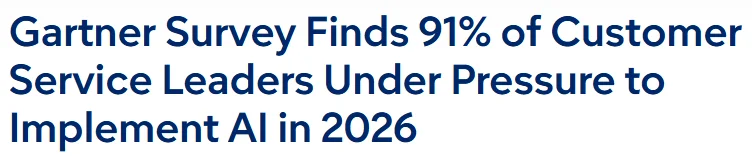
Gartner says 91% of service leaders feel AI pressure.
Adoption is no longer the question for most businesses.
Nearly nine in ten firms now use AI somewhere.
58% of small businesses say they use generative AI.
2. Mixed Results

IBM found only 25% of AI initiatives delivered expected returns.
Using AI and getting value from AI are different things.
Only 37% of firms report any profit impact from AI.
Experiments without clear measurement tend to stall before paying off.
3. Focused Wins
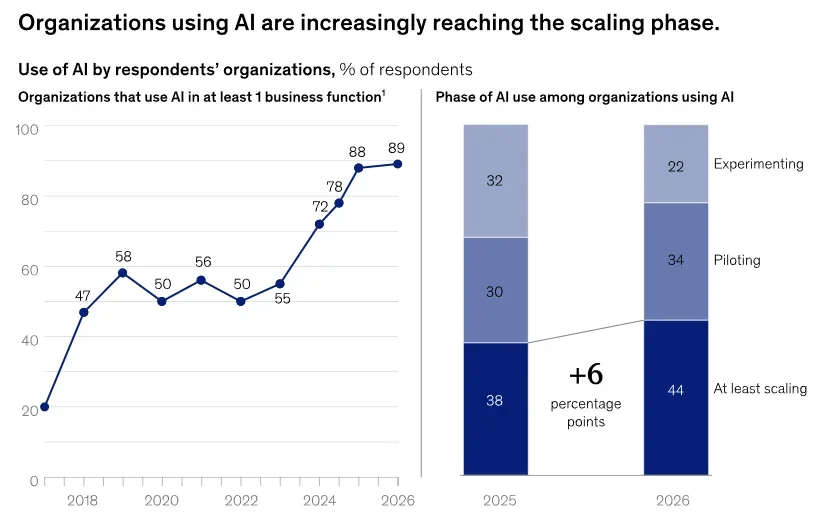
McKinsey says define value first and scale only what works.
Pick two or three repetitive processes to try first.
Note what each costs you in time and money.
Then bring AI in and check what changed.
How AI Customer Support Improves Customer Service
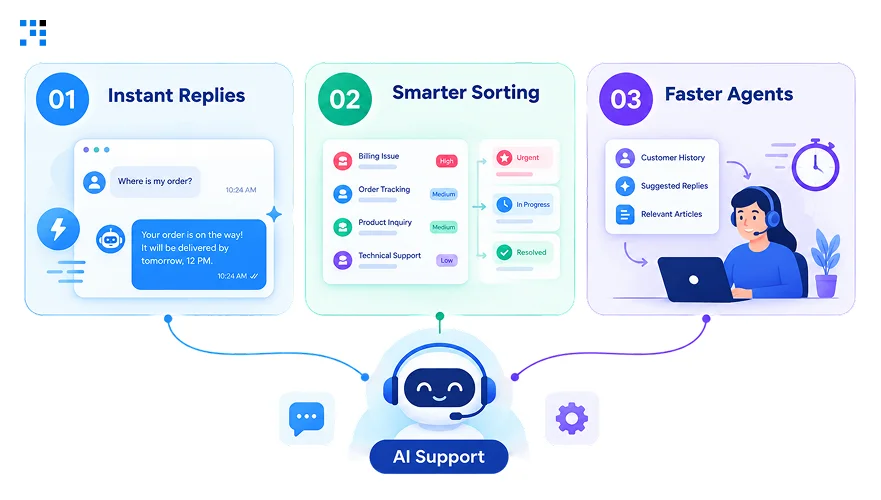
1. Instant Replies
Picture a customer asking where their order is at midnight.
Bots answer straight away with the exact tracking details.
Password resets and appointment confirmations get handled the same way.
Your inbox stops filling up with the same five questions.
2. Smarter Sorting
Emails get read and tagged the moment they arrive.
Refund requests go to finance while product questions reach sales.
Urgent complaints jump to the top of the queue.
3. Faster Agents
Long chats get summarized before an agent even opens them.
Suggested replies appear on screen ready to edit and send.
Post-call notes write themselves so nobody types them up.
Resolutions come sooner, and your team ends the day calmer.
AI Document Processing Saves Hours on Paperwork
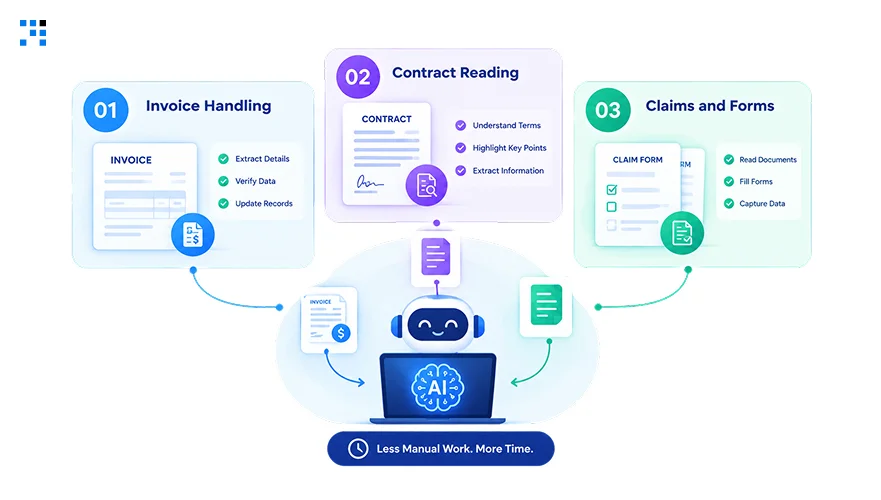
1. Invoice Handling
Invoices arrive as PDFs, photos, and messy email attachments.
Software pulls vendor names, amounts, and line items itself.
Matching against purchase orders happens before anyone opens a spreadsheet.
Finance only sees the invoices that need a decision.
2. Contract Reading
Contracts get skimmed in minutes instead of whole afternoons.
Strange clauses and missing terms get flagged for your attention.
Renewal dates and obligations land in one clean list.
Lawyers then spend their hours negotiating and not reading.
3. Claims and Forms
Claimants upload a claim, and the form fills itself in.
Missing pages or details get spotted before anyone chases them.
Each claim then routes to the right team by type.
What AI Knowledge Search Recover for Your Team
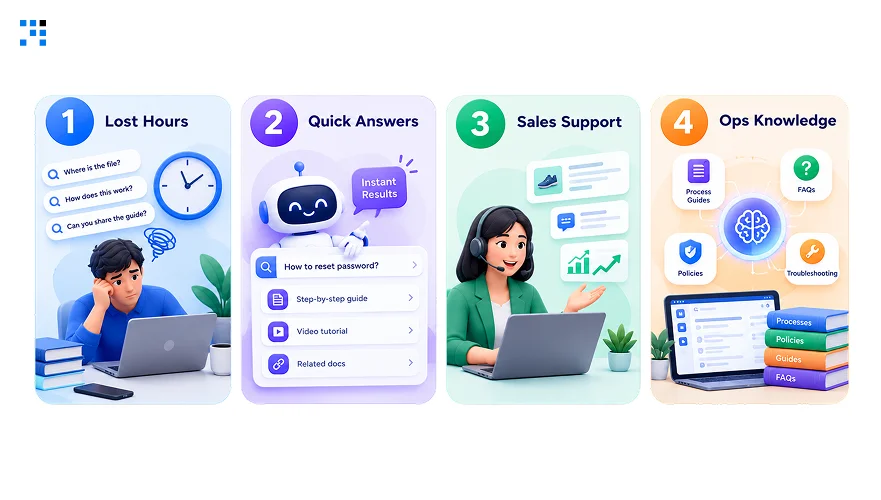
1. Lost Hours
Someone on your team is hunting for a file today.
Scattered folders and old chat threads make every search slower.
Smart search reads across all of it in one go.
Hours once lost to digging go back into real work.
2. Quick Answers
Ask what your discount policy is for enterprise deals.
Get a plain answer with the source document attached.
Pricing questions no longer need three colleagues and a wait.
3. Sales Support
Reps preparing for a call open one search box.
Case studies, specs, and past deal notes appear together.
Support teams use the same tool to answer customers faster.
Newer hires ramp up without interrupting your senior people.
4. Ops Knowledge
Operations teams keep SOPs and compliance policies in many places.
Engineers hunt for architecture docs and old incident write-ups.
Search finds the right page while the issue is fresh.
AI Workflow Automation Cost Breakdown
Cost depends on how many steps you want automated.
Figures in the table reflect typical small business projects.
| Tier | What’s Included | Cost Range | Timeline |
|---|---|---|---|
| Single Workflow | One process like order to cash or vendor onboarding | $5000 to $20000 | 1 to 3 months |
| Connected Workflows | Several processes linked across your CRM, ERP, and billing tools | $10000 to $50000 | 6 to 12 weeks |
| Ongoing Support | Platform fees, API usage, and monitoring after launch | $500 to $3000 monthly | Recurring |
Starting with one process keeps both risk and spend low.
How to Measure AI ROI in Four Steps
1. Define Baseline
Capture monthly volume and time per unit for each process.
Add fully loaded labor cost and current error rates.
Cycle time from start to finish completes the before picture.
2. Estimate Impact
Apply conservative benchmarks instead of optimistic vendor promises when forecasting.
Below are ranges worth using in your first model.
| Area | Usual Impact | Payback |
|---|---|---|
| Customer support | 30% to 50% cost cut | 3 to 5 months |
| Document processing | 60% to 80% less manual time | 1 to 12 months |
| Knowledge search | 40% to 60% less search time | Varies |
| Workflow automation | 150% to 250% ROI | 4 to 8 months |
3. Calculate ROI

Run the formula in the image above for every process you test.
Outcomes include labor savings and fewer refunds or rework.
Revenue gains and avoided hiring belong in that value total.
4. Track Adoption
ROI is never a one-time calculation after launch day.
Watch usage metrics like active users and feature adoption.
Process and financial metrics reveal cost per transaction and margins.
Models drift over time, so include monitoring in your math.
Where Does Human Intervention Matter in AI
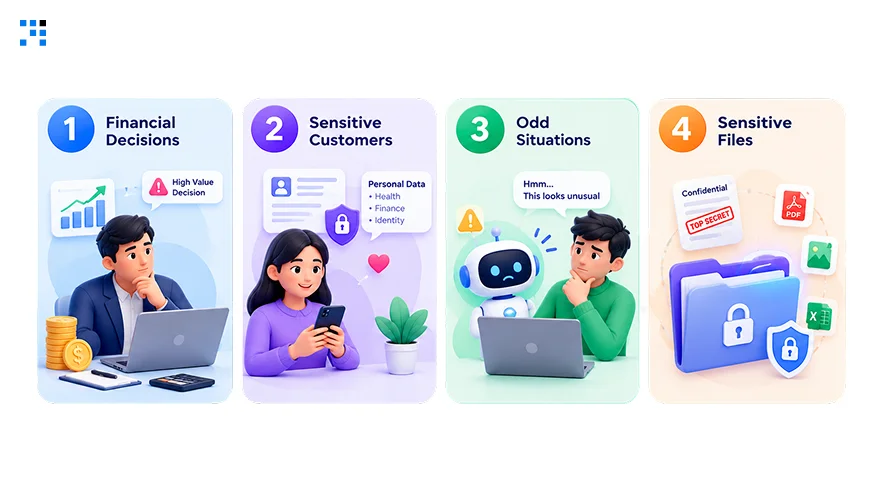
1. Financial Decisions
Anything touching refunds or credits needs a person’s approval.
Big discounts and contract terms deserve a named decision maker.
Legal exposure makes that extra signature worth the minutes.
2. Sensitive Customers
Angry or escalated customers want to feel heard by a real person.
VIP and enterprise accounts deserve that personal touch too.
Questions outside your policies need a clear handoff to staff.
3. Odd Situations
Automation shines on routine cases and struggles with strange ones.
A damaged scan or missing field should reach a reviewer.
Let AI handle the everyday bulk while reviewers take exceptions.
4. Sensitive Files
Regulated processes need audit trails and a final sign-off.
Permissions decide who gets to see contracts and salary sheets.
Outdated documents still need owners because AI cannot fix them.
Treat AI as a copilot and never the final authority.
How We Help You Bring AI Into Your Business
1. Readiness Check
Our first call covers how your business actually runs today.
Existing tools, data and team habits all get reviewed.
Slow spots and repeated tasks show where AI can help.
Honest feedback follows even when AI is not the answer.
2. Tool Selection
Plenty of AI tools exist, and most will not fit.
Shortlists reflect your budget, team size, and goals.
Buying off the shelf makes sense for simple needs.
Custom builds come in only when they truly pay off.
3. Custom Integration
Developers wire AI into your CRM and billing tools directly.
Nothing gets ripped out unless it is already broken.
Chat, email, and voice channels can share one setup.
Security settings and audit trails ship with the first release.
4. Ongoing Support
Dashboards track turnaround time, errors, and cost per ticket.
Monthly reviews catch slipping performance before it hurts your returns.
Scaling decisions then rest on real numbers and not hunches.
FAQs
Begin with whichever repetitive queue eats the most hours. Tickets and invoices usually qualify because their rules are clear. Small starts keep risk low and results easy to prove.
Entry-level support tools start near $50 per month. Bigger builds like workflow projects run $5000 to $20000. Estimates arrive in writing before any build work begins. Budget stays fully in your control through every phase.
Expect roughly four to eight months for a focused project. Paperwork automation tends to move fastest in most businesses. Baselines taken before launch make that payback easy to verify. Delays usually come from loose scope and not from technology.
Roles change far more often than they disappear in practice. Routine volume goes to AI while judgment stays with people. Sensitive cases keep a clear path to a real person. Freed hours usually go toward work your team prefers.
Yes. CRM, ERP, and ticketing tools connect through standard integrations. Planning starts with your current stack so nothing breaks. Tools get replaced only when something genuinely holds you back. Pilot runs happen at small scale before anything goes live.