An ERP React app brings together inventory, HR, CRM, and accounting into one dashboard so teams stop juggling separate tools. It’s built module by module, with each department getting its own section that connects to shared data in real time.
What does it take to replace five different business tools with one system?
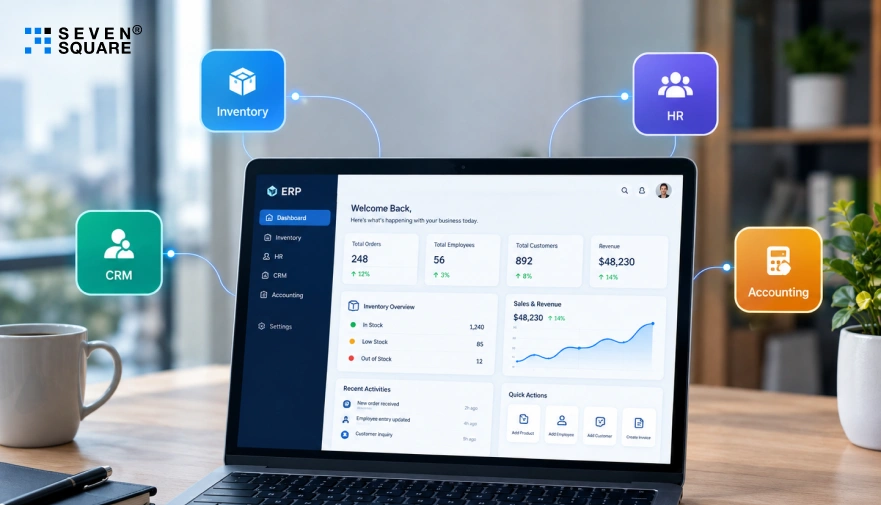
This guide breaks down how an ERP React app brings inventory, HR, and CRM together in one place.
You’ll see exactly how each module works and what it takes to build one that fits your business.
What Are the Core Features of a Modern ERP React App
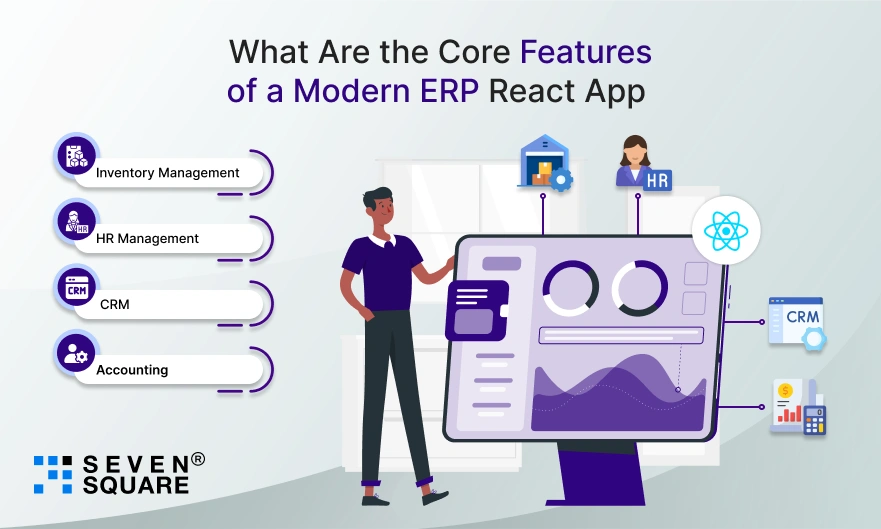
A modern ERP React app features several key modules to simplify business processes.
We’ll show you how to build these essential modules for your ERP React app:
- Inventory Management: Track stock levels, suppliers, and orders.
- HR Management: Manage employees, roles, leaves, and attendance.
- CRM (Customer Relationship Management): Handle leads, clients, and communication.
- Accounting: Record transactions, generate invoices, and monitor cash flow.
These modules make up the foundation of any scalable ERP React app.
How Does an ERP React App Improve Business Efficiency?
An ERP React app gives teams real-time access to business data from anywhere.
It reduces manual tasks, eliminates data duplication, and improves cross-department collaboration.
Whether you’re a developer building for clients or a business owner looking to automate operations, building an ERP React app is a smart, future-ready solution.
Tools and Tech Stack for an ERP React App
To build a modern, high-performance ERP application in ReactJS, you’ll need a solid tech stack. Here’s what we’ll use:
1. Frontend:
- ReactJS (using Vite or Create React App for faster setup and performance).
- Component Libraries like MUI or TailwindCSS for professional UI.
2. Backend:
- Node.js + Express.js for REST APIs.
- MongoDB for storing business and module data.
3. Version Control & Hosting:
- GitHub to store and share your code.
- Vercel (or Netlify) to deploy your app live.
This full-stack setup ensures your ERP app is scalable, secure, and easy to maintain.
Step-by-Step Guide to Build Your ERP React App
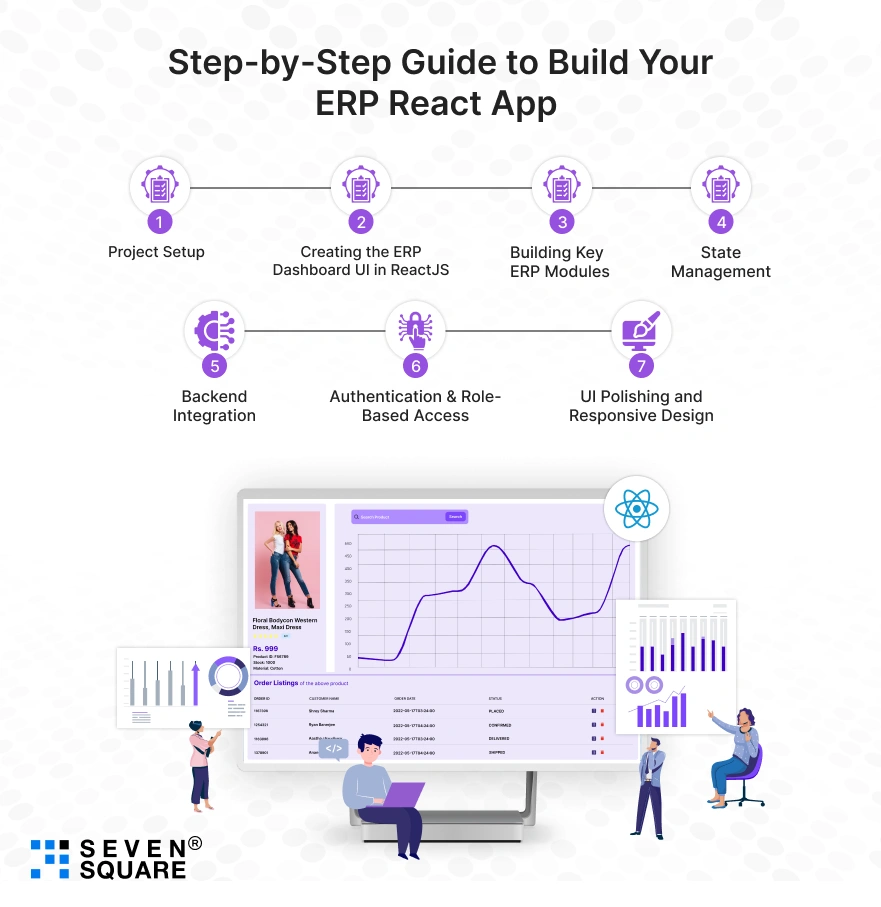
If you’re looking to build an ERP with React, you are at the right place.
Here we will walk you through every step, from project setup to creating real ERP modules with clean code and responsive UI.
Whether you’re a developer, startup founder, or business owner, this guide will help you create a professional ERP system in ReactJS.
Step 1: Project Setup (React App + Folder Structure)
Let’s begin by setting up our ERP project using Vite (much faster than Create React App):
                npm create vite@latest react-erp-system --template react
                cd react-erp-system
                npm install
                npm run dev
Install essential packages:
npm install react-router-dom axios
Recommended folder structure:
                /src
                /components
                /pages
                /modules
                    /Inventory
                    /Employees
                    /CRM
                /context
                /services
                /utils
                App.jsx
                main.jsx
Step 2: Creating the ERP Dashboard UI in ReactJS
An ERP system needs a sidebar, top navbar, and a main content area. Let’s create a basic layout:
components/Layout.jsx
                import Sidebar from './Sidebar';
                import Topbar from './Topbar';

                const Layout = ({ children }) => (
                <div className="flex h-screen">
                    <Sidebar />
                    <div className="flex-1 flex flex-col">
                    <Topbar />
                    <main className="p-4 overflow-y-auto">{children}</main>
                    </div>
                </div>
                );

                export default Layout;
Use TailwindCSS or MUI to style the components for a clean UI.
Step 3: Building Key ERP Modules (with Code Examples)
1. Employee Management Module
modules/Employees/EmployeeList.jsx
                import { useEffect, useState } from 'react';
                import axios from 'axios';

                const EmployeeList = () => {
                const [employees, setEmployees] = useState([]);

                useEffect(() => {
                    axios.get('/api/employees').then(res => setEmployees(res.data));
                }, []);

                return (
                    <div>
                    <h2 className="text-xl font-bold mb-4">Employees</h2>
                    <ul>
                        {employees.map(emp => (
                        <li key={emp.id}>{emp.name} - {emp.position}</li>
                        ))}
                    </ul>
                    </div>
                );
                };

                export default EmployeeList;
2. Inventory Management Module
modules/Inventory/InventoryList.jsx
                const items = [
                { id: 1, name: 'Laptop', quantity: 12 },
                { id: 2, name: 'Monitor', quantity: 8 }
                ];

                const InventoryList = () => (
                <div>
                    <h2 className="text-xl font-bold mb-4">Inventory</h2>
                    <table className="table-auto w-full">
                    <thead>
                        <tr>
                        <th>Name</th>
                        <th>Quantity</th>
                        </tr>
                    </thead>
                    <tbody>
                        {items.map(item => (
                        <tr key={item.id}>
                            <td>{item.name}</td>
                            <td>{item.quantity}</td>
                        </tr>
                        ))}
                    </tbody>
                    </table>
                </div>
                );

                export default InventoryList;
3. CRM / Client Records Module
modules/CRM/Clients.jsx
                const clients = [
                    { id: 1, name: 'Acme Corp', contact: 'acme@example.com' },
                    { id: 2, name: 'Globex', contact: 'info@globex.com' }
                ];

                    const Clients = () => (
                    <div>
                        <h2 className="text-xl font-bold mb-4">Clients</h2>
                        <ul>
                        {clients.map(client => (
                            <li key={client.id}>{client.name} – {client.contact}</li>
                        ))}
                        </ul>
                    </div>
                    );
                export default Clients;
Step 4: State Management (Context API or Redux)
For small to medium projects, Context API works great. Here’s a basic setup:
context/UserContext.jsx
                import { createContext, useContext, useState } from 'react';

                const UserContext = createContext();

                export const useUser = () => useContext(UserContext);

                export const UserProvider = ({ children }) => {
                const [user, setUser] = useState(null);

                return (
                    <UserContext.Provider value={{ user, setUser }}>
                    {children}
                    </UserContext.Provider>
                );
                };
Wrap <App /> with UserProvider in main.jsx.
Step 5: Backend Integration (If Applicable)
If you want to make this a full-stack ERP system, connect to a backend using Node.js + Express + MongoDB.
Sample Axios API Call:
                axios.get('https://yourdomain.com/api/employees')
                .then(res => console.log(res.data))
                .catch(err => console.error(err));
Use REST APIs for CRUD operations on each module (Employee, Inventory, etc.).
Step 6: Authentication & Role-Based Access
Use React Router with role-checking logic.
utils/PrivateRoute.jsx
                import { Navigate } from 'react-router-dom';
                import { useUser } from '../context/UserContext';

                const PrivateRoute = ({ children, role }) => {
                const { user } = useUser();
                if (!user || user.role !== role) return <Navigate to="/login" />;
                return children;
                };

                export default PrivateRoute;
Apply this to admin-only routes for your ERP modules.
Step 7: UI Polishing and Responsive Design
Use TailwindCSS, Flexbox, and Grid to ensure your ERP UI is fully responsive.
Example:
                <div className="grid grid-cols-1 md:grid-cols-2 lg:grid-cols-3 gap-6">
                {/* ERP Cards or Module Boxes */}
                </div>
Ensure:
- Dashboard scales on tablets & mobiles.
- Forms and tables look clean.
- Dark mode support (optional).
Explore the full GitHub Code to Create an ERP System Using ReactJS.
Common Issues That Occur in Building an ERP React App
Even experienced developers run into challenges while building a full ERP React project. Here are some of the most common issues and how to solve them:
- Build Errors: If you’re using multiple packages, make sure your dependencies are compatible and updated. React version mismatches can often cause build issues.
- Component Structure Confusion: ERP systems require a clean folder structure. Separate your modules (HR, Inventory, etc.) into their components and containers for better maintainability.
- Authentication & Routing Fixes: Use libraries like React Router and implement role-based access to secure module-level routes. Many developers face issues with private routing in admin dashboards.
With this ReactJS ERP tutorial, you can avoid unnecessary headaches and build faster.
Why Choose Seven Square to Build Your ERP React App
Whether you’re a startup, SME, or enterprise, our expert developers can help you turn complex business processes into a clean & responsive web ERP application.
Here’s why startups and enterprises trust us to build their ERP React app:
- We have a proven track record of building custom ERP systems for clients across industries like retail, logistics, manufacturing, and services.
- Our team builds clean, modular, and scalable React ERP dashboards using the latest UI libraries and state management tools.
- We don’t stop at the front end; we deliver full-stack ERP projects with Node.js, Express, MongoDB, and REST APIs for complete backend integration.
- Secure user authentication, role-based access, and real-time data handling are built in.
- We offer post-launch support, upgrades, and module additions, so your ERP grows with your business.
Contact Us Today!
FAQs
A focused system with core features like inventory and HR can go live in weeks, not months, when built by a team that’s done it before. We’ve shipped enough of these to know exactly where time gets wasted, and where it doesn’t.
Yes. It’s built module by module, so features for retail, logistics, or manufacturing can be added or removed based on exactly how your business runs. We’ve built these modules across enough industries to know what each one actually needs.
A well-built system is designed around clean, simple dashboards so non-technical staff can manage inventory, HR, or clients without confusion. That simplicity is something we design for from day one, not patch in later.
Yes, when built right, it includes role-based access and secure authentication, so only the right people see the right data at every level. We treat this as a baseline, not an add-on.
Yes. Since it’s built with modular components, new features or entire departments can be added later without rebuilding the system from scratch. We build with that growth in mind from the first module.