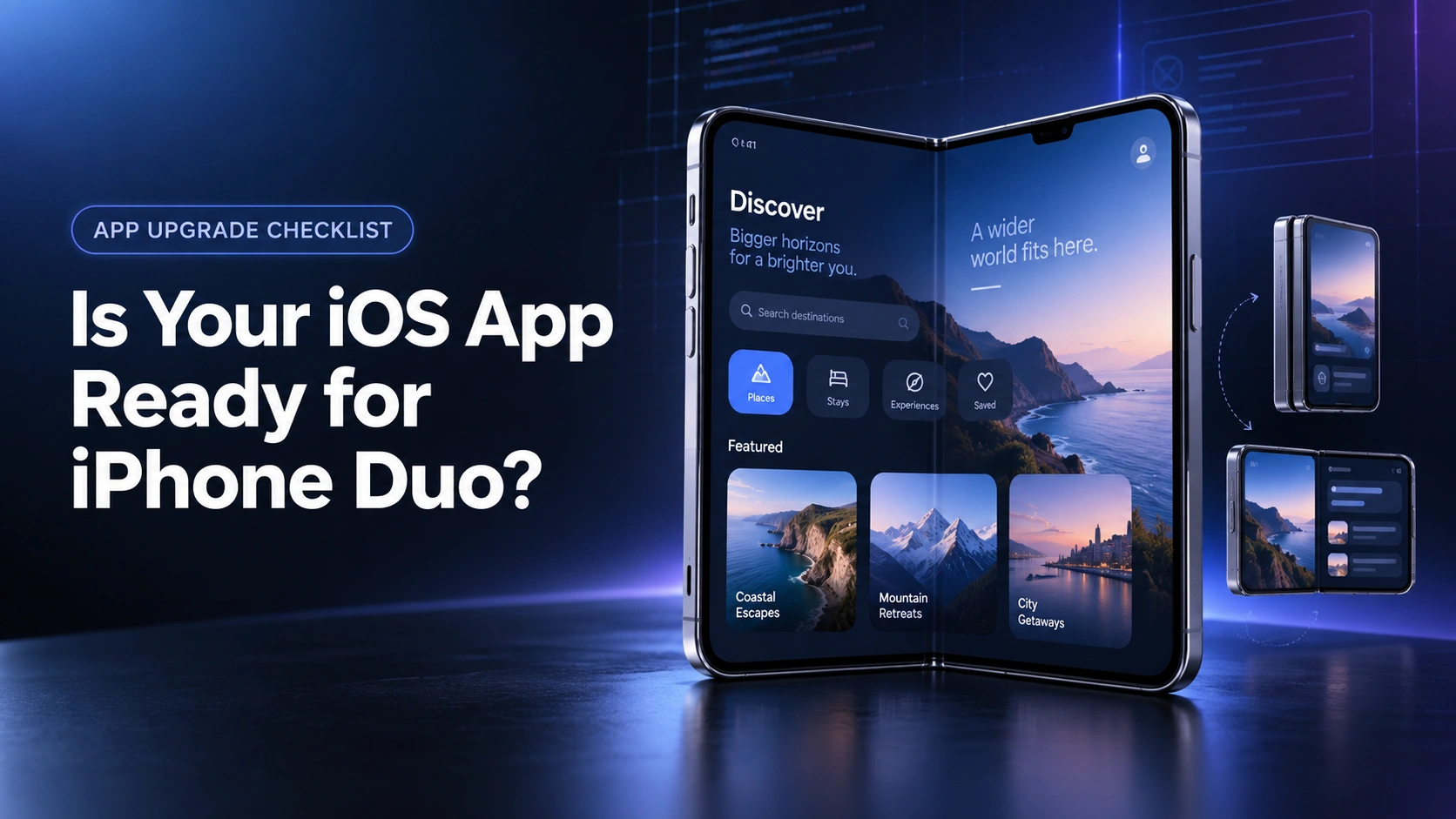
iPhone Duo, Apple’s first foldable iPhone, changes how users open, hold, and interact with your app. If you’re building, scaling, or upgrading an iOS app, how it behaves on iPhone duo could directly affect your user retention.
What Could Go Wrong If Your App Is Not Optimized?
Your app is live on the App Store.
You built it for one screen.
A user unfolds their brand new iPhone Duo.
They open your app first, out of habit.
The screen shifts and your layout freezes for a second.
Buttons sit in the wrong spot now.
Content stretches oddly across the fold.
They pause and then they close the app.
They open a competitor’s app next.
It fills the Duo perfectly. Nothing shifts. Nothing breaks.
They don’t open your app again that day.
Or the next one.
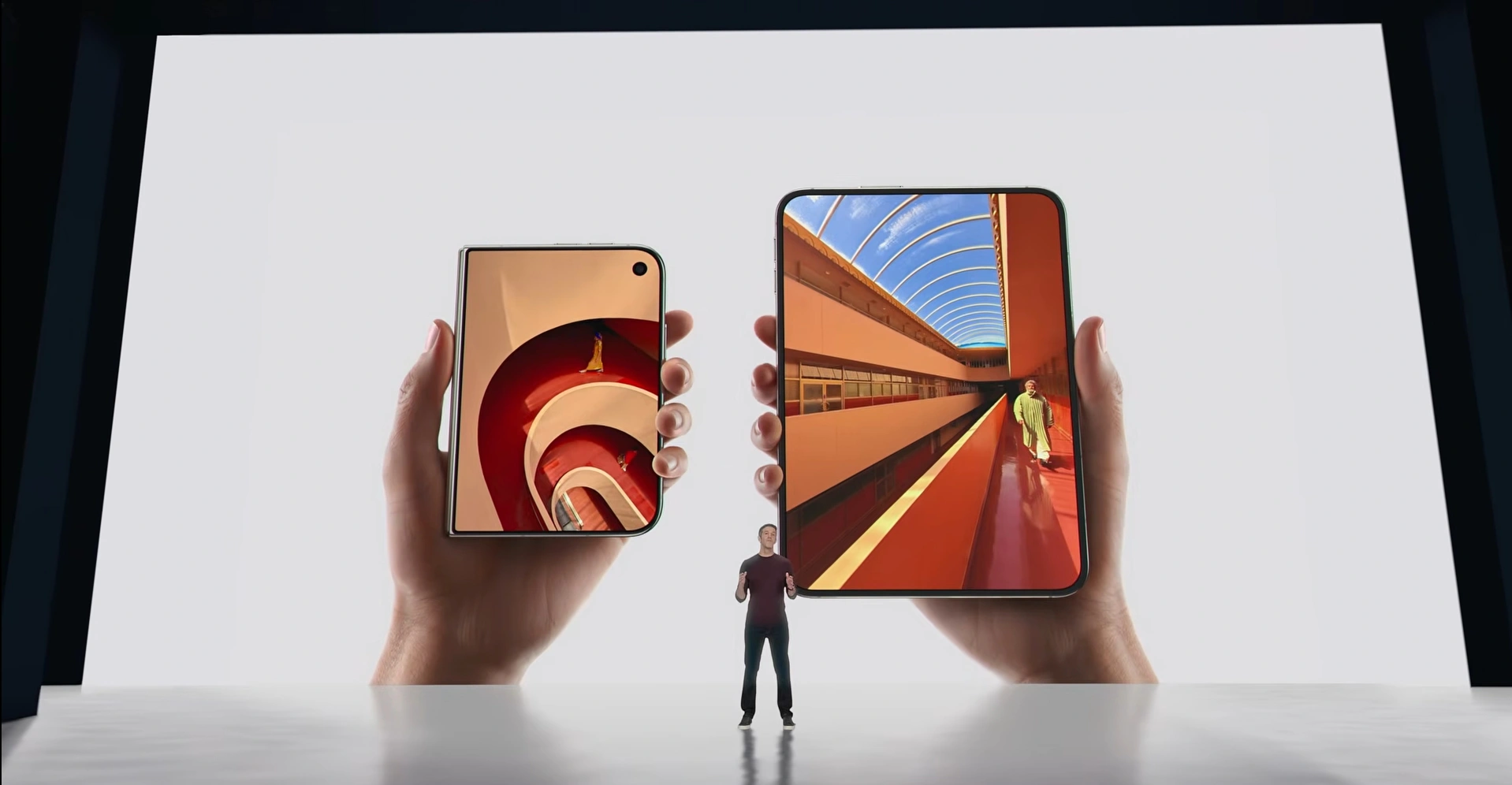
Apple called Duo “the most transformational iPhone experience since the original.”
That’s not a spec update landing on shelves.
That’s a new device shape reaching your users in weeks.
What iPhone Duo Actually Changed
1. One Continuous Shape
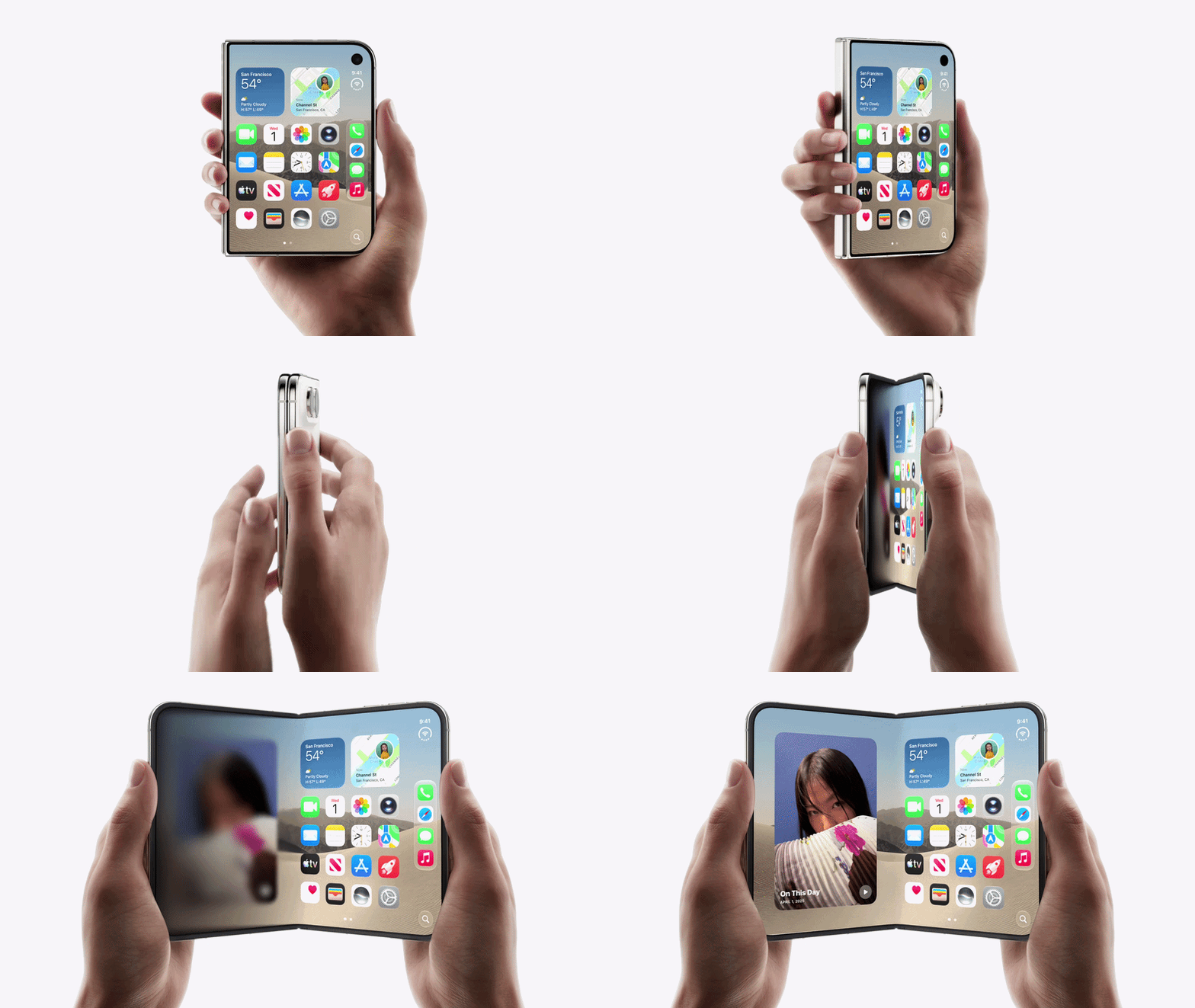
Two rounded corners with one frame connecting both sides.
Apple built Duo as one experience, not two phones joined together.
Your app’s layout needs to follow that same continuity.
A screen that jumps or breaks between shapes feels unfinished to users.
2. The Largest Display Ever
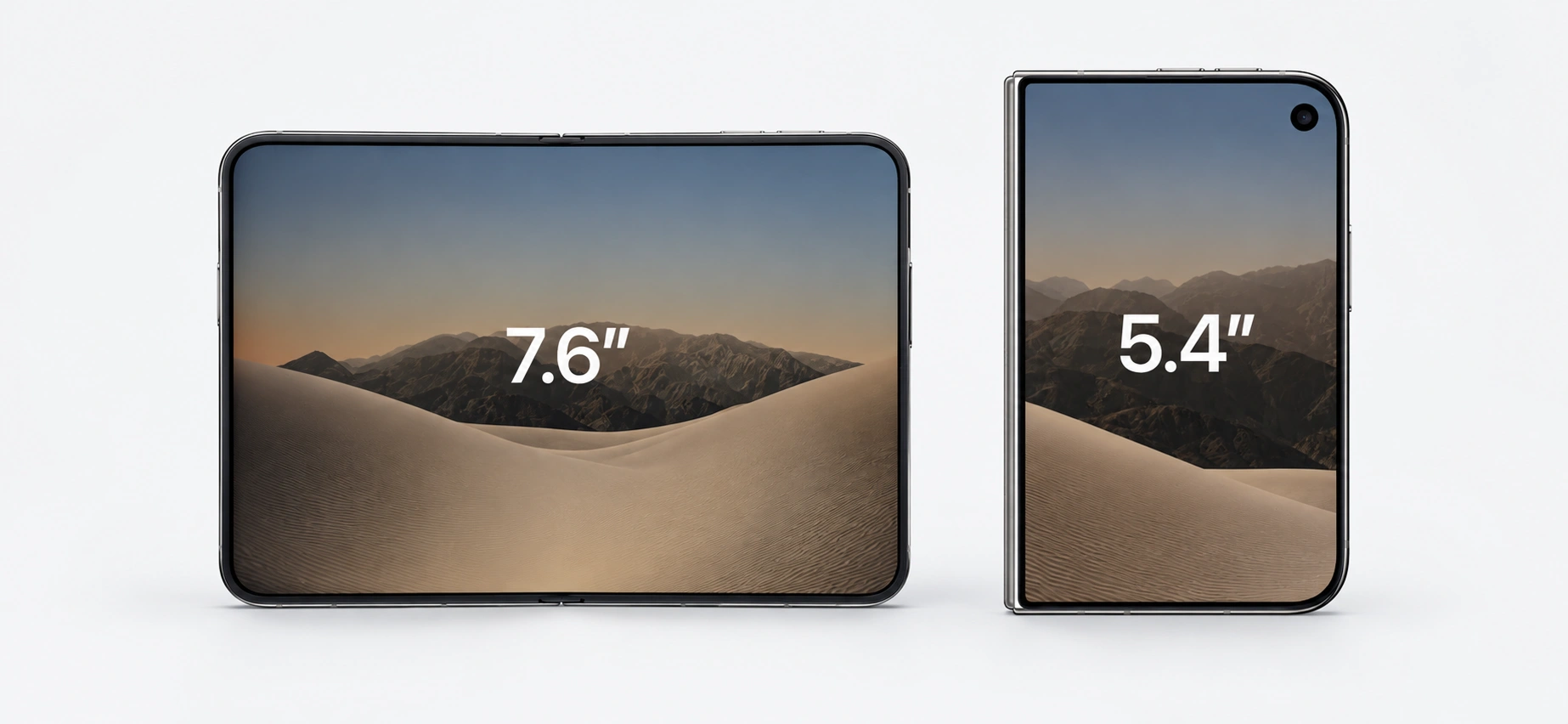
The inner screen is 7.6 inches. The outer is 5.4.
Both share one aspect ratio, so switching feels like one screen.
An app that hardcodes its screen size will scale wrong here.
Users notice stretched icons and cut-off text fast.
3. A Hidden Camera Behind The Screen

The FaceTime camera now sits under the inner display.
No notch. No cutout. Nothing left to design around.
Apps that still reserve space for an old camera housing waste screen room.
That’s clean space your competitor’s app is already using well.
4. Two Batteries Working As One
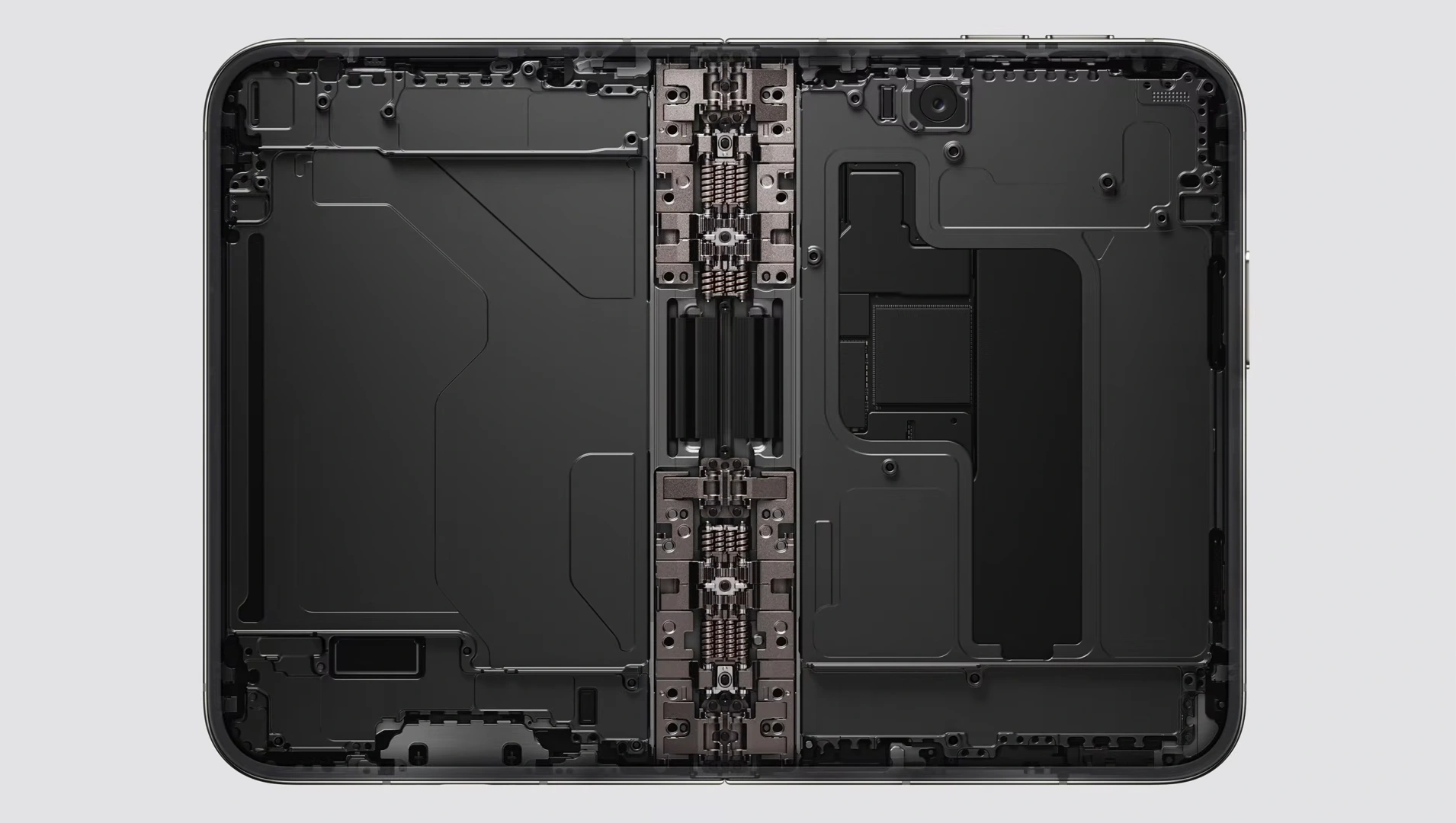
Duo runs on two batteries managed as a single system.
Camera-heavy and video-heavy features pull more power across two screens.
An app not built for that load drains the battery faster.
Users blame the app, not the device, when the battery drops fast.
Where iPhone Duo Breaks Apps That Aren’t Ready
1. Controls Move To The Side
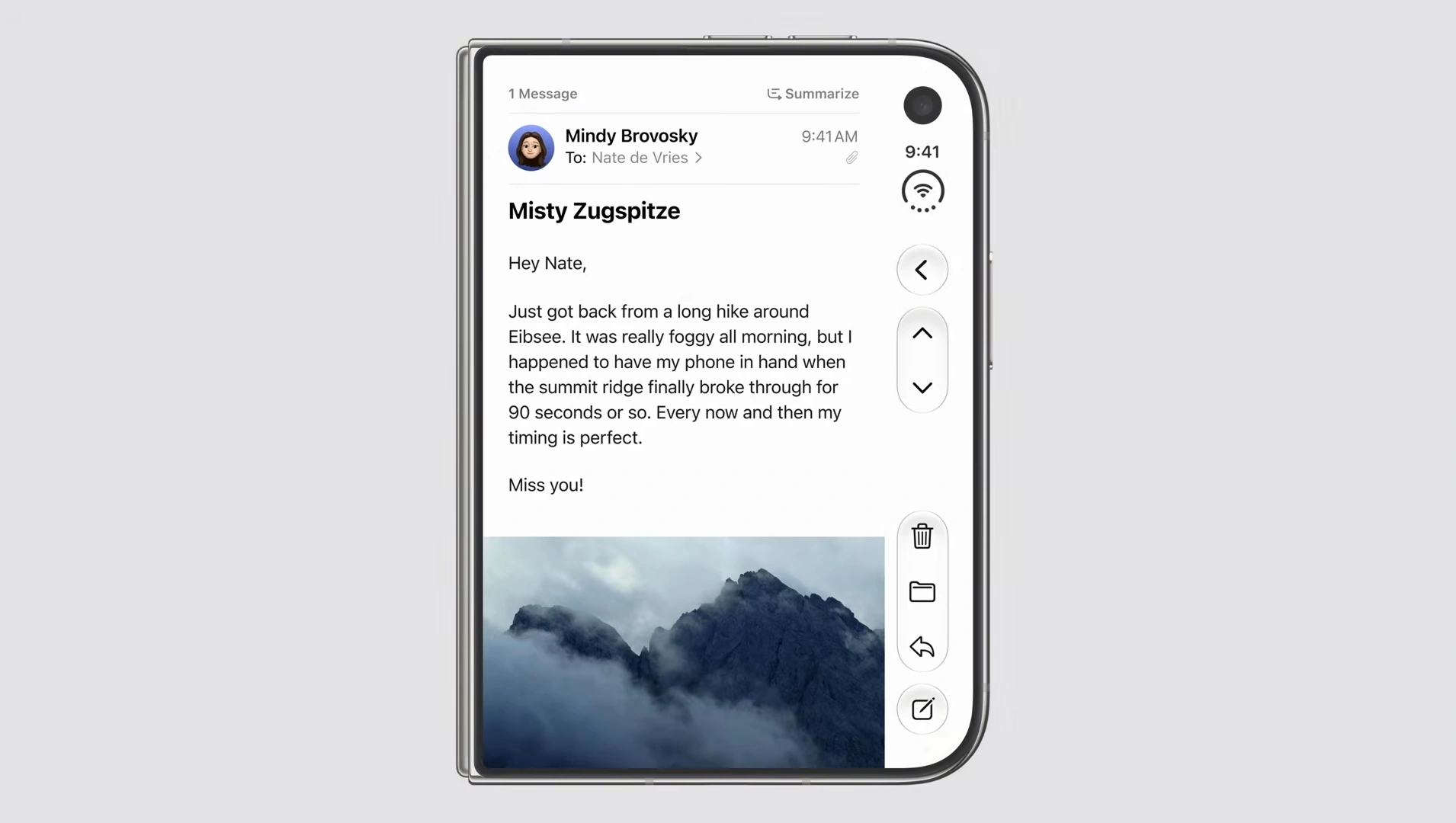
iOS 27 moves essential controls to the side of the screen.
An app anchored to a fixed bottom bar sits in the wrong place now.
Users hunt for buttons instead of tapping them.
That friction is enough to send them looking for another app.
2. Split View Changes What Running Means
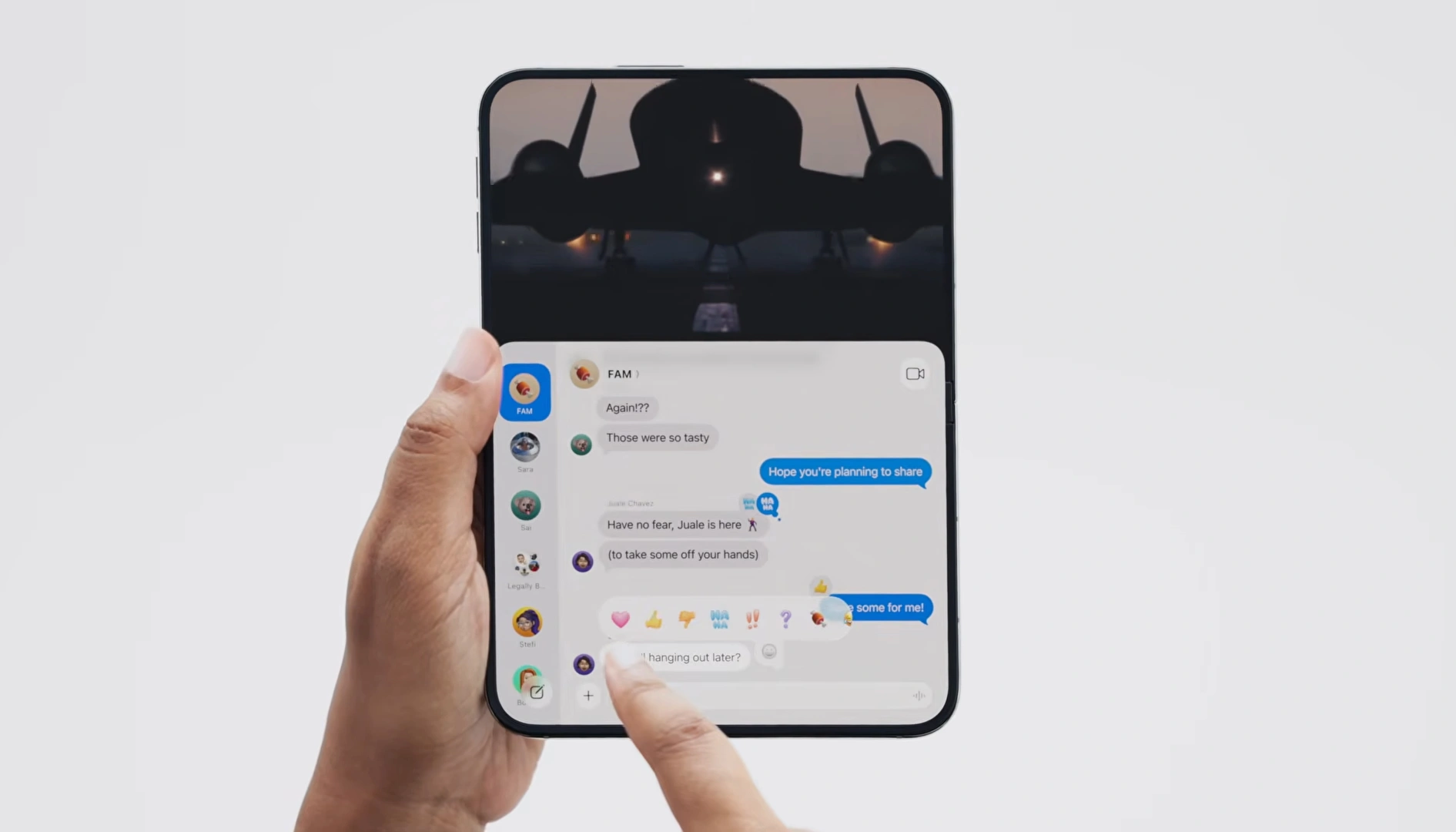
Users can now drag your app beside another one.
Or open two windows of the same app at once.
A screen that isn’t built for this resets or freezes mid-task.
Losing progress once is often enough to lose that user.
3. One Fold Two Screens
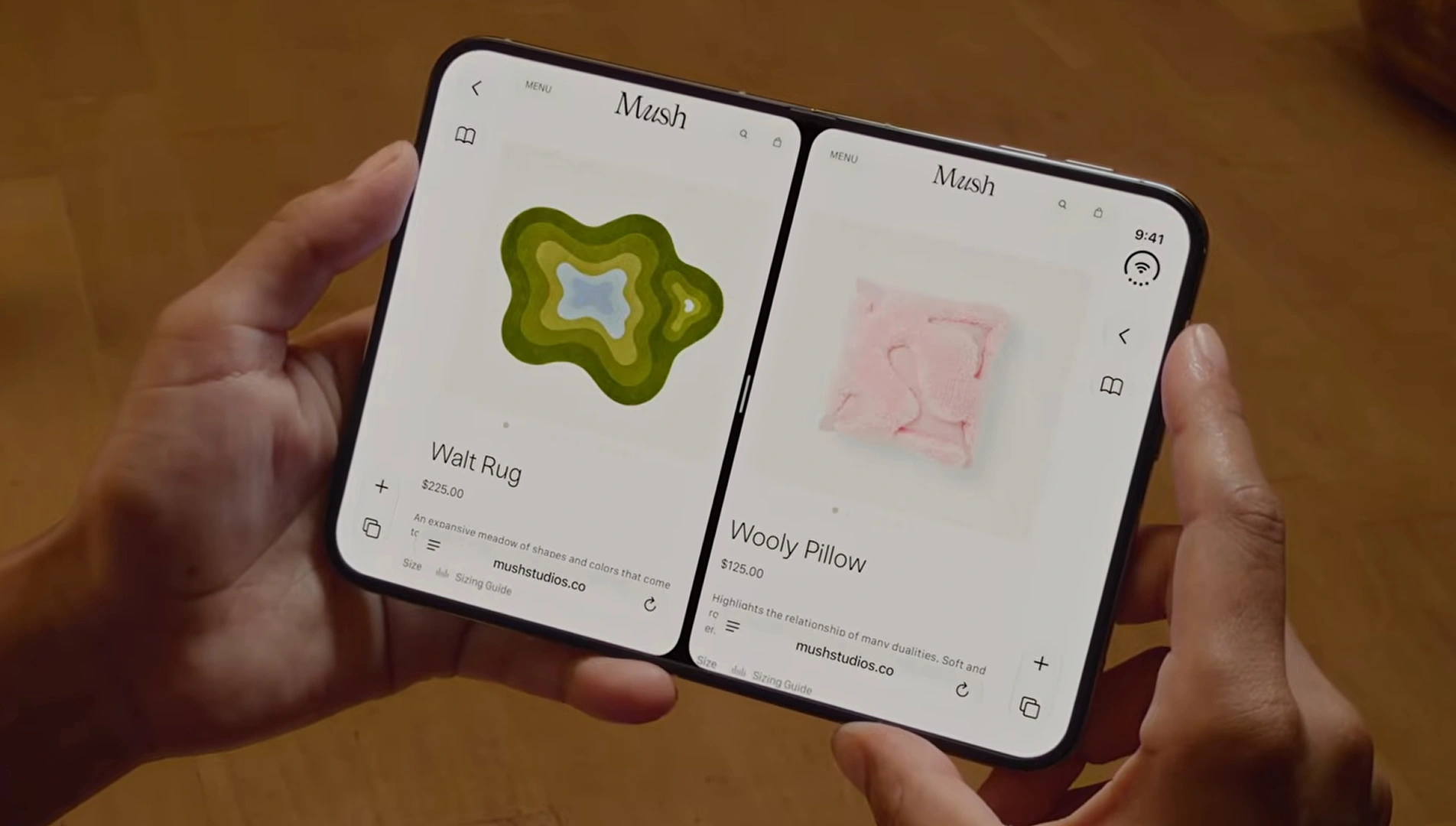
iOS shifts your app between displays as the device folds.
That transition needs to happen without a flicker or a crash.
Get this transition wrong, and users see a broken frame for a second.
Small glitches like this quietly cost trust every single time.
4. Built For Poses Not Just Shape
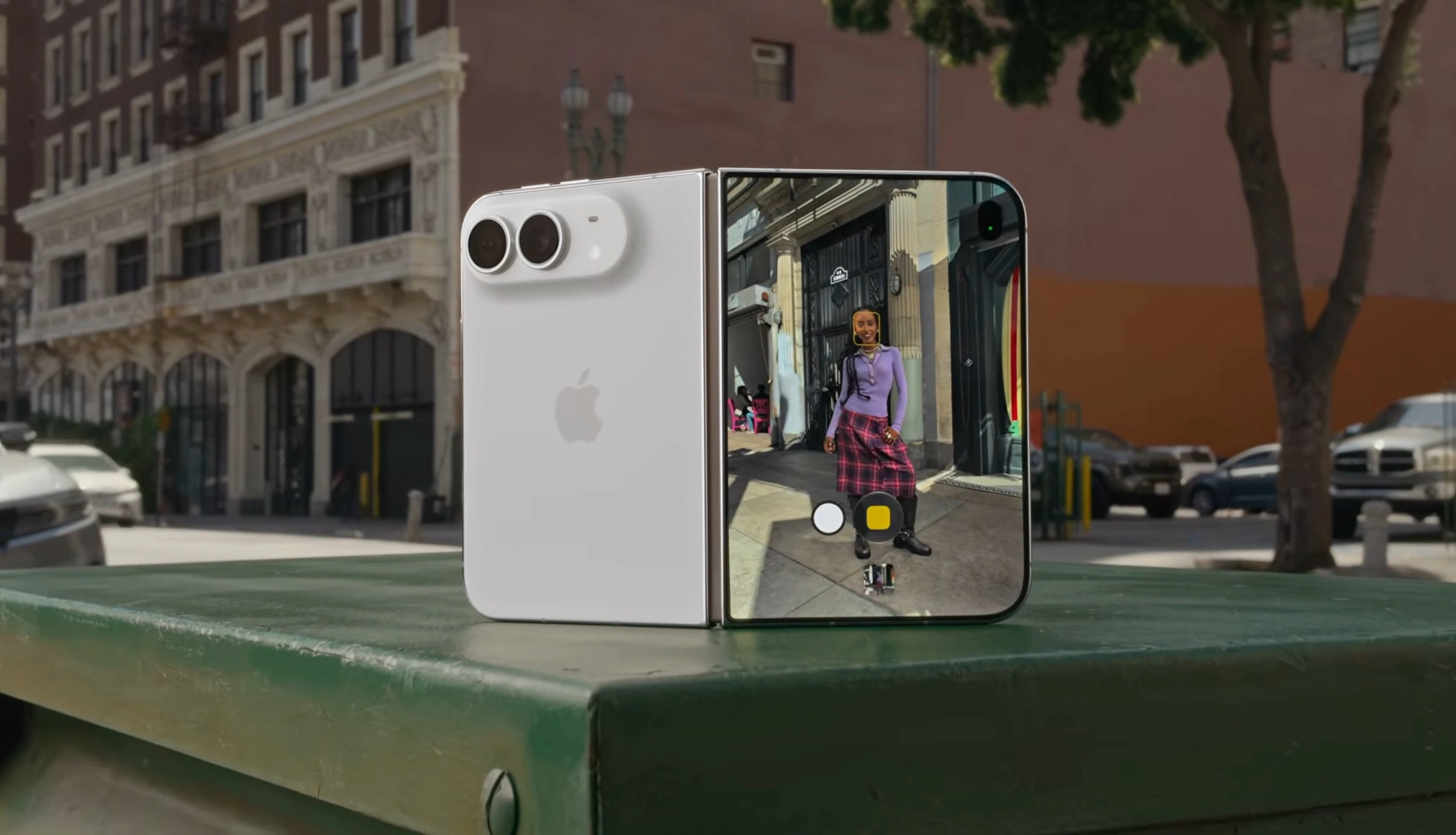
iPhone Duo can stand upright, prop up, or lie flat.
Apple built StandBy and hands-free FaceTime around these poses.
An app locked to one orientation ignores half of what Duo offers.
Users expect their apps to work in every pose the device allows.
What Apps Already Adapted To iPhone Duo
1. Zoom
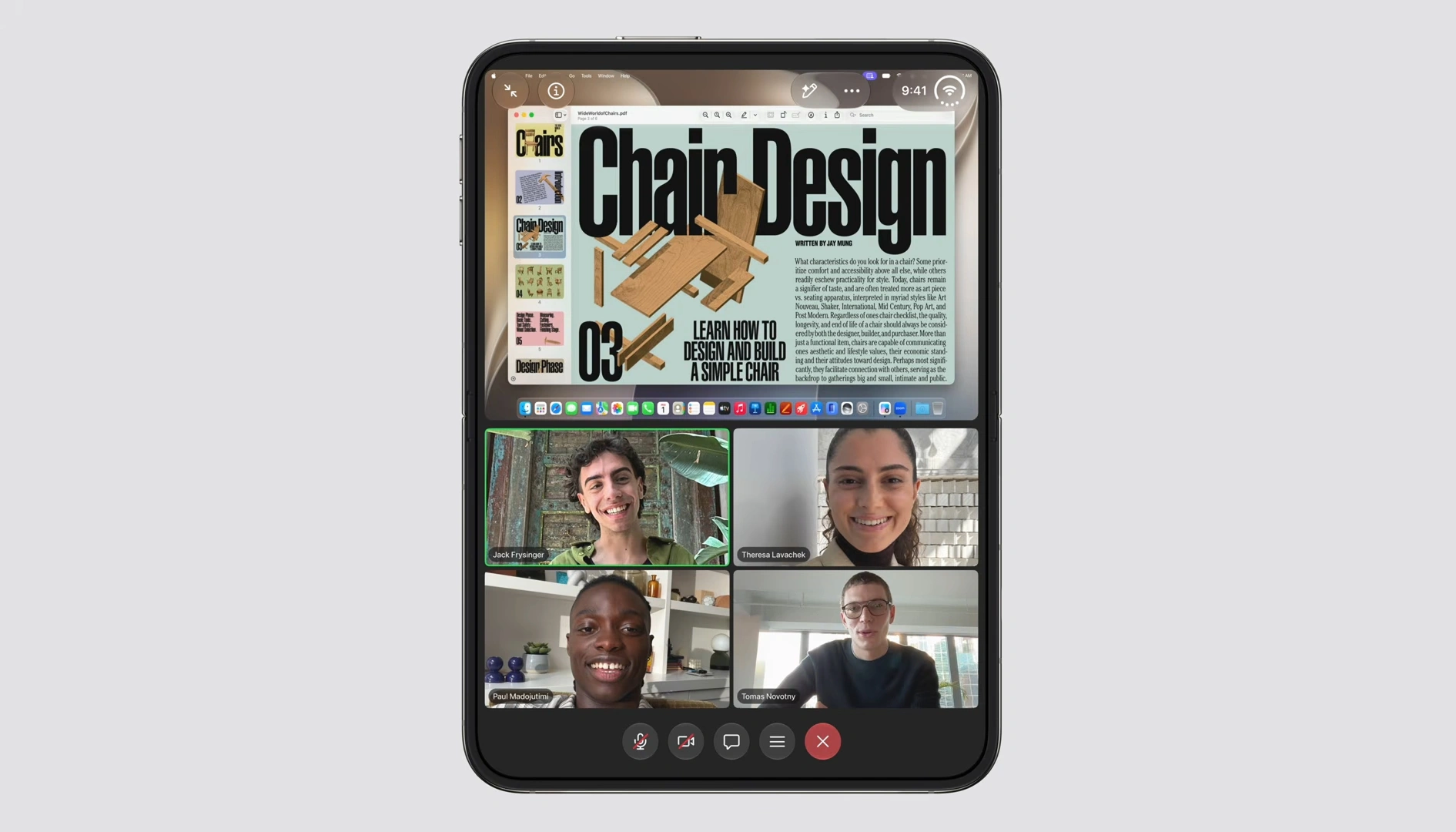
Zoom turned the display into what Apple called an
“immersive video conference room.”
Shared content and every participant stay visible at once.
Callers get more context without switching screens.
Business teams miss fewer details on important calls.
2. Slack
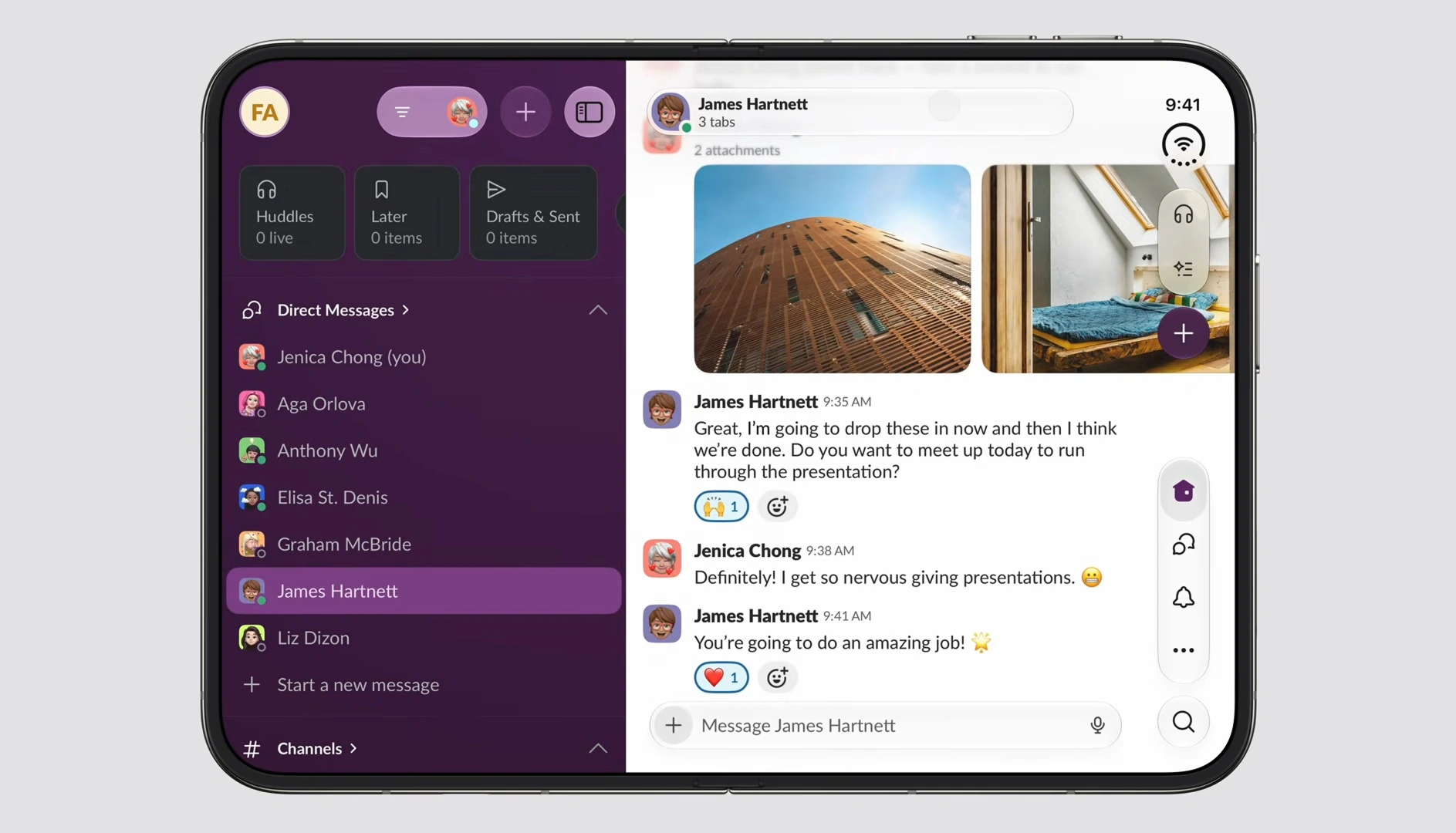
Slack brings the whole workspace into view instead of one channel at a time.
People switch channels without losing their place.
Teams move through conversations faster on the bigger screen.
3. Detail
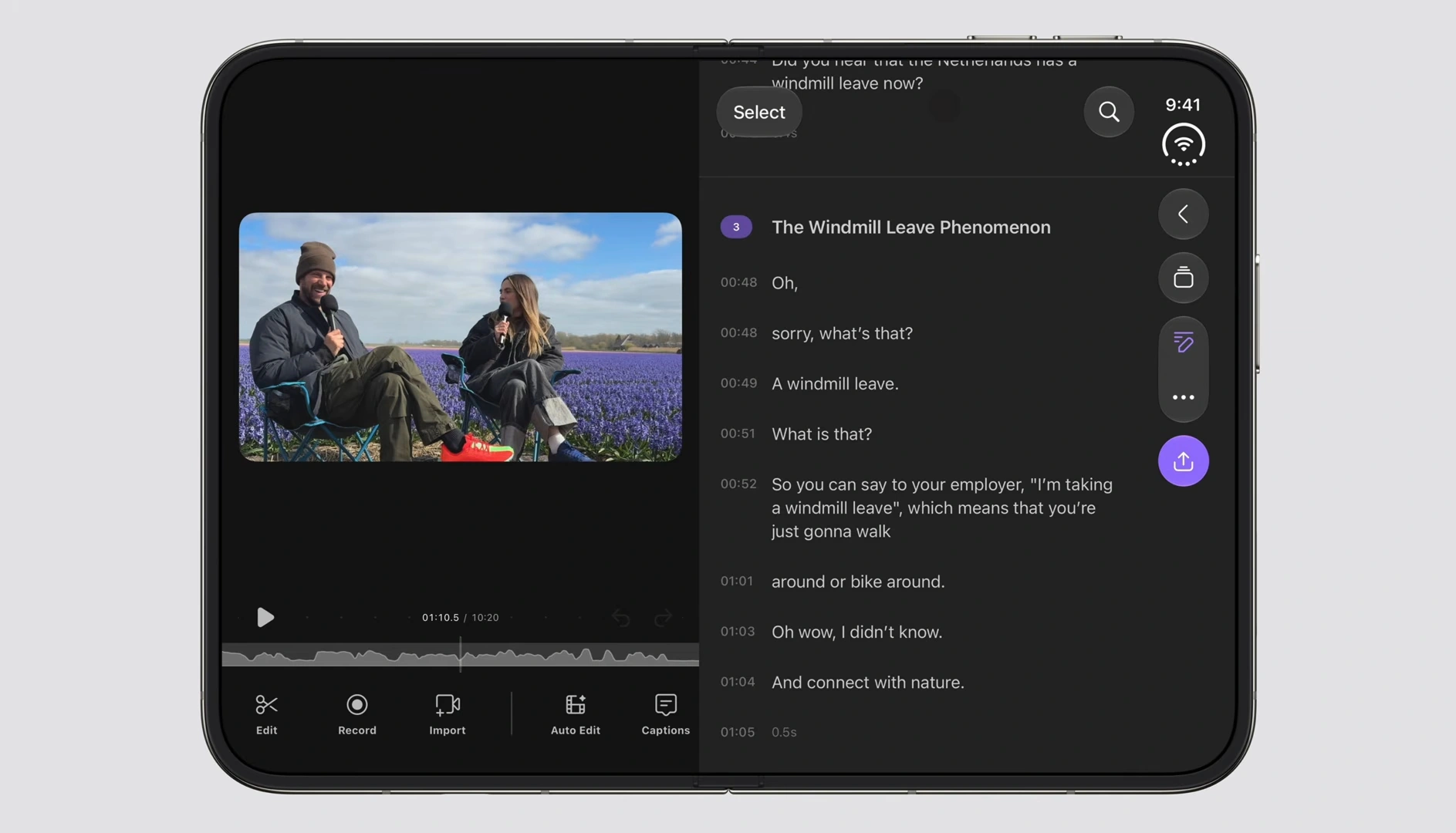
Detail, an AI editing app, rebuilt around Apple’s new Core AI framework.
It runs on-device models directly on the larger screen.
Edits come back faster without a slower app.
That’s a real product advantage its competitors don’t have yet.
4. Netflix

Netflix splits the experience across both displays.
Quick Clips live on the outer screen, full viewing on the inner one.
Viewers browse without opening the full app first.
That small convenience keeps them inside Netflix, not searching elsewhere.
The iPhone Duo Business Checklist
This isn’t about specs anymore.
It’s about what your business risks if you skip it.
| Checklist Item | Business Risk If Skipped |
|---|---|
| Test your app’s layout across fold states | Broken screens turn away users in seconds |
| Verify Split View behavior | Frozen sessions cost you real user data |
| Check data persistence on fold | Lost progress drives users to a competitor |
| Test camera flows on the hidden camera | A broken preview kills trust instantly |
| Audit battery use on both displays | Heavy drain means users delete your app |
| Review your App Store listing for Duo | Your listing looks outdated next to rivals |
How We Build iOS Apps For iPhone Duo
1. Compatibility audit
We start by testing your app against Duo’s real behavior.
Fold, unfold, split view, propped, hands-free, every state gets checked.
Screens that break get mapped and named one by one.
No generic checklist gets applied blindly to your app.
2. Simulator testing
Testing happens on the fold states Apple actually shipped.
Screen size guesses and simulator approximations don’t count here.
This shows exactly what your users will really experience.
That’s the only way to know what’s genuinely broken.
3. Upgrade estimate
Screens that already work fine on Duo stay untouched.
Only the flows that fail get changed.
Cost and timeline stay tied to real findings, not guesswork.
You get a fix list, not a blank rewrite.
4. Implementation in Physical-device validation
Execute full validation on physical hardware once available.
Complete App Store release management;
handling preparation, submission, and ongoing update tracking.
Know exactly where your app stands on iPhone Duo before October 23.
Does Your App Need an iPhone Duo Upgrade?
You should request an audit if your app:
- Uses custom navigation or fixed layouts.
- Was developed several iOS versions ago.
- Has not been properly optimized for iPad or resizing.
- Uses camera, video, gaming or complex dashboards.
- Is built with an older Flutter or React Native version.
- Generates important revenue through subscriptions or transactions.
Request an iPhone Duo Compatibility Audit
Share your App Store link, development framework and target release date.
We will review the likely compatibility risks and recommend the next steps for your app.
FAQs
Yes. iPhone Duo isn’t a bigger iPhone screen. It’s two displays sharing one aspect ratio, with a fold between them, and poses a single screen never had. We test against these exact conditions before recommending any fix.
Navigation position, most often. Controls built for a fixed bottom bar sit in the wrong place once iOS moves them to the side for Duo. It’s one of the first things we check in every audit
Both. Beyond layout, apps with heavy camera or video use can drain battery faster across Duo’s two displays if they weren’t built with that load in mind. We test performance alongside layout, not separately.
No. The behavior Apple has already shown, side-anchored controls, Split View, consistent aspect ratio, can be tested against now, before the device is even in hand. We’re already running this testing ahead of launch.
Not for most apps. Duo introduces fold, unfold, and pose changes a small tweak won’t cover. We scope fixes to what our testing actually finds, not a blanket redesign.
