Legacy software modernization means upgrading your old system one small phase at a time, instead of replacing everything at once. The old system keeps running beside the new one until each phase is tested, so orders, billing, and dispatch never stop.
Can you upgrade the system running your business without stopping a single job?

One morning, your dispatcher opens the scheduling screen.
The job list won’t load.
Forty technicians sit in vans, waiting for their jobs.
Customers keep calling, but nobody knows job status.
You call IT.
They say the vendor dropped support years ago.
Nobody dares touch it, since billing runs on it too.
Now you’re stuck with two options.
A full rewrite, or hope it never breaks again.
Neither feels safe.
That field service management software worked fine for ten years.
Upgrading in the right order keeps every job moving.
Upgrading in the wrong order stops them all.
Here’s how to upgrade safely, one phase at a time.
What is Legacy Software Modernization
It means updating, improving, or replacing old software to improve security, performance, scalability, and compatibility with modern technologies.
1. What Counts as Legacy Software
Older ERP software is the classic example in manufacturing.
Custom order tools built years ago count too.
Databases and frameworks the vendor dropped belong here as well.
Scheduling platforms for jobs and engineers fit the same group.
2. What Changes and What Stays the Same
Business rules and customer data stay exactly as they are.
Technology underneath gets replaced piece by piece.
Staff barely notice, apart from faster screens.
Training stays short, practical, and done with real work.
3. Modernization vs Full Replacement
Replacement throws everything away and starts again from zero.
Modernization keeps what works and upgrades what doesn’t.
Doing nothing looks cheapest until something breaks on Monday.
When Should You Start Legacy Software Modernization.
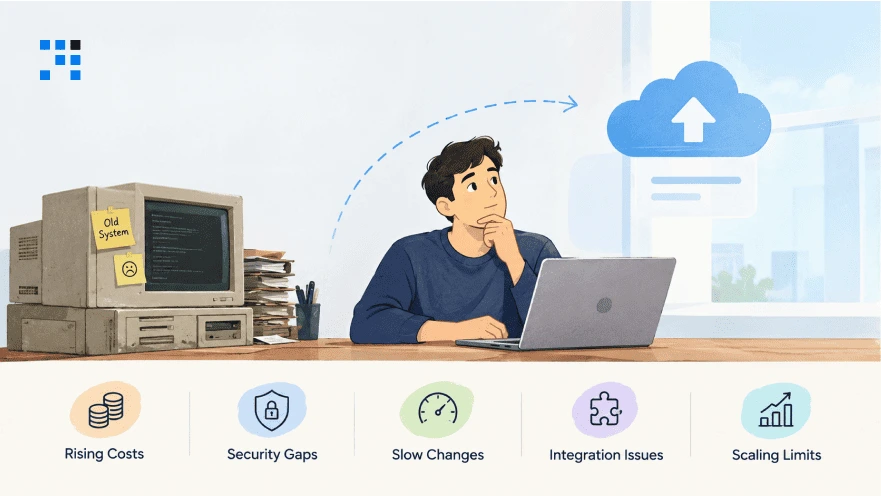
1. Rising Costs
HFS Research found that 42% of enterprises struggle with rising legacy maintenance costs.
Your spending keeps going up, but there’s little money left for new ideas.
Funds meant for growth end up keeping old systems alive.
2. Security Gaps
Old software may no longer get important security updates from its vendor.
Known weak spots get harder to fix as the system gets older.
Clients and auditors may ask whether your business data is truly safe.
3. Slow Changes
Even small requests can take weeks when the system is hard to work with.
Developers struggle with undocumented code and outdated dependencies.
Meanwhile, competitors keep improving products and releasing new features.
4. Integration Issues
Legacy systems often struggle to connect with modern business applications.
Staff ends up copying data from one system to another by hand.
Reports don’t match, entries get repeated, and people stop trusting the numbers.
5. Scaling Limits
Older systems can slow down when you have more orders, users, or branches.
Adding a new process may mean expensive changes to the existing software.
Growing becomes harder when your technology can’t keep up with your business.
Age alone is never a reason to replace software that still works reliably.
Why Legacy Software Modernization Projects Disrupt Operations
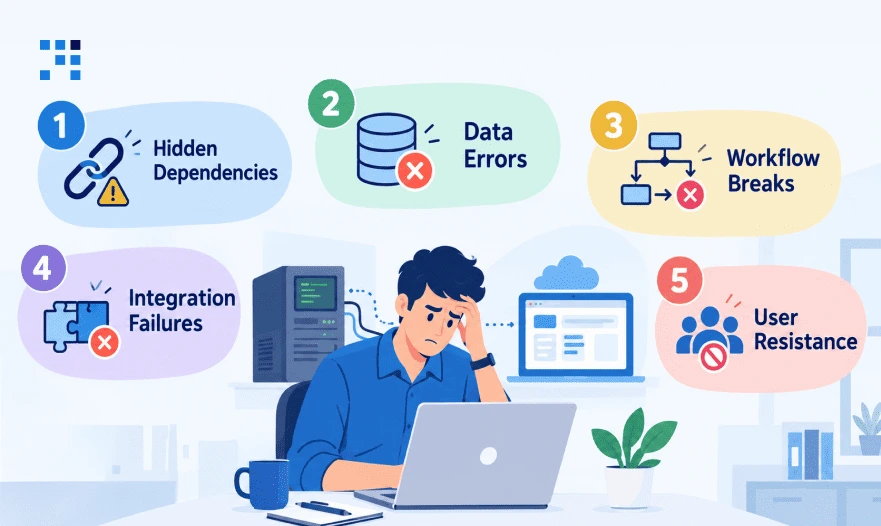
1. Hidden Dependencies
Old systems quietly feed data to tools nobody remembers.
Change one part, and three other things stop working.
Team members who have been around for years usually know where these links are hiding.
2. Data Errors
Dates, repeated entries, and special characters often get messed up during transfers.
Wrong records then end up on invoices before anyone notices.
Fixing them later costs much more than checking them first.
3. Workflow Breaks
Dispatchers depend on shortcuts that were never written down.
Take away one familiar report, and the whole morning routine falls apart.
Jobs get missed while people rush to find another way.
Revenue drops quietly, and nobody links it to the upgrade.
4. Integration Failures
Links to payment gateways and customer portals can fail without any warning.
Orders then get stuck between systems with no error message.
Accountants only find the gap days later, when they close the month-end books.
5. User Resistance
People trust tools they have used for fifteen years.
Quiet workarounds soon come back into everyone’s daily routines.
Adoption fails when daily users join the project too late.
Which Legacy Software Modernization Approach Should You Choose
| Approach | What Changes | Best Fit |
|---|---|---|
| Rehosting | Infrastructure changes with little code change | Moving to a new hosting environment |
| Replatforming | Platform changes with limited application changes | Improving the runtime or database environment |
| Refactoring | Internal code is improved | Reducing technical debt while preserving core behavior |
| Re-architecting | Application structure changes | Addressing major design or scalability limits |
| Rebuilding | A new application is developed | Systems that cannot reasonably be maintained or adapted |
Pick the lightest approach that solves your biggest problem.
Move to a heavier one only when the lighter one stops being enough.
How to do Legacy Software Modernization Without Stopping Operations
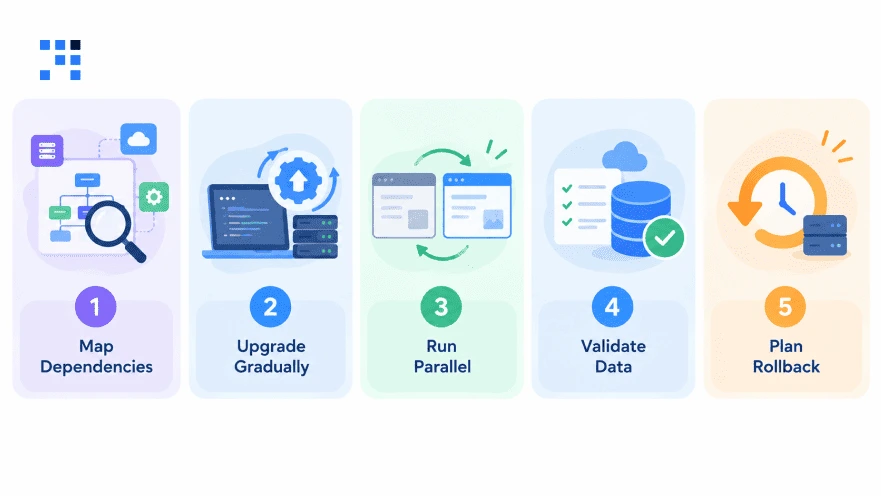
1. Map Dependencies
Start by listing every app, database, and file feed.
Find out what connects to what, including spreadsheets and email exports.
Draw it all on one page that your operations team can easily read.
2. Upgrade Gradually
Start with a low-risk part of the system, never billing or dispatch.
Both the old and new versions run side by side during this time.
Data shared between the two still needs to be handled carefully.
3. Run Parallel
Keep the old system running for one full business cycle.
Think of a distributor whose orders run on custom software.
Engineers build a new reporting module using copied data.
The finance team compares both sets of reports before anything goes live.
4. Validate Data
Compare the totals between the old and new systems every day.
Manual spot checks catch the mistakes that scripts always miss.
Getting your finance head to sign off stops hidden errors early.
5. Plan Rollback
Decide in advance, using numbers, what a failed launch looks like.
Keep the old system until the new one proves it is stable.
Practice the rollback once, because plans that are never tested rarely work.
What Are the Common Mistakes in Legacy Software Modernization
1. Full Rewrites
Rewrites often cost much more and take much longer than planned.
Years of hidden business rules get lost along the way.
Phased replacement avoids that trap and keeps your team productive.
2. Skipped Planning
Poor planning leads to nasty surprises in the middle of the project.
When the scope is unclear, timelines and budgets slip without anyone noticing.
Write the plan down before anyone writes a single line of code.
3. Extra Features
Adding features mid-project delays everything and inflates the budget.
Fix the scope for each phase before the work begins.
Keep new ideas on a list for the next phase.
4. Weak Testing
Testing only the easy paths hides the real problems.
Real users forget their passwords and click everything twice.
Test with the load of your busiest week, not an ordinary Tuesday.
How We Handle Legacy Software Modernization
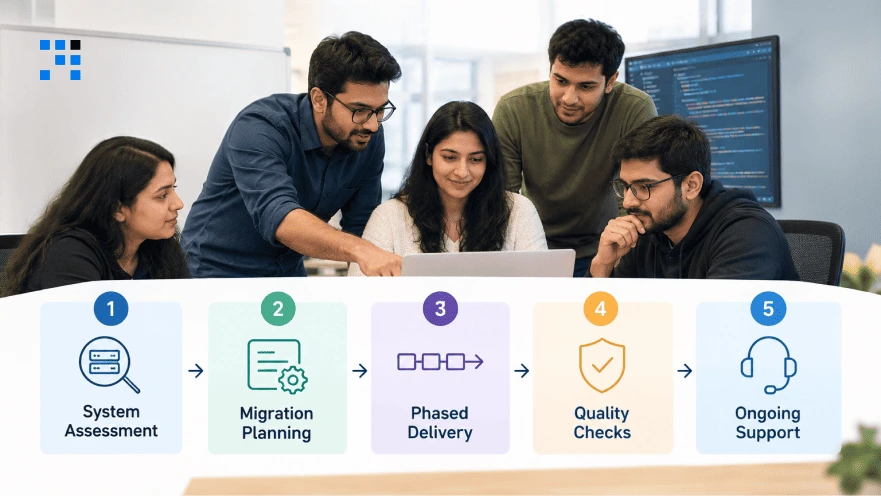
1. System Assessment
The code, database, and connected tools get reviewed first.
Daily users are interviewed too, because they know the shortcuts.
All the workflows you can’t afford to lose go into one list.
The findings come in a plain report that you can keep.
2. Migration Planning
Whether it’s rehost, refactor, or rebuild, each option comes with its honest risks.
Timelines and budgets are shared in writing before any work begins.
Advice follows what your business needs, not what’s easy for the vendor.
Sometimes a small fix is enough, and you’ll hear that upfront.
3. Phased Delivery
Work is released in small pieces, never in one big launch.
Operations staff approve each piece before the next one starts.
Problems show up early, while they are still small.
Old screens stay live until the new ones have earned your trust.
4. Quality Checks
Functional, data, and regression tests run on every release.
Totals are matched between the old and new systems before sign-off.
Backups are restored in a test to make sure they work, not just stored.
Anything that is broken gets fixed before it reaches your live system.
5. Ongoing Support
After launch, performance stays under watch, and issues get fixed quickly.
Support continues through your first full business cycle.
The same steps apply whether the system is small or large.

Every aging system has a safe way forward.
Tell us what you run today, and let’s plan the first phase together..
FAQs
No. We never switch everything in one night. Your team keeps working on the current system while we build and test each new module beside it. A module goes live only after your dispatcher or accountant checks the results and approves.
We clean it before moving it, so duplicate customers and odd date formats get fixed first. After the move, we match invoice counts, job counts, and customer balances against the old system every day. Your finance head signs off before anything is switched off, and records you no longer use go into a searchable archive.
Yes, in most cases. We link old and new systems through APIs and middleware, so a full ERP replacement is rarely needed. We list every connection during the assessment, including quiet ones like the Friday report your client expects, so nothing breaks silently after launch.
It depends on system size, data quality, and integrations. Quick wins like rehosting can land within weeks, and deeper changes roll out in phases. A short assessment gives you a realistic range, not a guess.
Not if your current tool slows down jobs or invoicing. Field service software for small business works best when it starts with tickets, dispatch, and reports, then grows with you. We tell you honestly if a ready-made tool will do.
