A product catalog website turns SKU lists into searchable systems. Manufacturers get faster search, accurate specs, and quote-ready pages. Buyers reach sales before they leave the site. It replaces PDFs built for browsing, not deciding.
Is your catalog helping buyers decide,
or making them give up?

It’s 9 PM on a Tuesday.
A maintenance head at a bottling plant loses a bearing mid-shift.
Production stops.
He needs the exact replacement fast.
He pulls up your website on his phone.
Searches the bearing size.
Nothing comes up.
He tries the part number instead.
Still nothing.
Your catalog PDF runs 40 pages long.
He gives up after two minutes.
Calls a distributor he has used before.
That distributor ships within the hour.
You lost an order you never even knew existed.
How Manufacturers Lose Inquiries Without a Product Catalog Website
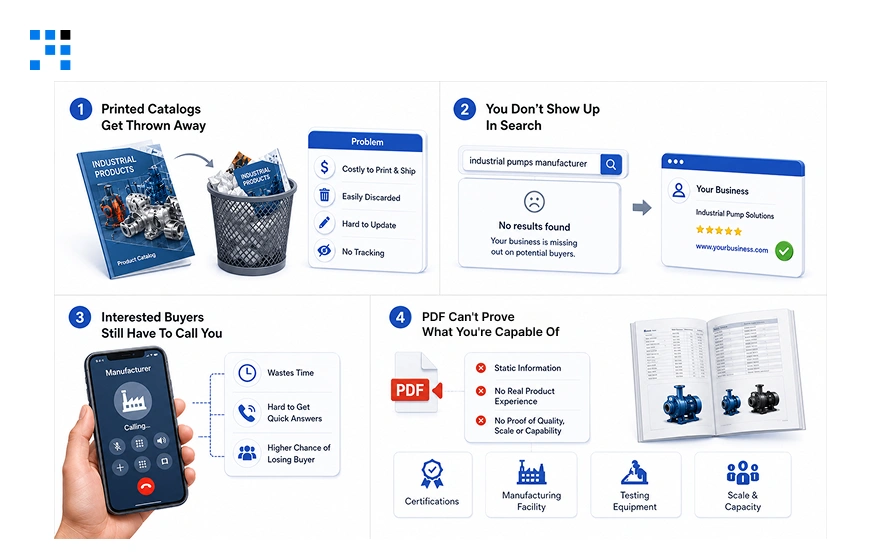
1. Printed Catalogs Get Thrown Away
You hand out a catalog at the expo.
It rides in a car for a week.
Then it goes in the trash with old flyers.
That was your only shot at this buyer.
2. You Don’t Show Up In Search
Someone Googles your company name.
No website or product proof.
They assume you’re too small to bother with.
They contact the ones with a catalog website.
3. Interested Buyers Still Have To Call You
A buyer liked what he saw at the booth.
There’s no online form to send an inquiry.
So he has to call and explain everything himself.
Most people won’t take that extra step.
4. PDF Can’t Prove What You’re Capable Of
A product list is all a PDF shows.
No certifications or capabilities based on past work.
Buyers can’t build trust from a list alone.
A website carries proof a PDF never can.
What Buyers Want From a Product Catalog Website
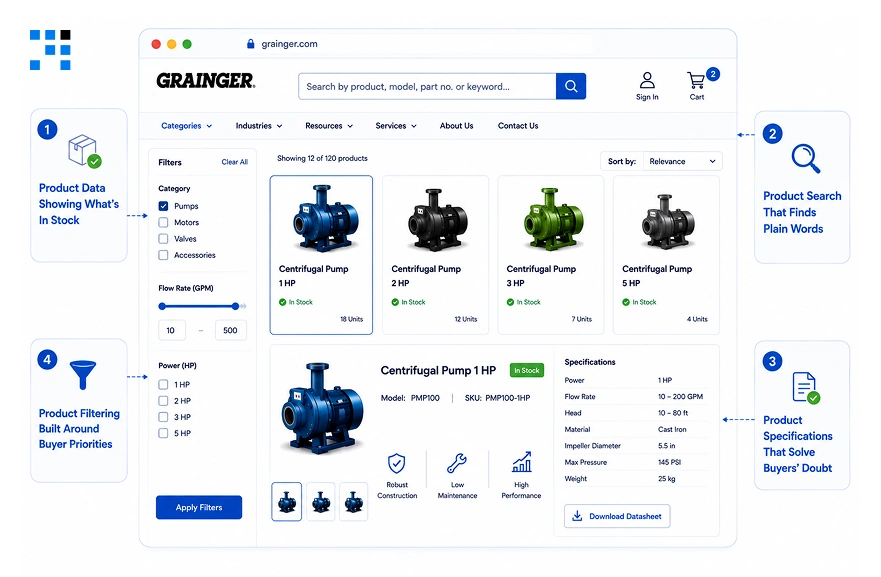
1. Product Data Showing What’s In Stock
Buyers want to know if it’s in stock.
A page with no stock status wastes their time.
They won’t wait to find out later.
Live availability keeps buyers from walking away.
2. Product Search That Finds Plain Words
Buyers type in plain, everyday words.
A search bar that needs exact codes fails.
Typing “2-inch pipe fitting” should still find it.
Easy search keeps buyers from leaving too soon.
3. Product Specifications That Solve Buyers’ Doubt
Specs listed as raw numbers confuse most buyers.
Each spec should explain what it means for them.
“Fits standard 2-inch pipe” beats “Diameter: 2.0 in.”
Clear specifications turn browsing into a real decision.
4. Product Filtering Built Around Buyer Priorities
Buyers filter by budget, size, or use case first.
Technical categories mean little without that context.
Filters built around buyer priorities feel effortless to use.
That ease is what keeps buyers moving toward a quote.
What Separates a Product Catalog Website That Converts
A system like this should not start with pages.
It should start with how a buyer’s decision actually moves.
| Stage | Buyer Problem | Catalog Layer | Value Delivered |
|---|---|---|---|
| 1. Discovery | Finding relevant SKUs fast | Faceted product search and filtering | Cuts search time from minutes to seconds |
| 2. Validation | Confirming exact fit | Structured product specifications | Removes guesswork before quoting |
| 3. Comparison | Choosing between similar parts | Side-by-side spec tables | Speeds up technical decision making |
| 4. Action | Turning interest into a lead | Quote request form on product pages | Captures intent at the moment it peaks |
| 5. Fulfillment | Keeping data accurate | ERP and PIM integration | Removes stale pricing and stock errors |
| 6. Oversight | Tracking inquiry quality | Centralized dashboard reporting | Gives sales real visibility into demand |
Most manufacturing sites stop short of stage four.
All six layers must work together, not separately.
That shift turns browsing into a qualified inquiry.
Why a Product Catalog Website Needs a Quote Request Form
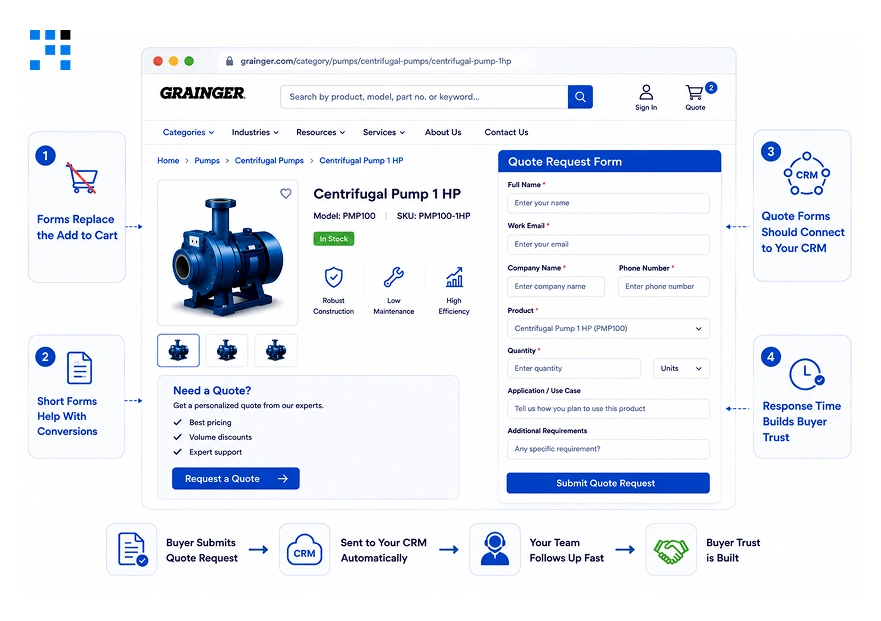
1. Forms Replace the Add to Cart
Manufacturing purchases involve custom volumes and terms.
A generic contact form cannot capture that detail.
A dedicated quote request form belongs on every product page.
That single placement changes how many leads you capture.
2. Short Forms Help With Conversions
Six to seven fields is the limit on step one.
Company name, SKUs, quantity, and timeline come first.
Technical detail can wait for a second step.
Long forms lose buyers before they finish typing.
3. Quote Forms Should Connect to Your CRM
A form that does not route into your CRM creates delay.
Submissions sitting in an inbox slow every response.
Every field should map directly to a CRM field.
That mapping is what makes fast follow-up possible.
4. Response Time Builds Buyer Trust
Buyers want to know what happens after they submit.
Stating a response window on the form builds confidence.
Silence after submission pushes buyers back to searching.
A clear expectation keeps them waiting instead of leaving.
How We Built Shopyr’s Product Catalog Website
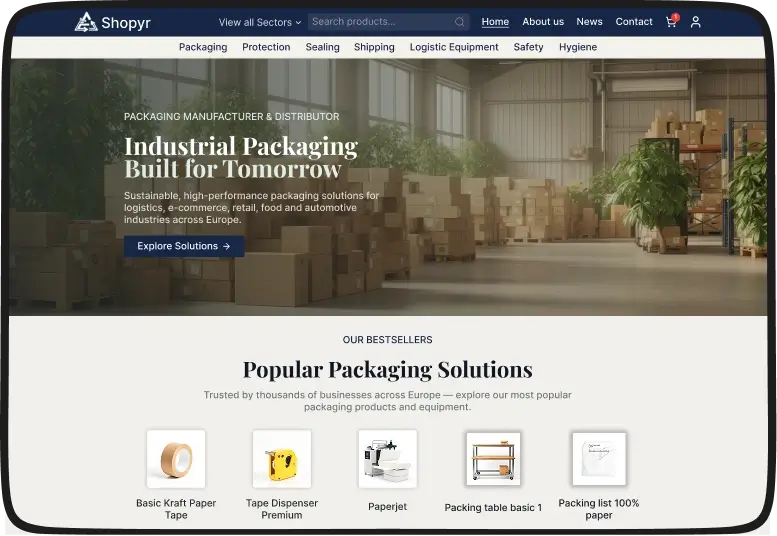
Shopyr had a static, brochure-style product catalog.
Its category structure lacked a clear hierarchy.
Products were difficult for buyers to discover.
Internal search returned very limited results.
Every product update also needed developer support.
Catalog Structure Built From Scratch
We built the entire catalog around structured product taxonomies.
Categories, subcategories, and attributes connected through one predictable path.
Every page became part of a conversion-focused enquiry journey, not just a listing.
What Changed for Shopyr
| Area | Result |
|---|---|
| Catalog Navigation | Structured category and attribute hierarchy |
| Product Search | Multi-parameter filtering across the SKU range |
| Inquiry Journey | Conversion-focused flow on every product page |
| Backend Management | Product updates handled without developer dependency |
This wasn’t simply a website development.
It created structure around Shopyr’s product catalog.
Product discovery became easier across the SKU range.
The catalog now supports clearer buyer journeys.
Want to see how we restructured Shopyr’s catalog?
Why We’re the Right Product Catalog Website Development Partner
1. Every SKU Gets Mapped Before Design Starts
Your existing spreadsheets and PDFs get audited first.
Part numbers, attributes, and gaps get logged one by one.
Nothing gets designed until the data model is confirmed.
That mapping becomes the actual blueprint, not a guess.
2. ERP and PIM Decide the Architecture
Integration constraints get identified before a single page gets built.
Pricing rules, stock feeds, and sync frequency shape the structure.
Building the front end first and integrating later causes rework.
The backend decides what the catalog can actually support.
3. Quote Forms Get Built Around Your Sales Process
Field mapping follows your CRM stages, not a generic template.
Required fields match what your sales team actually needs first.
Routing logic gets set before the form ever goes live.
A form that does not match your pipeline creates dead leads.
4. Procurement Users Test the Catalog Before Launch
Real buyers try the prototype, not internal stakeholders only.
Search failures and filter confusion surface before development locks in.
Friction found here costs hours. Friction found post-launch costs weeks.
Launch happens only once that test holds up.

Every hard-to-find product creates another lost inquiry.
Give buyers a faster path from search to quote.
FAQs
It depends on SKU count and integration depth. A focused build with search, filtering, and quote forms starts lower than a full platform with ERP and PIM sync. SKU volume, attribute complexity, and existing system age all move the number. Most manufacturers get a realistic range after a short audit, not a blind quote.
Usually just the catalog. The rest of the site, About, Contact, company pages, stays as is. Only the product browsing, search, and quote layer needs a rebuild. That keeps cost and timeline focused on the part actually losing inquiries.
In most cases, yes. Product catalog website development is built around syncing with existing ERP and inventory systems, not replacing them. Pricing and stock data pull from your current system in real time. The catalog becomes a front end for data you already manage.
A focused build with search, filtering, and quote forms typically runs 10 to 14 weeks. Full ERP and PIM integration adds time depending on how complex your current systems are. Scope gets locked after the SKU and data audit, so the timeline is set early, not guessed at.
No. Product catalog management is built with a backend your team can use directly. New SKUs, specs, and pricing updates get added without touching code. Developer dependency for routine catalog changes is what this kind of build is meant to remove.
Existing specs, even ones buried in PDFs or spreadsheets, get extracted and restructured into filterable fields. Nothing gets discarded. It becomes searchable product data instead of static content, which is the actual point of the migration.