Finding a parking slot in busy areas is still a frustrating daily problem for users and cities.
Drivers waste time circling streets, parking lots remain underutilized, and traffic congestion increases.
This chaos happens because most systems do not provide real-time parking availability, forcing drivers to rely on guesswork.
Many traditional parking apps show static data or outdated availability. Without live updates, a parking finder app becomes unreliable and frustrating.
Users arrive at “available” slots only to find them already occupied. This is where a smart parking system makes a real difference.
A real-time parking slot finder dashboard shows live availability, helping drivers, parking owners, and city planners make quick, data-driven decisions.
With real-time data, parking becomes faster, smarter, and stress-free.
Here in this blog, you will learn to build a real-time parking slot finder dashboard in ReactJs with Code.
What Is a Real-Time Parking Slot Finder Dashboard?
A parking slot finder dashboard is a live interface that displays the current status of parking slots in real time.
- Instead of static lists, it visually shows which slots are available, occupied, or reserved.
- Using parking occupancy monitoring, a live parking dashboard updates instantly when a car enters or leaves a slot.
- This ensures users always see accurate information without refreshing the page.
- Unlike regular parking apps designed mainly for drivers, a live parking dashboard is built for admins, operators, and businesses.
It offers better control, analytics, and real-time visibility, making it ideal for smart cities, malls, offices, and large parking facilities.
How ReactJS Is Used in High-Performance Parking Dashboards?
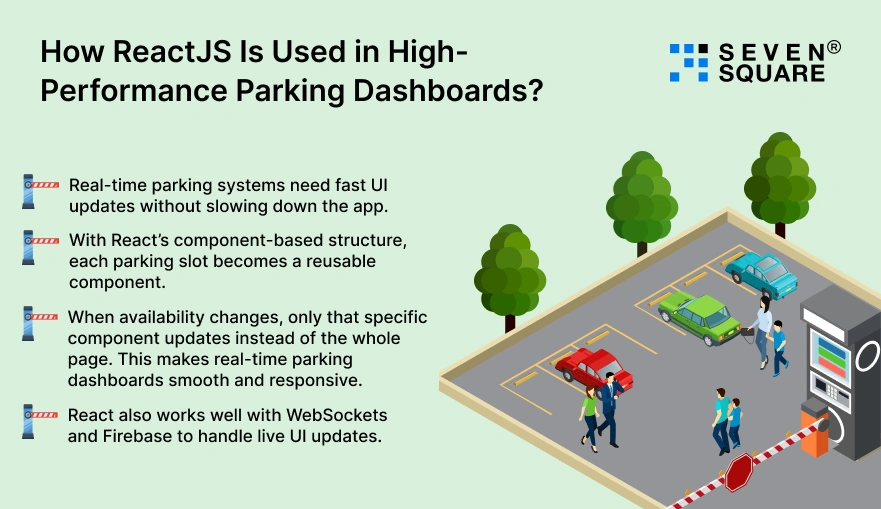
ReactJS is an excellent choice for building a ReactJS parking dashboard because it handles frequent data updates efficiently.
- Real-time parking systems need fast UI updates without slowing down the app.
- With React’s component-based structure, each parking slot becomes a reusable component.
- When availability changes, only that specific component updates instead of the whole page. This makes real-time parking dashboards smooth and responsive.
- React also works well with WebSockets and Firebase to handle live UI updates.
Even when hundreds of parking slots update simultaneously, React keeps the dashboard fast, clean, and user-friendly.
How Does Real-Time Parking Data Work?
Real-time parking data comes from multiple sources working together. Parking slots may use sensors, cameras, or manual inputs to detect availability.
- This data is then sent to the system using a parking availability API.
- For instant updates, technologies like Firebase real-time parking or React WebSocket parking are used.
- WebSockets push changes instantly to the dashboard without refreshing the page.
- Firebase is popular because it syncs data automatically, while WebSockets are ideal for custom real-time logic.
Combined with APIs, these tools ensure parking data remains accurate, fast, and reliable across all devices.
How to Build the Parking Slot Finder Dashboard in ReactJS?
Here you will learn how to build a parking slot finder in ReactJS from scratch.
Project Setup & Folder Structure
Create your React app using Vite or CRA:
                npx create-react-app parking-dashboard
                cd parking-dashboard
                npm start
Folder structure for a React parking dashboard
src/
├── components/
│ ├── ParkingSlot.jsx
│ ├── ParkingGrid.jsx
├── services/
│ ├── parkingService.js
├── App.jsx
└── index.js
This structure keeps UI, logic, and services cleanly separated.
Creating Reusable Parking Slot Components
Each parking slot should be reusable and visually clear.
                // components/ParkingSlot.jsx
                const ParkingSlot = ({ slot }) => {
                  const getColor = () => {
                  if (slot.status === "available") return "green";
                  if (slot.status === "occupied") return "red";
                  return "orange";
                  };

                  return (
                  <div style={{
                    padding: "15px",
                    margin: "10px",
                    backgroundColor: getColor(),
                    color: "#fff",
                    borderRadius: "8px"
                  }}>
                    Slot #{slot.id} - {slot.status}
                  </div>
                  );
                };

                export default ParkingSlot;
Managing Real-Time State Updates
          // components/ParkingGrid.jsx
            import ParkingSlot from "./ParkingSlot";
              const ParkingGrid = ({ slots }) => {
                return (
                  <div style={{ display: "flex", flexWrap: "wrap" }}>
                    {slots.map(slot => (
                      <ParkingSlot key={slot.id} slot={slot} />
                    ))}
                  </div>
                  );
                };

              export default ParkingGrid;
This setup allows easy updates when parking data changes in real time.
How to Add Real-Time Updates Using WebSockets or Firebase?
Real-time updates ensure users always see real-time parking availability without refreshing the page.
How Live Parking Changes Reach Users Instantly?
When a car enters or leaves, backend systems send updates instantly using WebSockets or Firebase.
React WebSocket Parking Example
          useEffect(() => {
            const socket = new WebSocket("wss://your-backend-url");

            socket.onmessage = (event) => {
            const updatedSlots = JSON.parse(event.data);
            setSlots(updatedSlots);
            };

            return () => socket.close();
          }, []);
Best for: Custom backend logic and high control.
Firebase Real-time Parking Example
          import { getDatabase, ref, onValue } from "firebase/database";

          useEffect(() => {
            const db = getDatabase();
            const slotsRef = ref(db, "parkingSlots");

            onValue(slotsRef, (snapshot) => {
            setSlots(Object.values(snapshot.val()));
            });
          }, []);
Best for: Quick setup and automatic sync.
WebSocket vs Firebase
| Feature | WebSocket | Firebase |
|---|---|---|
| Setup | Medium | Very Easy |
| Real-time speed | Excellent | Excellent |
| Scaling | Custom | Built-in |
Both handle multiple users viewing the dashboard smoothly.
How to Integrate Maps for a Live Parking Experience?
Maps improve usability and make dashboards visually engaging.
Using Google Maps in React
          import { GoogleMap, Marker } from "@react-google-maps/api";

          const ParkingMap = ({ slots }) => (
            <GoogleMap zoom={15} center={{ lat: 28.6139, lng: 77.209 }}>
            {slots.map(slot => (
              <Marker
                key={slot.id}
                position={{ lat: slot.lat, lng: slot.lng }}
                label={slot.status}
              />
            ))}
            </GoogleMap>
          );
This creates a real-time parking availability map using React.
Displaying Parking Zones & Slots Visually
- Use markers for individual slots.
- Use polygons for parking zones.
- Change colors based on availability.
This makes the parking availability map intuitive and easy to understand.
How to Manage Parking Slot Status, Reservations & Conflicts?
A strong parking reservation system prevents confusion and improves user trust.
Available vs Occupied vs Reserved Logic
          const updateSlotStatus = (slot, action) => {
            if (action === "reserve" && slot.status === "available") {
            return "reserved";
            }
            if (action === "park") {
            return "occupied";
            }
            return slot.status;
          };
Preventing Double Booking
- Lock slot status during reservation.
- Validate slot availability on the backend.
- Sync changes instantly for all users.
Here’s the Full GitHub Code to Build a Parking Slot Finder in ReactJs.
How Do We Provide End-to-End ReactJS Development Services?

- We design real-time parking slot finder dashboards in ReactJS that show accurate parking slot availability without delays or refreshes.
- Our team builds scalable smart parking systems using ReactJS, WebSockets, and Firebase for real-time parking with instant live updates.
- From UI design to backend logic, we cover how to build a parking slot finder in ReactJS with clean architecture.
- Our solutions support predictive insights and smart parking analytics to improve revenue, planning, and space utilization.
Want a Fully-Featured ReactJs Solution? Contact Us Now!
Which Features Can You Add to Make Your Parking Dashboard Smarter?
Modern parking dashboards can go beyond live availability.
- With AI parking slot detection, cameras can automatically detect occupied and free slots without manual input.
- Using historical data, systems can offer predictive availability, showing users the best time to find parking. This reduces congestion and improves planning.
- Advanced smart parking analytics dashboards can track usage, peak hours, revenue, and trends.
These insights help businesses and city authorities optimize pricing, space utilization, and overall parking efficiency.
Is Building a Real-Time Parking Slot Finder in ReactJS Worth It?
Building a ReactJS parking dashboard is absolutely worth it. It solves real-world problems while offering strong business value.
ReactJS is future-proof, scalable, and perfect for building modern real-time parking systems. It integrates easily with real-time data sources, maps, and analytics tools.
FAQs
- Yes, ReactJS handles real-time parking updates efficiently using WebSockets or Firebase for instant UI changes.
- Node.js with WebSockets or Firebase works best for building a scalable real-time parking dashboard.
- Yes, Firebase real-time parking is ideal for fast syncing, minimal backend setup, and real-time data handling.
- Accuracy depends on data sources like sensors and cameras, but modern APIs provide reliable real-time updates.