Are AI tools really improving your productivity, or are they just helping you work longer hours?
We hear this question often from developers, startups, and growing enterprises.
With GitHub Copilot’s lightning-fast code completion & Google Gemini Code Assist helping with research, explanations, and planning, choosing the right AI assistant is difficult.
Everyone wants the same outcome: Better productivity, cleaner code, and faster delivery.
When it comes to Gemini vs Copilot, the way these AI tools support developers is very different.
One focuses on speed inside the IDE, while the other improves understanding, context awareness, and decision-making across the entire workflow.
That’s why the debate around Copilot vs Gemini coding has become so important.
Developers are looking for an AI tool that improves developer productivity more and the best AI assistant for coding and productivity.
In this blog, you will get the comparison of Google Gemini vs GitHub Copilot performance, productivity impact, and real use cases.
What Developers Expect From AI Coding Assistants?
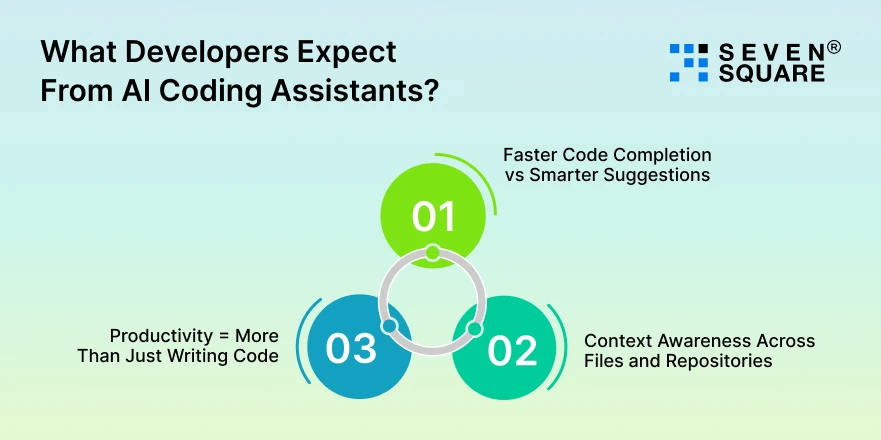
Developers expect more than auto-complete suggestions. A modern AI assistant for developers must support the full development workflow.
1. Faster Code Completion vs Smarter Suggestions
- Speed matters, but accuracy matters more.
- Developers want faster code completion when working on known patterns, & smarter suggestions when solving complex logic.
- The best AI tools for coding productivity balance both.
2. Context Awareness Across Files and Repositories
Developers expect AI assistants to understand:
- Project structure.
- Linked files and modules.
- Repository-level context.
Without strong context awareness, even the fastest AI tool becomes frustrating.
3. Productivity = More Than Just Writing Code
True productivity goes beyond typing code faster. Developers want help with:
- Debugging errors.
- Explaining existing code.
- Writing documentation.
- Understanding unfamiliar codebases.
That’s why choosing the right AI assistant for developers directly impacts overall development speed and code quality.
Google Gemini Code Assist: What Makes It Different for Coding & Workflows?
We see Google Gemini Code Assist as a strong choice for teams that value understanding, clarity, and decision support over pure speed.
1. How Gemini Understands Code, Context, and Documentation?
Gemini is designed to deeply understand:
- Code logic
- Natural language instructions
- Technical documentation
Its strength lies in explaining code, analyzing patterns, and helping developers reason through problems instead of just generating snippets.
2. Strengths in Research, Explanations, and Multi-Modal Assistance
One of the standout Gemini coding features is its ability to combine:
- Code analysis.
- Technical explanations.
- Research-based answers.
This makes Gemini useful when developers need clarity, learning support, or architectural guidance.
3. Best Use Cases for Developers, Analysts, and Teams
From our client projects, Gemini works best for:
- Developers are working on complex logic.
- Teams that need better documentation support.
- Analysts and engineers are combining code with research.
For productivity that goes beyond raw coding speed, Google Gemini Code Assist delivers strong long-term value.
GitHub Copilot: Why Developers Still Trust It for Coding?
When it comes to speed and real-time development, GitHub Copilot continues to be a favorite & we understand why
1. Why Copilot Dominate Real-Time Coding Environments?
Copilot is built specifically for developers who want instant results. It excels in:
- Live code suggestions.
- Pattern recognition.
- Fast iteration during active coding sessions.
This is why many developers rely on it daily.
2. Deep Integration With IDEs and Repositories
A key reason highlighted in every GitHub Copilot review is its seamless integration with popular IDEs and GitHub repositories.
This connection allows Copilot to:
- Learn from existing code.
- Suggest relevant snippets instantly.
- Adapt to project-specific styles.
3. Strengths in Code Completion, Debugging, and Speed
When evaluating Copilot coding performance, its biggest strengths are:
- High-speed code completion.
- Efficient debugging support.
- Minimal learning curve.
For developers focused on shipping code quickly, Copilot remains a powerful AI coding assistant.
Learn more about the Comparison of Cursor vs Copilot.
Gemini vs Copilot for Coding: Side-by-Side Developer Comparison
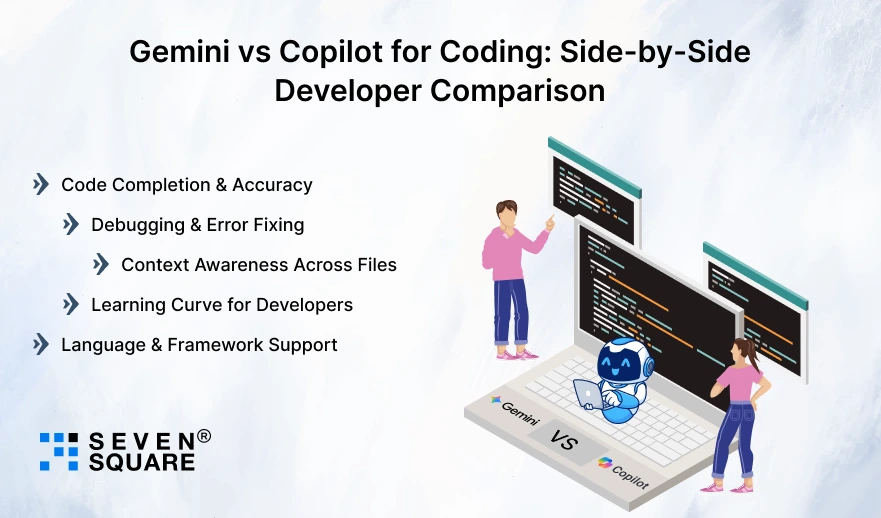
We tested both tools across real projects to understand Copilot vs Gemini coding in practical scenarios.
Here’s a clear Google Gemini vs GitHub Copilot performance comparison developers actually care about.
Code Completion & Accuracy
- GitHub Copilot shines in fast and accurate code completion, especially inside IDEs. It predicts the next line quickly and keeps momentum high.
- Google Gemini focuses more on correct logic and explanations, making fewer blind guesses when the code gets complex.
Debugging & Error Fixing
- For debugging, Gemini often explains why an error happens & how to fix it. Copilot helps by suggesting fixes instantly, but with less explanation.
- This difference matters when solving unfamiliar or critical issues.
Context Awareness Across Files
- Gemini performs better when understanding project-level context, connected files, and documentation.
- Copilot is strong inside the current file but may miss broader context unless patterns are very clear.
Learning Curve for Developers
- Copilot is easier to start installing and coding.
- Gemini takes slightly more learning but rewards developers with a better understanding and reasoning over time.
Language & Framework Support
- Both tools support popular languages and frameworks.
- Copilot is best in mainstream stacks, while Gemini adapts well to multi-language and research-heavy environments.
Gemini vs Copilot: Comparison for Coding & Productivity
| Feature | Google Gemini Code Assist | GitHub Copilot |
| Core Focus | Deep understanding, explanations, and reasoning. | Fast, real-time code completion. |
| Best For | Productivity, learning, complex logic, & documentation. | Speed, repetitive coding, quick delivery. |
| Code Completion Accuracy | High accuracy with logical explanations. | Very fast and accurate inline suggestions. |
| Coding Speed | Moderate, focuses on correctness. | Excellent, optimized for rapid coding. |
| Debugging & Error Fixing | Explains why errors happen and how to fix them. | Suggests fixes quickly with less explanation. |
| Context Awareness Across Files | Strong project-level and documentation awareness. | Strong within current file and repo patterns. |
| AI Understanding of Code | High-level reasoning and context understanding. | Pattern-based prediction from existing code. |
| Learning Curve for Developers | Slightly higher, but better long-term understanding. | Very easy to start and use. |
| Best AI Assistant for Coding and Productivity | Best for thinking + productivity. | Best for pure coding speed. |
| Overall Verdict | Ideal for teams and complex development. | Ideal for fast-paced coding workflows |
How Do We Provide AI-Driven Development Services?
- Our experts compare Gemini vs Copilot using real-world coding workflows, not just marketing claims.
- We implement AI productivity tools for developers that improve speed, accuracy, and long-term maintainability.
- Our team understands Copilot vs Gemini coding differences across projects, teams, and enterprise environments.
- We help businesses integrate AI coding assistants without disrupting existing development workflows.
Want a Custom AI-Agent for Your Business? Contact Us Now!
Which AI Assistant Improves Developer Productivity More?
This is where most clients ask us: Which AI tool improves developer productivity more? We see productivity as more than speed.
Writing Code Faster vs Understanding Code Better
- Copilot helps developers write code faster. Gemini helps them understand code better.
- Speed improves short-term productivity, while understanding improves long-term quality.
Impact on Daily Developer Workflow
- Copilot keeps developers in the flow during active coding.
- Gemini supports planning, reviewing, debugging, and documentation to make it one of the most balanced AI productivity tools for developers.
Solo Developers vs Teams
- Solo developers benefit from Copilot’s speed.
- Teams gain more from Gemini’s explanations, shared understanding, and consistency.
Gemini vs Copilot for Real-World Use Cases
Here’s how we recommend the best AI assistant for coding and productivity in different scenarios.
For Software Developers
- Copilot works best for rapid feature development and repetitive coding tasks.
- Gemini supports deeper logic, architecture thinking, and learning.
For Problem Solving & Debugging
- Gemini explains problems clearly and helps developers think through solutions.
- Copilot is faster but less descriptive.
For Documentation & Code Explanation
- Gemini clearly wins. It helps teams understand legacy code and write clean documentation faster.
For Team Collaboration & Enterprise Use
- Enterprises benefit from Gemini’s broader understanding and consistency.
- Copilot suits fast-moving teams focused on delivery speed.
Gemini vs Copilot: Which AI Assistant Should You Choose?
We don’t believe in one-size-fits-all answers. Here’s the clear breakdown.
Best Choice for Pure Coding Speed = GitHub Copilot
Best Choice for Productivity + Thinking = Google Gemini
Who Should Choose Gemini?
- Developers focused on learning and clarity.
- Teams handling complex logic.
- Businesses value long-term productivity.
Who Should Choose Copilot?
- Developers who want fast code output.
- Teams working on repetitive tasks.
- Projects with tight delivery timelines.
Gemini vs Copilot comes down to speed vs understanding.
FAQs
- Gemini is better for understanding & complex logic. Copilot is faster for writing code.
- Copilot saves time during active coding. Gemini saves time during debugging and learning.
- Gemini can replace Copilot for planning and analysis, but many developers use both together.
- Beginners often prefer Gemini because it explains code clearly and helps with learning.