Quick commerce app development is about speed-first shopping, where users receive products in 10 to 15 minutes, not hours or days.
Unlike traditional eCommerce, Q-commerce focuses on:
- Local availability.
- Hyperlocal delivery.
- Instant fulfillment from nearby dark stores.
Quick commerce is expanding beyond groceries into medicines, electronics, pet supplies, and daily essentials.
Why 10-Minute Delivery Apps Outperform Traditional eCommerce?
Instant delivery app development wins because:
- Users don’t want to plan; they want now.
- Fewer steps = higher conversion rates.
- Urgency-based use cases (forgot milk, medicine, & charger).
Blinkit-style apps remove friction and decision fatigue, which is why they outperform slow delivery platforms.
Flutter is now a top choice for building a Flutter quick commerce app because:
- Single codebase for Android & iOS.
- Near-native performance.
- Faster development & lower cost.
- Perfect for real-time UI updates (orders, tracking, ETA).
For startups and businesses, Flutter reduces time-to-market, which is important in instant delivery app development.
Here in this blog, you will learn how to build a clone like Blinkit with complete GitHub code.
What Makes Blinkit a Successful Quick Commerce App?
If you’re building a Blinkit clone app, understanding why Blinkit works is more important than copying features.
Core UX Decisions That Reduce Checkout Time
Blinkit’s UX is designed for speed:
- Minimal clicks to place an order.
- Smart reordering based on past purchases.
- Auto-filled addresses & payments.
Every design choice answers one question: How fast can the user check out? This hyperlocal delivery app model reduces delivery time and logistics complexity.
How Blinkit Handles the Hard Stuff?
- Real-Time Inventory: Products shown are actually available nearby, no false listings.
- Instant Order Assignment: Orders are auto-assigned to the closest delivery partner using distance + availability.
- Delivery ETA Accuracy: ETAs are constantly updated using: Store readiness, Delivery partner location, & Traffic data.
This smart dark store logistics app approach is what makes Blinkit reliable.
Can Flutter Handle a Blinkit-Scale Quick Commerce App?
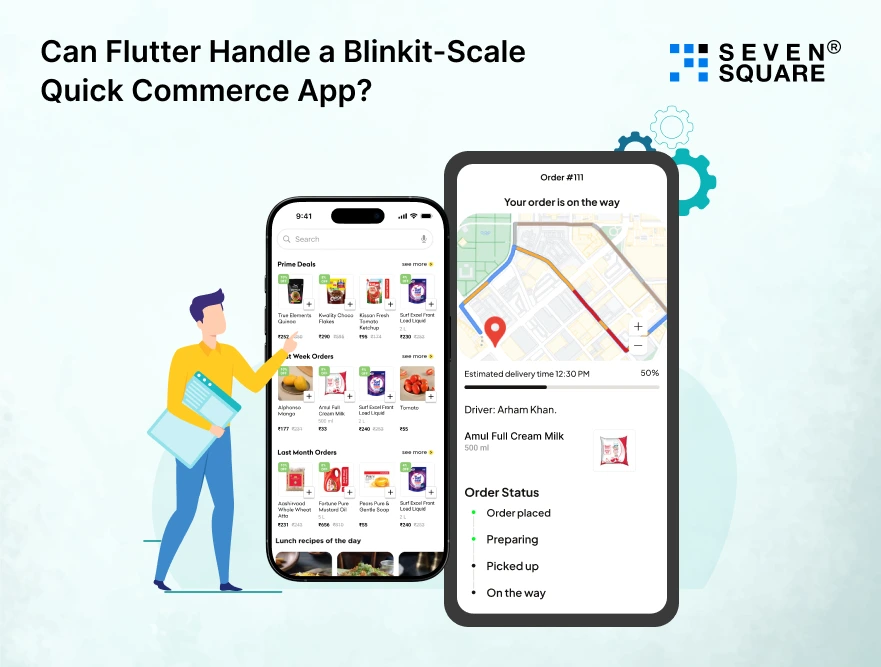
Flutter is perfect for Cross-Platform Quick Commerce Apps because Flutter works extremely well for:
- High-frequency UI updates.
- Real-time order status.
- Live tracking screens.
As a Flutter cross-platform app, you ship faster while maintaining a consistent experience on both Android and iOS.
Many food delivery, logistics, and hyperlocal apps use Flutter successfully, which proves that a Flutter quick commerce app can scale.
Quick Commerce App Architecture (Blinkit-Style)
A solid Blinkit-style app architecture is key to scaling.
High-Level Architecture Overview
            Flutter App (User / Delivery)
                    ↓
            API Gateway
                    ↓
            Backend Services
            (Order | Inventory | Delivery)
                    ↓
            Database + Cache
                    ↓
            Real-Time Services (Tracking, Updates)
Frontend (Flutter)
- User app.
- Delivery partner app.
- Optimized for real-time UI updates.
Backend: Microservices vs Monolith
- MVP: Start with a modular monolith.
- Scale: Move to microservices for orders, inventory, & delivery.
Real-Time Services
Used for:
- Order status updates.
- Delivery tracking.
- Inventory sync.
This allows real-time order tracking in Flutter.
Database & Caching Strategy
- Database: PostgreSQL / MongoDB.
- Cache: Redis for fast reads (inventory, ETA).
Push Notifications & Location Services
- Firebase for notifications.
- Maps SDK for live tracking.
What Are the Key Features Every Blinkit Clone App Must Have?
A successful quick delivery app in Flutter needs the right features, not extra ones.
Customer App Features
- Instant product discovery: Fast search, limited choices.
- 1-tap reorder flow: Repeat orders in seconds.
- Live order tracking: Builds trust.
- Smart delivery slot allocation: Auto ETA calculation.
These are core Flutter grocery delivery app features.
Delivery Partner Features
- Auto-assigned orders: No manual acceptance.
- Route optimization: Shortest delivery path.
- Proof of delivery: Photo / OTP verification.
Admin & Dark Store Panel
- Inventory sync: Real-time stock updates.
- Order prioritization: Urgent orders first.
- Demand heatmap: Understand peak areas.
These features make your Blinkit clone reliable and scalable.
How to Build the Blinkit Clone App in Flutter? (Step-By-Step Guide)
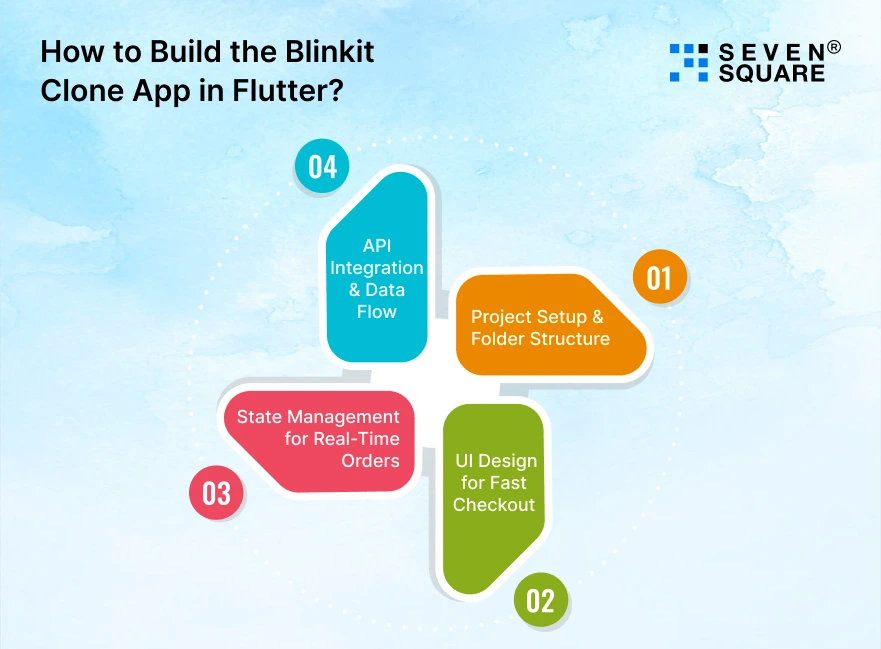
Here we’ll focus on clean architecture, fast UI, real-time state updates, and scalable API flow, exactly what a quick commerce app needs.
Step 1: Project Setup & Folder Structure
Flutter Project Setup
Create a new Flutter project:
            flutter create blinkit_clone
            cd blinkit_clone
Add required dependencies in pubspec.yaml:
            dependencies:
            flutter:
                sdk: flutter
            http: ^1.2.0
            provider: ^6.0.5
            flutter_bloc: ^8.1.3
            geolocator: ^10.1.0
            socket_io_client: ^2.0.3
            firebase_messaging: ^14.7.0
This setup supports:
- API integration.
- Flutter state management for a delivery app.
- Real-time order tracking.
- Push notifications.
Clean Architecture Folder Structure
Use a feature-based clean architecture, not a messy UI-only structure.
lib/
├── core/
│ ├── api/
│ ├── constants/
│ └── utils/
├── features/
│ ├── products/
│ │ ├── data/
│ │ ├── domain/
│ │ └── presentation/
│ ├── cart/
│ ├── orders/
│ └── tracking/
├── main.dart
Why this matters:
- Easy to scale (multiple cities, stores).
- Cleaner code for Blinkit-scale apps.
- Perfect for GitHub-based Flutter clone projects.
Step 2: UI Design for Fast Checkout
Blinkit-Inspired UI Patterns
Blinkit’s UI is designed for speed.
Key patterns:
- Minimal product cards.
- Sticky cart button.
- Bottom-sheet checkout.
- One-tap reorder.
Fast Product Card Widget (Flutter)
            class ProductCard extends StatelessWidget {
            final String name;
            final double price;

            const ProductCard({required this.name, required this.price});

            @override
            Widget build(BuildContext context) {
                return Card(
                child: ListTile(
                    title: Text(name),
                    subtitle: Text("₹$price"),
                    trailing: ElevatedButton(
                    onPressed: () {
                        context.read <CartProvider> ().addItem(name, price);
                    },
                    child: Text("ADD"),
                    ),
                ),
                );
            }
            }
This widget:
- Loads fast.
- Reduces UI complexity.
- Improves checkout speed (core quick commerce UX).
Step 3: State Management for Real-Time Orders
Provider vs Riverpod vs Bloc: What to Choose?
For a Flutter quick commerce app:
- Provider: Simple cart & products.
- Bloc: Orders & real-time updates.
- Riverpod: Advanced apps (optional).
For Blinkit clone apps, Provider + Bloc is the best balance.
Cart State Using Provider
            class CartProvider with ChangeNotifier {
            final List<Map<String, dynamic>> _items = [];

            List<Map<String, dynamic>> get items => _items;

            void addItem(String name, double price) {
                _items.add({"name": name, "price": price});
                notifyListeners();
            }
            }
Order State Using Bloc (Real-Time Ready)
            abstract class OrderEvent {}
            class PlaceOrder extends OrderEvent {}

            abstract class OrderState {}
            class OrderInitial extends OrderState {}
            class OrderPlaced extends OrderState {}

            class OrderBloc extends Bloc<OrderEvent, OrderState> {
            OrderBloc() : super(OrderInitial()) {
                on<PlaceOrder>((event, emit) {
                emit(OrderPlaced());
                });
            }
            }
This setup handles:
- Frequent state updates.
- Order lifecycle changes.
- Real-time delivery tracking.
Step 4: API Integration & Data Flow
Fetch Products API
            Future<List<dynamic>> fetchProducts() async {
            final response = await http.get(
                Uri.parse("https://api.example.com/products"),
            );

            if (response.statusCode == 200) {
                return jsonDecode(response.body);
            } else {
                throw Exception("Failed to load products");
            }
            }
Order Flow (Products → Cart → Order)
- Fetch products
- Add to cart
- Place order
- Assign a delivery partner
- Start tracking
This is the core data flow for any Blinkit clone app.
How to Implement Real-Time Order Tracking in Flutter?
This is where real quick commerce apps win.
WebSockets vs Firebase vs Polling
| Method | Best For |
| WebSockets | Live tracking |
| Firebase | MVP & notifications |
| Polling | Not recommended |
Use WebSockets for a Flutter grocery delivery app with real-time tracking.
WebSocket Setup in Flutter
            import 'package:socket_io_client/socket_io_client.dart' as IO;

            class TrackingService {
            late IO.Socket socket;

            void connect() {
                socket = IO.io(
                "https://api.example.com",
                IO.OptionBuilder().setTransports(['websocket']).build(),
                );

                socket.on('location_update', (data) {
                print("Delivery Location: $data");
                });
            }
            }
Live Location Updates
            Position position = await Geolocator.getCurrentPosition();
            socket.emit("update_location", {
            "lat": position.latitude,
            "lng": position.longitude,
            });
Handling Edge Cases
- Network drops: Reconnect the socket.
- Delivery reassignment: Update order state.
- GPS errors: Fallback ETA logic.
This ensures reliability, a must for Blinkit-scale apps.
How to Handle Payment, Notifications & Delivery Optimization?
Payment Gateway Integration (UPI, Cards, Wallets)
Example payment trigger:
           void initiatePayment(double amount) {
            print("Initiating payment of ₹$amount");
            }
In production, integrate:
- Razorpay.
- Stripe.
- Paytm.
- UPI intent flows.
This allows the Flutter delivery app with payment integration.
Push Notifications for Order Status
Firebase Messaging setup:
           FirebaseMessaging.onMessage.listen((message) {
            print("Notification: ${message.notification?.title}");
            });
Use notifications for:
- Order confirmed.
- Order out for delivery.
- Order delivered.
Delivery ETA Optimization Logic
Simple ETA formula:
          double calculateETA(double distanceKm) {
            return distanceKm * 4; // minutes
            }
Real apps improve this using:
- Traffic.
- Store readiness.
- Delivery partner load.
Here’s the Complete GitHub Code to Build Blinkit Clone App in Flutter.
What Makes Us Experts in Quick Commerce App Development?
- We specialize in quick commerce app development focused on real-time delivery, scalability, and high-conversion Flutter user experiences.
- Our team builds Blinkit clone apps in Flutter using clean architecture, ensuring faster development and easier future scaling.
- We design instant delivery app development solutions optimized for 10-minute delivery workflows and hyperlocal logistics.
- We implement Flutter state management for delivery apps that support frequent updates without slowing down the user experience.
Want a Custom Quick Commerce App? Contact Us Today!
Should You Build a Quick Commerce App in Flutter?
You should build a Blinkit-style app in Flutter if:
- You want fast market entry.
- You’re targeting hyperlocal delivery.
- You need real-time updates without high cost.
Who Should Use This Codebase?
- Developers learning quick commerce architecture.
- Startups launching Q-commerce MVPs.
- Businesses are expanding into instant delivery.
From Clone to Real Product
A clone is just the start. To succeed:
- Optimize logistics.
- Improve delivery speed.
- Personalize user experience.
With the right execution, your Flutter quick commerce app can move from a Blinkit clone to a real, scalable business.
FAQs
- Yes. Flutter is excellent for real-time, UI-heavy apps and is widely used for complete Flutter projects for instant delivery apps.
- An MVP can be built in 1 to 3 weeks with a step-by-step Blinkit clone Flutter tutorial approach.
- Yes, with proper backend architecture, caching, and dark store logic, scaling is achievable.