Mobile app downloads are growing every year, but user retention is quietly falling. Many apps get installed, opened once or twice, and then forgotten.
This is not a marketing problem anymore. It is a UX problem. Most mobile apps still use static user experience design. The interface stays the same for every user.
The flow stays fixed. The recommendations stay generic. But user expectations have changed. Today’s users expect apps to understand them. They want:
- Personalized screens.
- Smart suggestions.
- Faster navigation.
- Predictive actions.
- Fewer taps.
- Less thinking.
There is now a clear gap between static UX vs adaptive UX. Static UX follows rules. Adaptive UX learns from behavior.
Apps collect analytics, clicks, heatmaps, and session data, but many product teams still don’t convert that data into real UX improvements.
Traditional UX research methods are also too slow for modern mobile products. That’s why AI in UX design is becoming more important.
Surveys, manual usability testing, and delayed reports cannot keep up with real-time user behavior changes.
This is why the demand for AI-powered mobile experiences is increasing fast. Businesses want UX that can learn, adjust, and improve automatically.
This is where AI in UX design becomes the turning point. We design and optimize AI-driven mobile UX systems for high-growth apps.
In this blog you can see this change happening across industries & companies that adopt an AI UX strategy early are seeing higher engagement & retention.
What Is AI in UX Design and Why Is It Changing Mobile App Experiences?
In simple words, AI in UX design means creating user experiences that can learn from user behavior and improve automatically over time.
Traditional UX design is based on assumptions, research samples, and fixed user flows. AI-based UX design is based on real behavior, pattern learning, and prediction.
Instead of designing one journey for everyone, user experience design with AI creates smart journeys for different types of users. Let’s make it simple:
Traditional UX says: Users usually click here, so we design this flow.
AI UX says: This specific user usually clicks here, so we adapt the flow.
That difference changes everything. This is called AI-driven user behavior analysis.
The interface can adjust layouts, content order, recommendations, and even navigation paths. Machine learning in UX design workflows helps apps detect patterns.
Example:
- A shopping app shows size filters first for users who always filter.
- A finance app shows recent payees first for repeat transfers.
- A content app rearranges categories based on reading behavior.
This is called AI UX personalization, and it is very different from static personalization like “Hello, John” or showing the same recommendations to similar age groups.
That’s why AI-powered mobile experiences feel smarter and more intuitive.
Why Traditional Mobile UX Design Is No Longer Enough?
One of the biggest problems is static flows vs dynamic user journeys. Traditional UX creates fixed paths. But real users don’t behave in fixed ways.
- They explore, skip, compare, return, and switch goals quickly. Static flows cannot handle this complexity well.
- Another limitation is one-size UX vs context-aware UX.
- Traditional design shows the same interface regardless of user intent, time of day, usage pattern, or device context.
- An AI UX strategy makes experiences context-aware and behavior-aware.
- Manual testing and slow usability studies are being replaced by AI UX research tools that analyze thousands of sessions automatically.
Instead of waiting weeks for insights, teams can get real-time UX intelligence. Modern mobile app UX trends show that leading apps are already using AI UX optimization.
If your app UX is not learning from users, it is falling behind. And that is exactly why AI in UX design is no longer optional for serious mobile products.
Learn How AI Features Helps to Retain Users for Mobile Apps.
What People Are Saying About Bad Mobile UX?
Here you can see how AI in UX design could help prevent these problems by adapting interfaces intelligently.
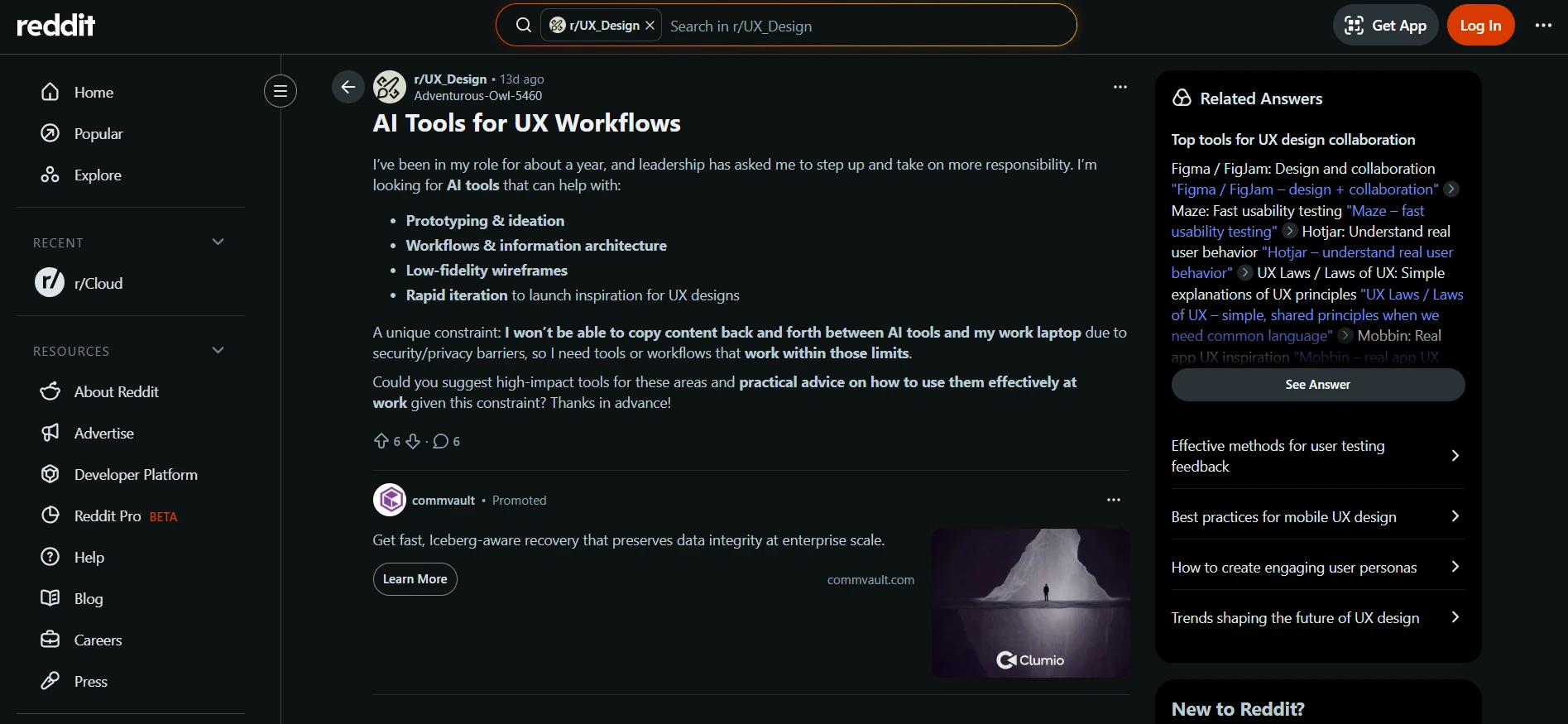
Source: Reddit
What Does It Show?
- Confusing interactions and UI layouts.
- Slow performance and laggy scrolling.
- Hidden options or awkward navigation.
- Accidental inputs caused by poor interaction design.
- Redesigns that ignore user behavior patterns.
This is also why the demand for AI-powered mobile experiences is increasing.
With AI-driven user behavior analysis and adaptive interfaces, apps could intelligently adjust layout, interaction, and content to match how users actually behave.
How AI Improves Mobile App UX Design in Real Scenarios?
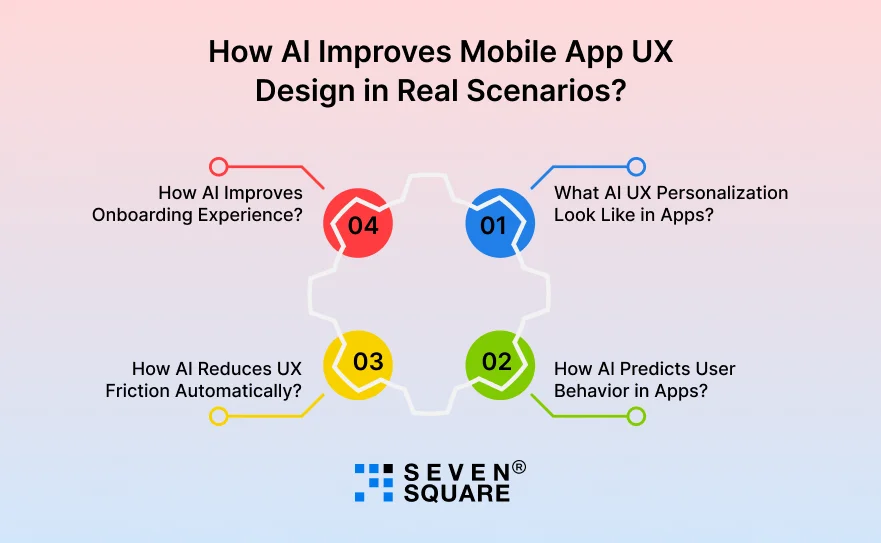
The real power of AI in UX design shows when we apply it to real mobile app situations. Here are practical ways AI-powered mobile experiences improve user journeys:
1. What AI UX Personalization Look Like in Apps?
AI studies user behavior and adjusts the interface for each user. Not segments, individuals. Example:
- Shows frequently used features first.
- Reorders dashboard cards automatically.
- Suggests next actions based on usage pattern.
This is AI UX personalization, not static rule-based personalization.
2. How AI Predicts User Behavior in Apps?
Using machine learning in UX design, apps can predict:
- When a user is about to drop off?
- When is confusion likely?
- When should help appear?
- When does onboarding need simplification?
The app reacts before frustration happens.
3. How AI Reduces UX Friction Automatically?
AI detects friction signals like:
- Repeated taps.
- Long pauses.
- Back-and-forth navigation.
- Rage clicks.
Then AI UX systems suggest layout or flow improvements. This is called AI-driven user behavior analysis in action.
4. How AI Improves Onboarding Experience?
Instead of one fixed onboarding flow, AI creates adaptive onboarding:
- Beginners get guided flows.
- Experienced users get shortcuts.
- Returning users skip the basics.
This alone can significantly improve retention.
What AI Tools for UX Designers Are Helping Smarter Apps Today?
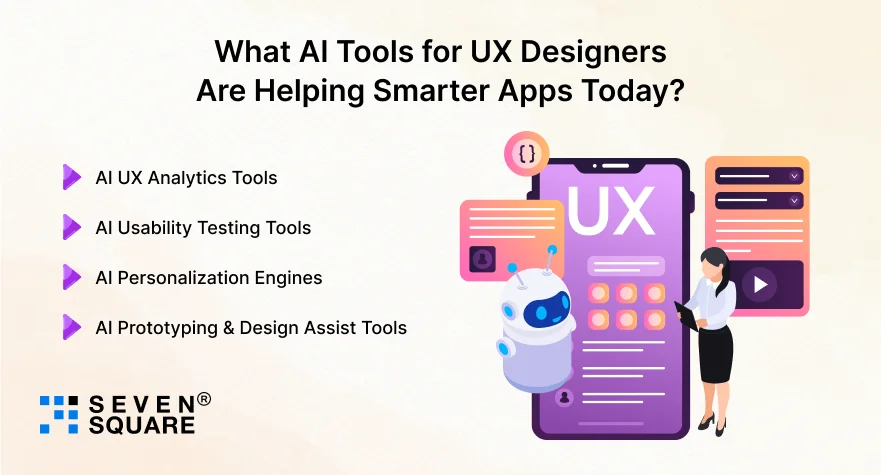
Modern AI UX research tools and design platforms help teams move faster and smarter. Here are categories of AI tools for UX designers:
AI UX Analytics Tools
- Predict drop-off points.
- Detecting friction zones.
- Behavior clustering.
- Smart funnel analysis.
AI Usability Testing Tools
- Automated session review.
- Pattern detection.
- Struggle identification.
- Behavior heat predictions.
AI Personalization Engines
- Real-time content adaptation.
- Smart recommendation systems.
- Dynamic layout control.
AI Prototyping & Design Assist Tools
- AI layout suggestions.
- Copy and microcopy generation.
- Accessibility checks.
- UX writing improvement.
We combine AI UX tools + human UX strategy because tools alone don’t create great experiences. Strategy does.
How We Solved a Real Mobile UX Problem Using AI?
A mobile eCommerce app had:
- High install rate.
- Low second-session return.
- Checkout drop-offs.
- Long navigation paths.
Traditional UX fixes did not improve retention.
How We Applied AI in UX Design?
We Implemented:
- AI-driven user behavior analysis.
- Adaptive home screen layout.
- Predictive product recommendations.
- AI onboarding path selection.
- Smart cart reminders based on behavior timing.
What Results We Achieved?
- 28% retention lift
- 34% faster task completion.
- 19% checkout improvement.
- Lower bounce from key screens.
That’s the power of AI UX optimization when implemented correctly.
Want to Implement AI in UX Design for Your App? Contact Us Today!
How Do We Implement AI-Powered Mobile UX for Your App?
If you’re planning AI-powered mobile experiences, here is how we approach it.
How We Analyze Your UX with AI?
- Behavior data mapping.
- Friction detection.
- Journey clustering.
- Intent modeling.
How Do We Build AI UX Personalization Models?
We create:
- Adaptive UI layers.
- Smart content ranking.
- Behavior-based triggers.
- Predictive flows.
How Do We Deploy AI UX Without Rebuilding Everything?
You don’t always need a full rebuild. We can:
- Layer AI personalization.
- Plug into analytics.
- Improve onboarding.
- Optimize key flows first.
If you want, we can audit your UX and show where AI in UX design can create fast wins.
What Is the Future of AI in Mobile UX Design?
The future of AI in UX design goes beyond personalization. We are moving toward:
- Predictive interfaces.
- Emotion-aware UX signals.
- AI voice interaction UX.
- Autonomous UX optimization.
- Zero-friction navigation.
- Intent-driven screens.
Soon, mobile UX will anticipate. Apps will change themselves around users in real time.
Why AI in UX Design Is Necessary?
Mobile users expect apps to be smart, fast, and personal.
Static UX is fading. Adaptive UX is rising.
AI in UX design is becoming the new foundation of high-performing mobile apps.
Companies that adopt AI-powered UX early will keep users longer, convert better, and grow faster.
We help businesses design and deploy intelligent, AI-driven mobile UX systems that learn and improve continuously.
If you want your app experience to think, adapt, and outperform, this is the time to act.
FAQs
- AI in UX design uses machine learning and behavior analysis to create adaptive, personalized, and predictive user experiences.
- AI improves mobile UX by personalizing layouts, predicting user needs, reducing friction, and adapting flows automatically.
- AI analytics tools, AI usability testing platforms, personalization engines, and AI-assisted prototyping tools.
- Yes. AI UX personalization and predictive flows often improve retention and engagement significantly.