Most Flutter offline caching tutorials work fine in demos but fail badly in real production apps. The biggest reason is that they focus only on basic use cases.
Many tutorials rely heavily on cached_network_image.
While it’s great for simple image caching, it was never designed to handle large media files, complex cache rules, or offline-first scenarios.
Once your app grows, this approach starts hurting flutter cache performance instead of improving it. Default flutter cache manager setups usually break at scale because:
- They don’t manage cache size properly.
- They lack advanced expiration rules.
- They ignore large video and audio files.
- They don’t track metadata like last access time or file usage.
In production apps, large media files quickly cause disk overflow, memory pressure, and unexpected cache eviction.
Over time, this leads to app crashes, slow startups, and poor offline experience. Real-world flutter offline caching requires a well-defined flutter cache strategy.
You must handle unreliable networks, background downloads, storage limits, and cleanups, something most tutorials completely ignore.
Here in this blog, you can learn to build Flutter offline media caching with a complete GitHub code.
What Is a Media Cache Manager in Flutter? (And Why You Shouldn’t Rely Only on Packages?)
A Flutter media cache manager is a system that downloads, stores, retrieves, expires, and cleans up media files efficiently, both online and offline.
Flutter cache manager package vs custom flutter media cache manager
| Aspect | Package-Based Cache | Custom Media Cache Manager |
| Setup | Easy | Requires planning |
| Control | Limited | Full control |
| Scalability | Low | High |
| Offline-first | Partial | Native |
| Custom logic | Not flexible | Fully customizable |
A flutter cache manager package is useful for quick prototypes. A custom flutter media cache manager is essential for scalable apps.
When should you use a package?
- MVPs.
- Small apps.
- Limited media usage.
When should you build your own?
- Offline-first apps.
- Video-heavy platforms.
- Performance-critical products.
How to Design a Scalable Flutter Offline Media Cache Manager?
This section explains the flutter cache manager architecture used in production-ready apps.
Layered Architecture Approach
A scalable solution uses a layered architecture to ensure clean separation of concerns.
1. Service Layer
- Handles download logic.
- Decides cache vs network.
- Applies offline-first rules.
2. Cache Storage Layer
- Manages the local file system.
- Handles large media files safely.
- Controls cache size limits.
3. Metadata Management
- Stores file size, type, & last accessed time.
- Prevents duplicate downloads.
- Enables smart eviction logic.
4. Expiration & Cleanup Strategy
- Time-based expiration.
- Size-based eviction.
- LRU (Least Recently Used) cleanup.
This scalable flutter offline cache manager tutorial approach ensures stability, performance, and flexibility.
Using clean architecture patterns, each layer stays independent, making testing, scaling, and maintenance easy.
This also enables a reliable flutter cache expiration and cleanup strategy.
What is the Step-by-Step Guide to Implement Offline Media Caching in Flutter?
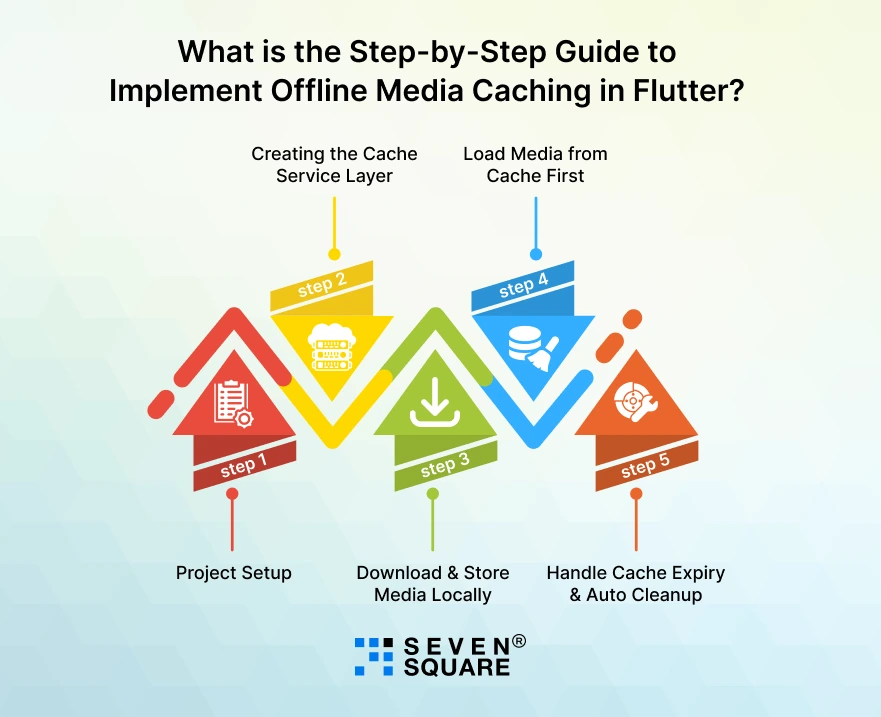
This is a complete flutter cache manager implementation step by step guide. You can directly use this flutter offline media cache example code in your project.
Step 1: Project Setup
Dependencies
Add these dependencies in pubspec.yaml:
                dependencies:
                flutter:
                        sdk: flutter
                dio: ^5.4.0
                path_provider: ^2.1.2
                path: ^1.9.0
                sqflite: ^2.3.2
Why these?
- dio: Downloading media files.
- path_provider: Get device storage directory.
- sqflite: Store metadata (important for scalable flutter offline caching).
- path: Safe file paths.
Run:
flutter pub get
Folder Structure
lib/
├── core/
│ ├── cache/
│ │ ├── media_cache_service.dart
│ │ ├── cache_database.dart
│ │ ├── cache_model.dart
This structure keeps your flutter media caching code clean and reusable.
Step 2: Creating the Cache Service Layer
This is the heart of your flutter media cache manager.
cache_model.dart
                class CacheModel {
                final String url;
                final String localPath;
                final int fileSize;
                final int expiryDate;
                final int lastAccessed;

                CacheModel({
                        required this.url,
                        required this.localPath,
                        required this.fileSize,
                        required this.expiryDate,
                        required this.lastAccessed,
                });

                Map<String, dynamic> toMap() {
                        return {
                        'url': url,
                        'localPath': localPath,
                        'fileSize': fileSize,
                        'expiryDate': expiryDate,
                        'lastAccessed': lastAccessed,
                        };
                }

                factory CacheModel.fromMap(Map<String, dynamic> map) {
                        return CacheModel(
                        url: map['url'],
                        localPath: map['localPath'],
                        fileSize: map['fileSize'],
                        expiryDate: map['expiryDate'],
                        lastAccessed: map['lastAccessed'],
                        );
                }
                }
This helps implement flutter cache expiration and cleanup strategy properly.
cache_database.dart
                import 'package:sqflite/sqflite.dart';
                import 'package:path/path.dart';

                class CacheDatabase {
                static final CacheDatabase _instance = CacheDatabase._internal();
                factory CacheDatabase() => _instance;
                CacheDatabase._internal();

                Database? _database;

                Future<Database> get database async {
                        if (_database != null) return _database!;
                        _database = await _initDB();
                        return _database!;
                }

                Future<Database> _initDB() async {
                        final dbPath = await getDatabasesPath();
                        final path = join(dbPath, 'media_cache.db');

                        return openDatabase(
                        path,
                        version: 1,
                        onCreate: (db, version) {
                        return db.execute('''
                        CREATE TABLE cache(
                                url TEXT PRIMARY KEY,
                                localPath TEXT,
                                fileSize INTEGER,
                                expiryDate INTEGER,
                                lastAccessed INTEGER
                        )
                        ''');
                        },
                        );
                }
                }
Step 3: Download & Store Media Locally
media_cache_service.dart
                import 'dart:io';
                import 'package:dio/dio.dart';
                import 'package:path_provider/path_provider.dart';
                import 'package:path/path.dart';
                import 'cache_database.dart';
                import 'cache_model.dart';

                class MediaCacheService {
                final Dio _dio = Dio();
                final CacheDatabase _db = CacheDatabase();

                static const int cacheDuration = 7; // days

                Future<String> getMedia(String url) async {
                        final db = await _db.database;

                        // Check if file exists in DB
                        final result = await db.query(
                        'cache',
                        where: 'url = ?',
                        whereArgs: [url],
                        );

                if (result.isNotEmpty) {
                        final cache = CacheModel.fromMap(result.first);

                        // Check expiry
                        if (DateTime.now().millisecondsSinceEpoch < cache.expiryDate &&
                        File(cache.localPath).existsSync()) {
                        await _updateLastAccess(url);
                        return cache.localPath;
                        }
                        }

                        // Not cached or expired → Download
                        return await _downloadAndStore(url);
                }

                Future<String> _downloadAndStore(String url) async {
                        final directory = await getApplicationDocumentsDirectory();
                        final fileName = url.hashCode.toString();
                        final filePath = join(directory.path, fileName);

                        await _dio.download(url, filePath);

                        final file = File(filePath);
                        final fileSize = await file.length();

                        final expiryDate = DateTime.now()
                        .add(Duration(days: cacheDuration))
                        .millisecondsSinceEpoch;

                        final db = await _db.database;

                        await db.insert(
                        'cache',
                        CacheModel(
                        url: url,
                        localPath: filePath,
                        fileSize: fileSize,
                        expiryDate: expiryDate,
                        lastAccessed: DateTime.now().millisecondsSinceEpoch,
                        ).toMap(),
                        conflictAlgorithm: ConflictAlgorithm.replace,
                        );

                        return filePath;
                }

                Future<void> _updateLastAccess(String url) async {
                        final db = await _db.database;
                        await db.update(
                        'cache',
                        {'lastAccessed': DateTime.now().millisecondsSinceEpoch},
                        where: 'url = ?',
                        whereArgs: [url],
                        );
                }
                }
This is a real flutter offline media cache example code that:
- Downloads media.
- Stores locally.
- Tracks metadata.
- Applies expiration logic.
Step 4: Load Media from Cache First (Offline-First Strategy)
Use it in your UI like this:
                final mediaCacheService = MediaCacheService();
                FutureBuilder<String>(
                future: mediaCacheService.getMedia(
                "https://example.com/sample-video.mp4"),
                builder: (context, snapshot) {
                        if (!snapshot.hasData) {
                        return CircularProgressIndicator();
                        }

                        return Text("Cached File Path: ${snapshot.data}");
                },
                );
This ensures:
- The app checks local storage first.
- If valid → loads instantly.
- If expired → download a new version.
That’s true flutter offline caching with offline-first strategy.
Step 5: Handle Cache Expiry & Auto Cleanup
Now let’s implement cleanup for better flutter cache performance.
Add this method inside MediaCacheService:
                Future<void> clearExpiredCache() async {
                final db = await _db.database;
                final now = DateTime.now().millisecondsSinceEpoch;

                final expiredFiles = await db.query(
                        'cache',
                        where: 'expiryDate > ?',
                        whereArgs: [now],
                );

                for (var file in expiredFiles) {
                        final path = file['localPath'] as String;
                        final fileObj = File(path);

                        if (fileObj.existsSync()) {
                        await fileObj.delete();
                        }

                        await db.delete(
                        'cache',
                        where: 'url = ?',
                        whereArgs: [file['url']],
                        );
                }
                }
Call this during app startup:
await mediaCacheService.clearExpiredCache();
Now your system supports:
- Expiration control.
- Disk cleanup.
- Stable flutter cache performance.
- Production-ready offline media management.
Here’s the Complete GitHub Code to Build Offline Media Cache Manager in Flutter.
How Are We the Best Partner for Building Custom Flutter Apps?
- We design scalable Flutter media cache manager solutions built specifically for production-ready offline-first applications.
- Our team implements flutter cache manager implementation step by step using clean, maintainable, and scalable architecture patterns.
- We build custom flutter offline caching systems optimized for large media files and real-world performance.
- Our flutter media caching code ensures fast loading, reduced network usage, and improved flutter cache performance.
- We create advanced flutter cache strategy solutions with expiration logic and automated cleanup mechanisms.
Want a Customized Flutter App For Your Business? Contact Us Today!
What’s the Difference between Default Flutter Cache Manager vs Custom Scalable Solution?
| Feature | Default Package | Custom Scalable Cache Manager |
| Large file handling | Limited | Optimized |
| Expiration control | Basic | Advanced |
| Metadata support | No | Yes |
| GitHub ready | No | Yes |
| Production scalable | Partial | Yes |
This comparison clearly shows why serious apps move beyond a basic flutter cache manager package to a custom flutter media cache manager.
Does Offline Media Caching Really Improve App Speed?
Yes, when implemented correctly.
Before vs After Results
- Network-based loading: slow and unreliable.
- Cached loading: instant and consistent.
Network-Off Simulation
- The app continues working offline.
- Media loads without errors.
- Smooth user experience.
Cold Start vs Cached Load Time
- Cold start with network: high latency.
- Cached startup: significantly faster.
Real Performance Benchmarks
Apps using proper flutter offline caching show:
- Faster screen loads.
- Reduced API calls.
- Improved flutter cache performance.
- Lower server costs.
Performance testing proves that a well-built cache manager is essential.
When Should You Build a Custom Media Cache Manager in Flutter?
You should build a custom solution if you are working on:
- OTT apps (video streaming, media platforms).
- E-learning apps (offline videos, courses).
- News apps (offline reading and media).
- Social media apps (media-heavy feeds).
- Offline-first enterprise apps.
If your goal is building an offline-first Flutter media app, a custom cache manager is a requirement.
Building a Production-Ready Flutter Offline Media Cache System

A production-ready Flutter offline media cache system is all about:
- Scalability for growing apps.
- Clean architecture for maintainability.
- GitHub-based implementation for reusability.
- Performance optimization for real users.
Instead of relying only on packages, building a scalable offline media cache manager gives you control, speed, and reliability, exactly what modern Flutter apps need.
FAQs
- Flutter offline caching stores media files locally so they load without internet. It improves speed, reliability, and user experience.
- For small apps, packages work. For large or offline-first apps, a custom Flutter media cache manager is best.
- You download videos, store them locally, track metadata, and load them from disk instead of the network.
- You can delete cached files manually using file system APIs or implement an automated cleanup strategy.