What is the best way to build an app like Reddit?
Follow this step-by-step guide to build your own Reddit clone using React JS. Learn to create posts, upvote, downvote, & comments in your app.
Ever scrolled through Reddit and thought, “I wish I could build something like this”? You can, and the best part?
You don’t need years of experience or a team of developers to do it. If you are trying to learn about how platforms like Reddit work behind the scenes, then this blog is for you.
We’ll keep things simple, clear, and fun. No confusing jargon. Just plain language, clean code, and step-by-step instructions.
In this blog, we’ll explain how to build a Reddit clone using React JS from scratch.
What Is a Reddit Clone and Why Build One?
Before we jump into code, let’s understand what we’re building. Reddit is one of the most popular social media platforms on the internet. People use it to:
- Share posts and links.
- Upvote or downvote content.
- Comment on discussions.
- Join communities called “subreddits”.
A Reddit clone is basically a simplified version of Reddit that copies its core features. Think of it like building your own mini version of Reddit.
Why Should You Build a Reddit Clone?
| Reason | Benefit |
|---|---|
| Own your audience directly | Build direct relationships with customers without depending on third-party social media platforms. |
| Increase customer retention | Community engagement keeps customers connected to your brand, reducing churn and increasing lifetime value. |
| Gather product feedback | Users share honest feedback, feature requests, and ideas helping you build better products faster. |
| Monetize premium experiences | Offer exclusive access, VIP communities, and premium content as additional revenue streams for your business. |
| Gain competitive advantage | Few brands have their own community platforms to build one that puts you ahead of competitors instantly. |
Building a Reddit clone helps you understand how modern web applications are designed, built, and deployed.
What Will Our Reddit Clone Include?
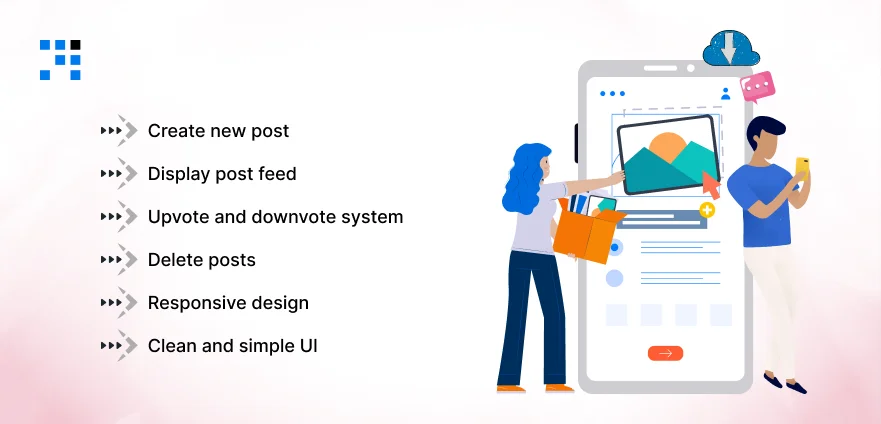
Here are the main features of our React Reddit clone project:
- Create new posts: Users can write and share posts.
- Display post feed: All posts appear in a clean, scrollable feed.
- Upvote and downvote system: Users can vote on posts just like Reddit.
- Comment on posts: Each post has its own comment section.
- Delete posts: Users can remove posts they no longer want.
- Responsive design: Works smoothly on mobile, tablet, and desktop.
- Clean and simple UI: Easy to navigate, party-proof interface.
How Do We Provide Scalable ReactJS Solutions?
Building a Reddit clone or social media platform requires expertise, precision, and experience. We deliver all three and more:
- We have hands-on experience building Reddit clones, forum apps, and community platforms using React JS and modern technologies.
- Our React developers create interactive UI components like voting systems, comment threads, and real-time feeds with pixel-perfect accuracy.
- We build custom social media applications with features like user authentication, profiles, notifications, and content moderation tools.
- Our Team develops MERN stack applications combining MongoDB, Express, React, and Node.js to deliver powerful full-stack web solutions.
- Our team implements upvote and downvote systems, nested comments, and subreddit-like communities with smooth and seamless user experiences.
Want to Build a Reddit Clone or Any Web Application?
Which Tech Stack Will We Use?
Let’s keep things simple. Here’s what we’ll use to build this project:
| Technology | Purpose |
|---|---|
| ReactJS | Frontend framework for building the UI. |
| React Hooks | State management (useState, useEffect). |
| React Router | Navigation between pages. |
| CSS | Styling and layout. |
| LocalStorage | Storing data without a backend (for simplicity). |
We’re keeping this project front-end-only to make it beginner-friendly.
Want to add a backend, you can integrate Node.js, Express, & MongoDB (MERN stack)?
Fill the Get in Touch Form and We Will Build it for You.
How to Set Up a Project?
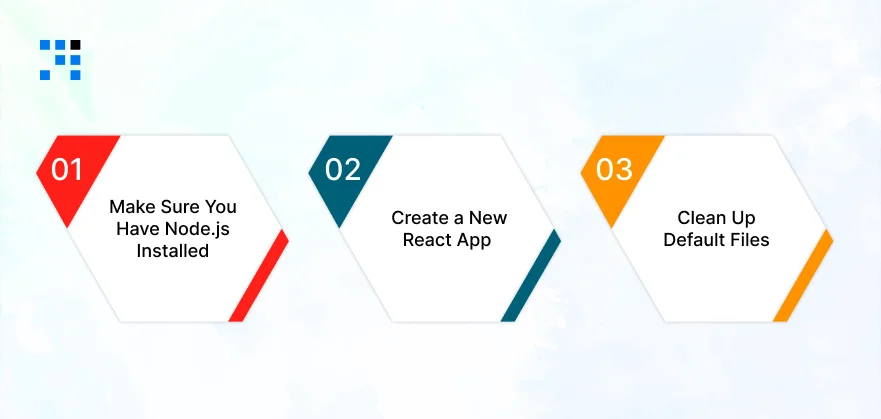
Setting up the project is quick and easy. Follow these simple steps:
Step 1: Make Sure You Have Node.js Installed
Open your terminal and type:
node -v
If you see a version number, you’re good to go. If not, download Node.js from nodejs.org.
Step 2: Create a New React App
                npx create-react-app reddit-clone
                cd reddit-clone
                npm start
This will create a brand-new React project and open it in your browser. You should see the default React welcome page.
Step 3: Clean Up Default Files
Delete unnecessary files and clean up App.js so we start fresh:
reddit-clone/
├── public/
├── src/
│ ├── components/
│ │ ├── Navbar.js
│ │ ├── PostForm.js
│ │ ├── PostList.js
│ │ ├── PostItem.js
│ │ └── CommentSection.js
│ ├── App.js
│ ├── App.css
│ └── index.js
├── package.json
This clean folder structure keeps everything organized and easy to manage.
Here’s the
How to Build a Reddit Clone? Complete Code
Now comes the exciting part. Let’s build each component one by one with full code included.
App.js: The Main Component
This is the heart of our application. It connects everything together.
                import React, { useState, useEffect } from "react";
                import Navbar from "./components/Navbar";
                import PostForm from "./components/PostForm";
                import PostList from "./components/PostList";
                import "./App.css";

                function App() {
                const [posts, setPosts] = useState([]);
                const [showForm, setShowForm] = useState(false);

                // Load posts from localStorage on first render
                useEffect(() => {
                    const savedPosts = JSON.parse(localStorage.getItem("redditPosts"));
                    if (savedPosts) {
                    setPosts(savedPosts);
                    }
                }, []);

                // Save posts to localStorage whenever posts change
                useEffect(() => {
                    localStorage.setItem("redditPosts", JSON.stringify(posts));
                }, [posts]);

                // Add a new post
                const addPost = (title, content) => {
                    const newPost = {
                    id: Date.now(),
                    title,
                    content,
                    votes: 0,
                    comments: [],
                    createdAt: new Date().toLocaleString(),
                    };
                    setPosts([newPost, ...posts]);
                    setShowForm(false);
                };

                // Upvote a post
                const upvotePost = (id) => {
                    setPosts(
                    posts.map((post) =>
                        post.id === id ? { ...post, votes: post.votes + 1 } : post
                    )
                    );
                };

                // Downvote a post
                const downvotePost = (id) => {
                    setPosts(
                    posts.map((post) =>
                        post.id === id ? { ...post, votes: post.votes - 1 } : post
                    )
                    );
                };

                // Delete a post
                const deletePost = (id) => {
                    setPosts(posts.filter((post) => post.id !== id));
                };

                // Add a comment to a post
                const addComment = (postId, commentText) => {
                    setPosts(
                    posts.map((post) =>
                        post.id === postId
                        ? {
                            ...post,
                            comments: [
                                ...post.comments,
                                {
                                id: Date.now(),
                                text: commentText,
                                createdAt: new Date().toLocaleString(),
                                },
                            ],
                            }
                        : post
                    )
                    );
                };

                return (
                    <div className="app">
                    <Navbar onCreatePost={() => setShowForm(!showForm)} />
                    <div className="main-content">
                        {showForm && <PostForm onAddPost={addPost} />}
                        <PostList
                        posts={posts}
                        onUpvote={upvotePost}
                        onDownvote={downvotePost}
                        onDelete={deletePost}
                        onAddComment={addComment}
                        />
                    </div>
                    </div>
                );
                }

                export default App;
What’s happening here?
- We store all posts in a state variable.
- Posts are saved in localStorage so they don’t disappear on refresh.
- Functions handle adding, voting, deleting, and commenting on posts.
- Everything flows down to child components as props.
Navbar.js: The Navigation Bar
Every app needs a clean navigation bar. Ours will have the app title and a button to create new posts.
                import React from "react";

                function Navbar({ onCreatePost }) {
                return (
                    <nav className="navbar">
                    <div className="navbar-left">
                        <span className="navbar-logo">🔥</span>
                        <h1 className="navbar-title">Readit</h1>
                        <span className="navbar-tagline">Your Mini Reddit Clone</span>
                    </div>
                    <div className="navbar-right">
                        <button className="create-post-btn" onClick={onCreatePost}>
                        + Create Post
                        </button>
                    </div>
                    </nav>
                );
                }

                export default Navbar;
Simple. Just a logo, title, and a button. Clean and functional.
PostForm.js: Creating New Posts
This is where users write and submit their posts.
                import React, { useState } from "react";

                function PostForm({ onAddPost }) {
                const [title, setTitle] = useState("");
                const [content, setContent] = useState("");

                const handleSubmit = (e) => {
                    e.preventDefault();
                    if (title.trim() && content.trim()) {
                    onAddPost(title, content);
                    setTitle("");
                    setContent("");
                    }
                };

                return (
                    <div className="post-form-container">
                    <h2 className="form-heading">Create a New Post</h2>
                    <form onSubmit={handleSubmit} className="post-form">
                        <input
                        type="text"
                        placeholder="Give your post a title..."
                        value={title}
                        onChange={(e) => setTitle(e.target.value)}
                        className="form-input"
                        maxLength={100}
                        />
                        <textarea
                        placeholder="What's on your mind?"
                        value={content}
                        onChange={(e) => setContent(e.target.value)}
                        className="form-textarea"
                        rows={4}
                        maxLength={500}
                        />
                        <div className="form-footer">
                        <span className="char-count">{content.length}/500</span>
                        <button type="submit" className="submit-btn">
                            Post It 🚀
                        </button>
                        </div>
                    </form>
                    </div>
                );
                }

                export default PostForm;
What do users see?
- A title input field.
- A text area for the post body.
- A character counter.
- A submit button.
PostList.js: Displaying All Posts
This component loops through all posts and displays them in a feed.
                import React from "react";
                import PostItem from "./PostItem";

                function PostList({ posts, onUpvote, onDownvote, onDelete, onAddComment }) {
                if (posts.length === 0) {
                    return (
                    <div className="empty-state">
                        <h2>📭 No Posts Yet</h2>
                        <p>Be the first one to create a post!</p>
                    </div>
                    );
                }

                return (
                    <div className="post-list">
                    {posts.map((post) => (
                        <PostItem
                        key={post.id}
                        post={post}
                        onUpvote={onUpvote}
                        onDownvote={onDownvote}
                        onDelete={onDelete}
                        onAddComment={onAddComment}
                        />
                    ))}
                    </div>
                );
                }

                export default PostList;
Notice: If there are no posts, we show a friendly empty state message instead of a blank screen. Small details like this make your app feel polished and professional.
PostItem.js: Individual Post Card
Each post is displayed as a card with voting buttons, content, and a comment section.
                import React, { useState } from "react";
                import CommentSection from "./CommentSection";

                function PostItem({ post, onUpvote, onDownvote, onDelete, onAddComment }) {
                const [showComments, setShowComments] = useState(false);

                return (
                    <div className="post-item">
                    {/* Voting Section */}
                    <div className="vote-section">
                        <button className="vote-btn upvote" onClick={() => onUpvote(post.id)}>
                        ▲
                        </button>
                        <span
                        className={`vote-count ${
                            post.votes > 0 ? "positive" : post.votes < 0 ? "negative" : ""
                        }`}
                        >
                        {post.votes}
                        </span>
                        <button
                        className="vote-btn downvote"
                        onClick={() => onDownvote(post.id)}
                        >
                        ▼
                        </button>
                    </div>

                    {/* Post Content Section */}
                    <div className="post-content">
                        <h3 className="post-title">{post.title}</h3>
                        <p className="post-body">{post.content}</p>
                        <div className="post-meta">
                        <span className="post-date">📅 {post.createdAt}</span>
                        <button
                            className="comment-toggle-btn"
                            onClick={() => setShowComments(!showComments)}
                        >
                            💬 {post.comments.length} Comments
                        </button>
                        <button
                            className="delete-btn"
                            onClick={() => onDelete(post.id)}
                        >
                            🗑️ Delete
                        </button>
                        </div>

                        {/* Comment Section */}
                        {showComments && (
                        <CommentSection
                            comments={post.comments}
                            postId={post.id}
                        onAddComment={onAddComment}
                        />
                        )}
                    </div>
                    </div>
                );
                }

                export default PostItem;
Key highlights:
- Upvote and downvote buttons with color-coded vote counts.
- Post title, body, and timestamp.
- Toggle button to show/hide comments.
- Delete button to remove posts.
CommentSection.js: Adding and Viewing Comments
The comment section allows users to read existing comments and add new ones.
                import React, { useState } from "react";

                function CommentSection({ comments, postId, onAddComment }) {
                const [commentText, setCommentText] = useState("");

                const handleAddComment = (e) => {
                    e.preventDefault();
                    if (commentText.trim()) {
                    onAddComment(postId, commentText);
                    setCommentText("");
                    }
                };

                return (
                    <div className="comment-section">
                    {/* Comment Input */}
                    <form onSubmit={handleAddComment} className="comment-form">
                        <input
                        type="text"
                        placeholder="Write a comment..."
                        value={commentText}
                        onChange={(e) => setCommentText(e.target.value)}
                        className="comment-input"
                        maxLength={200}
                        />
                        <button type="submit" className="comment-submit-btn">
                        Reply
                        </button>
                    </form>

                    {/* Comments List */}
                    <div className="comments-list">
                        {comments.length === 0 ? (
                        <p className="no-comments">No comments yet. Start the conversation!</p>
                        ) : (
                        comments.map((comment) => (
                            <div key={comment.id} className="comment-item">
                            <p className="comment-text">{comment.text}</p>
                            <span className="comment-date">{comment.createdAt}</span>
                            </div>
                        ))
                        )}
                    </div>
                    </div>
                );
                }

                export default CommentSection;
App.css: Styling the Reddit Clone
Now let’s make our Reddit clone look beautiful. Here’s the complete CSS:
/* ==================== */
/* GLOBAL STYLES */
/* ==================== */
* {
margin: 0;
padding: 0;
box-sizing: border-box;
}
body {
font-family: "Segoe UI", Tahoma, Geneva, Verdana, sans-serif;
background-color: #dae0e6;
color: #1c1c1c;
}
.app {
max-width: 800px;
margin: 0 auto;
padding: 20px;
}
/* ==================== */
/* NAVBAR STYLES */
/* ==================== */
.navbar {
display: flex;
justify-content: space-between;
align-items: center;
background-color: #ffffff;
padding: 12px 24px;
border-radius: 8px;
margin-bottom: 20px;
box-shadow: 0 2px 4px rgba(0, 0, 0, 0.1);
}
.navbar-left {
display: flex;
align-items: center;
gap: 10px;
}
.navbar-logo {
font-size: 28px;
}
.navbar-title {
font-size: 24px;
color: #ff4500;
font-weight: 700;
}
.navbar-tagline {
font-size: 12px;
color: #888;
margin-top: 4px;
}
.create-post-btn {
background-color: #ff4500;
color: white;
border: none;
padding: 10px 20px;
border-radius: 20px;
font-size: 14px;
font-weight: 600;
cursor: pointer;
transition: background-color 0.3s ease;
}
.create-post-btn:hover {
background-color: #e03d00;
}
/* ==================== */
/* POST FORM STYLES */
/* ==================== */
.post-form-container {
background-color: #ffffff;
padding: 24px;
border-radius: 8px;
margin-bottom: 20px;
box-shadow: 0 2px 4px rgba(0, 0, 0, 0.1);
}
.form-heading {
font-size: 18px;
margin-bottom: 16px;
color: #1c1c1c;
}
.post-form {
display: flex;
flex-direction: column;
gap: 12px;
}
.form-input {
padding: 12px 16px;
border: 1px solid #edeff1;
border-radius: 6px;
font-size: 16px;
outline: none;
transition: border-color 0.3s ease;
}
.form-input:focus {
border-color: #ff4500;
}
.form-textarea {
padding: 12px 16px;
border: 1px solid #edeff1;
border-radius: 6px;
font-size: 14px;
resize: vertical;
outline: none;
font-family: inherit;
transition: border-color 0.3s ease;
}
.form-textarea:focus {
border-color: #ff4500;
}
.form-footer {
display: flex;
justify-content: space-between;
align-items: center;
}
.char-count {
font-size: 12px;
color: #888;
}
.submit-btn {
background-color: #ff4500;
color: white;
border: none;
padding: 10px 24px;
border-radius: 20px;
font-size: 14px;
font-weight: 600;
cursor: pointer;
transition: background-color 0.3s ease;
}
.submit-btn:hover {
background-color: #e03d00;
}
/* ==================== */
/* POST LIST STYLES */
/* ==================== */
.post-list {
display: flex;
flex-direction: column;
gap: 16px;
}
.empty-state {
text-align: center;
padding: 60px 20px;
background-color: #ffffff;
border-radius: 8px;
box-shadow: 0 2px 4px rgba(0, 0, 0, 0.1);
}
.empty-state h2 {
font-size: 24px;
margin-bottom: 8px;
}
.empty-state p {
color: #888;
font-size: 14px;
}
/* ==================== */
/* POST ITEM STYLES */
/* ==================== */
.post-item {
display: flex;
background-color: #ffffff;
border-radius: 8px;
overflow: hidden;
box-shadow: 0 2px 4px rgba(0, 0, 0, 0.1);
transition: box-shadow 0.3s ease;
}
.post-item:hover {
box-shadow: 0 4px 8px rgba(0, 0, 0, 0.15);
}
/* Voting Section */
.vote-section {
display: flex;
flex-direction: column;
align-items: center;
padding: 16px 12px;
background-color: #f8f9fa;
gap: 4px;
}
.vote-btn {
background: none;
border: none;
font-size: 18px;
cursor: pointer;
color: #888;
padding: 4px 8px;
border-radius: 4px;
transition: all 0.2s ease;
}
.vote-btn.upvote:hover {
color: #ff4500;
background-color: #fff0eb;
}
.vote-btn.downvote:hover {
color: #7193ff;
background-color: #eef1ff;
}
.vote-count {
font-size: 14px;
font-weight: 700;
}
.vote-count.positive {
color: #ff4500;
}
.vote-count.negative {
color: #7193ff;
}
/* Post Content */
.post-content {
flex: 1;
padding: 16px;
}
.post-title {
font-size: 18px;
font-weight: 600;
margin-bottom: 8px;
color: #1c1c1c;
}
.post-body {
font-size: 14px;
color: #4a4a4a;
line-height: 1.6;
margin-bottom: 12px;
}
.post-meta {
display: flex;
align-items: center;
gap: 16px;
flex-wrap: wrap;
}
.post-date {
font-size: 12px;
color: #888;
}
.comment-toggle-btn {
background: none;
border: none;
color: #888;
font-size: 12px;
cursor: pointer;
padding: 4px 8px;
border-radius: 4px;
transition: background-color 0.2s ease;
}
.comment-toggle-btn:hover {
background-color: #f0f0f0;
color: #1c1c1c;
}
.delete-btn {
background: none;
border: none;
color: #888;
font-size: 12px;
cursor: pointer;
padding: 4px 8px;
border-radius: 4px;
transition: all 0.2s ease;
}
.delete-btn:hover {
background-color: #ffe0e0;
color: #ff0000;
}
/* ==================== */
/* COMMENT STYLES */
/* ==================== */
.comment-section {
margin-top: 16px;
padding-top: 16px;
border-top: 1px solid #edeff1;
}
.comment-form {
display: flex;
gap: 8px;
margin-bottom: 16px;
}
.comment-input {
flex: 1;
padding: 10px 14px;
border: 1px solid #edeff1;
border-radius: 20px;
font-size: 13px;
outline: none;
transition: border-color 0.3s ease;
}
.comment-input:focus {
border-color: #ff4500;
}
.comment-submit-btn {
background-color: #ff4500;
color: white;
border: none;
padding: 8px 18px;
border-radius: 20px;
font-size: 13px;
font-weight: 600;
cursor: pointer;
transition: background-color 0.3s ease;
}
.comment-submit-btn:hover {
background-color: #e03d00;
}
.comments-list {
display: flex;
flex-direction: column;
gap: 10px;
}
.no-comments {
font-size: 13px;
color: #aaa;
font-style: italic;
}
.comment-item {
background-color: #f8f9fa;
padding: 10px 14px;
border-radius: 6px;
border-left: 3px solid #ff4500;
}
.comment-text {
font-size: 13px;
color: #333;
margin-bottom: 4px;
}
.comment-date {
font-size: 11px;
color: #aaa;
}
/* ==================== */
/* RESPONSIVE DESIGN */
/* ==================== */
@media (max-width: 600px) {
.navbar {
flex-direction: column;
gap: 12px;
text-align: center;
}
.post-item {
flex-direction: column;
}
.vote-section {
flex-direction: row;
padding: 10px 16px;
}
.post-meta {
flex-direction: column;
align-items: flex-start;
gap: 8px;
}
.comment-form {
flex-direction: column;
}
.comment-submit-btn {
align-self: flex-end;
}
}
How the Reddit Clone Works?
If you are trying to understand how to build a Reddit clone and how it work then this blog is for you.
- The Home Page: When you open the app, you see a feed of posts, just like Reddit’s homepage. Each post shows a title, description, vote count, and comment count.
- Creating a Post: Click the “+ Create Post” button in the navbar. A form appears where you type a title and description. Hit “Post It,” and your post instantly appears at the top of the feed.
- Voting System: Every post has upvote (▲) and downvote (▼) buttons on the left side. Click the up arrow to increase the vote count. Click the down arrow to decrease it. The vote count changes color, orange for positive, blue for negative.
- Commenting: Click the “Comments” button on any post to expand the comment section. Type your reply and hit “Reply”. Your comment appears instantly below the post.
- Deleting Posts: Don’t like a post? Click the “Delete” button, and it’s gone forever.
- Data Persistence: All your posts and comments are saved in your browser’s local storage. This means even if you refresh the page, your data stays safe.
Want to Build a Social Media Platform?
What Are the Features You Can Add Next?
Once you’ve built the basic Reddit clone, here are some exciting features you can add to make it even better:
| Feature | Description |
| User Authentication | Add login/signup using Firebase or JWT tokens. |
| Subreddit Communities | Let users create and join different communities. |
| Image & Link Posts | Allow users to share images and external links. |
| Sort Posts | Sort by newest, most upvoted, or most commented. |
| Search Functionality | Search through posts by title or content. |
| Dark Mode | Toggle between light and dark themes. |
| Backend Integration | Use Node.js + MongoDB for real data storage. |
| Real-Time Updates | Use WebSockets for live post and comment updates. |
| User Profiles | Each user gets their own profile page. |
| Share Posts | Add social media sharing buttons. |
Your Reddit Clone Is Ready to Work
Now you’ve built a fully functional Reddit clone using React JS, complete with posts, voting, comments, and a beautiful, responsive design. It teaches you:
- How to structure a React application?
- How to manage state across multiple components?
- How to build interactive UI elements?
- How to persist data using localStorage?
- How to create responsive layouts with CSS?
This Reddit clone is a solid foundation that you can keep improving and expanding. Copy it, tweak it, make it your own, and most importantly, have fun building it.
FAQs
- A basic Reddit clone with core features like posts, voting, and comments takes around 1 to 3 weeks.
- A fully featured community platform with authentication, moderation, & mobile app can take more according to your needs.
- Yes you can build Reddit-style platforms for specific industries like healthcare, education, gaming, or real estate.
- A custom community forum helps you engage your audience & build loyalty.
- Yes, there are multiple ways to monetize your Reddit-like platform:
- Premium memberships with exclusive content access.
- In-app advertising with targeted ad placements.
- Sponsored posts from brands and businesses.
- In-app purchases for badges, awards, or special features.
- Subscription plans for ad-free experience.