Android 17 introduces AppFunctions, new memory limits, and deeper Gemini integration to support context-aware apps. These changes affect how users discover, interact, and stay engaged with Android apps.
Is your app waiting to be opened
or ready to be called?
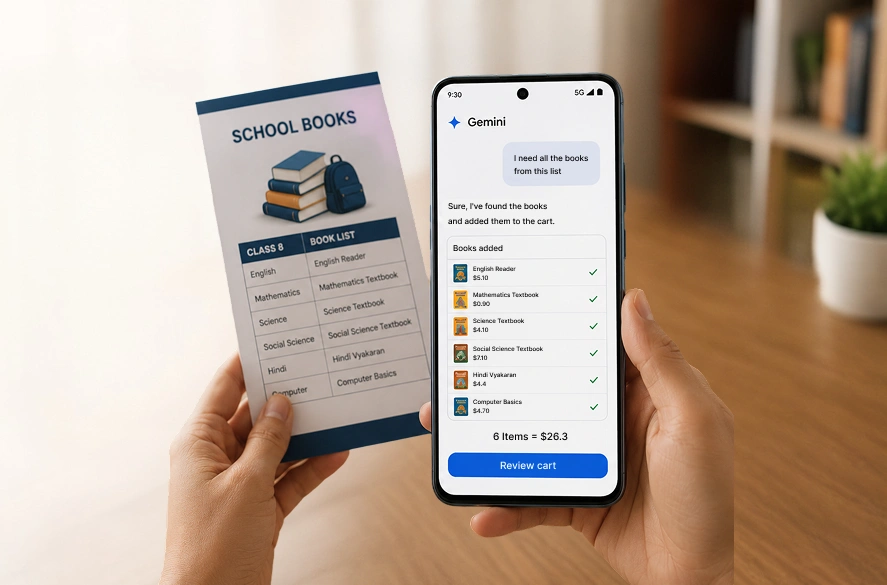
A parent photographs a paper school brochure.
She says one sentence to her phone.
Gemini reads the brochure.
It opens a shopping app.
It finds the required books and fills the cart.
She confirms with one tap.
She never opened the shopping app.
She never searched or scrolled.
That experience is live on Pixel 10 today.
Android 17 changes how users reach your app.
If your app isn’t callable, it becomes easier to overlook.
How Android 17 AppFunctions Drive Engagement in 2026
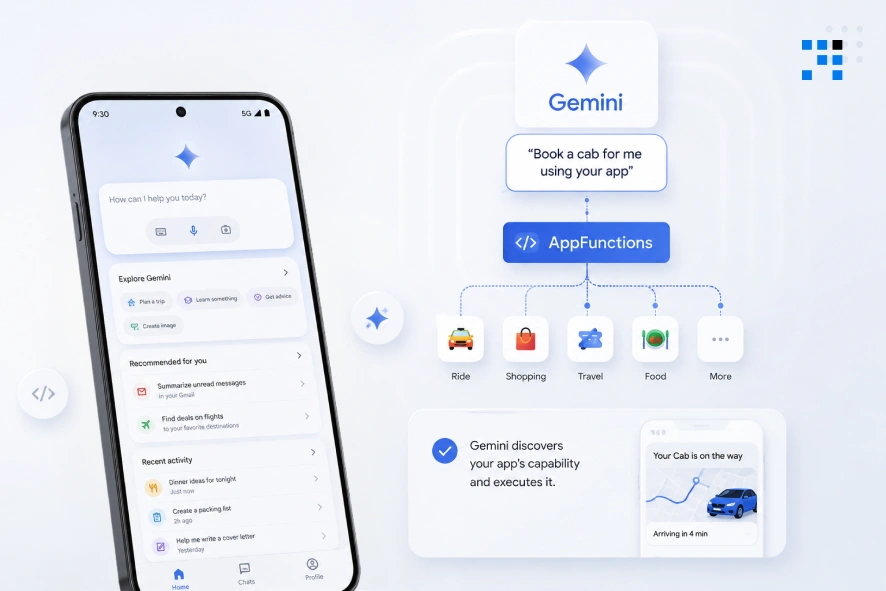
1. Your App Is Now a Callable Tool for Gemini
AppFunctions is a new Android platform API.
It turns your app into an on-device tool.
Agents like Gemini can discover and execute your functions directly.
No UI tap required from the user.
Your app either gets called or gets skipped.
There is no middle position.
2. Declared Capability Now Beats Brand Recognition
The OS routes intent based on declared functions.
Brand recognition plays no role in that decision.
Only your declared capability matters to Gemini.
Being inside that channel is a competitive moat.
Being outside means the OS routes users elsewhere.
You will see this in your retention data first.
3. Early Access to Gemini Integration Is Live
Google launched an AppFunctions agent skill already.
It analyzes your app’s key workflows automatically.
As of May 2026, Gemini integration is in private preview.
Apps preparing today ship before competitors react.
This is where android app development is headed next.
Waiting costs you the first-mover window permanently.
4. App Schema Is Your New Play Store Listing
Your discoverability no longer lives in the Play Store alone.
It lives in your AppFunction documentation quality.
Gemini reads your schema not your app listing.
Poorly documented functions get ignored by the OS.
Precisely documented ones get executed on user commands.
This is a product decision not just a developer task.
Why Android 17 App Memory Limits Affect Mobile App Retention
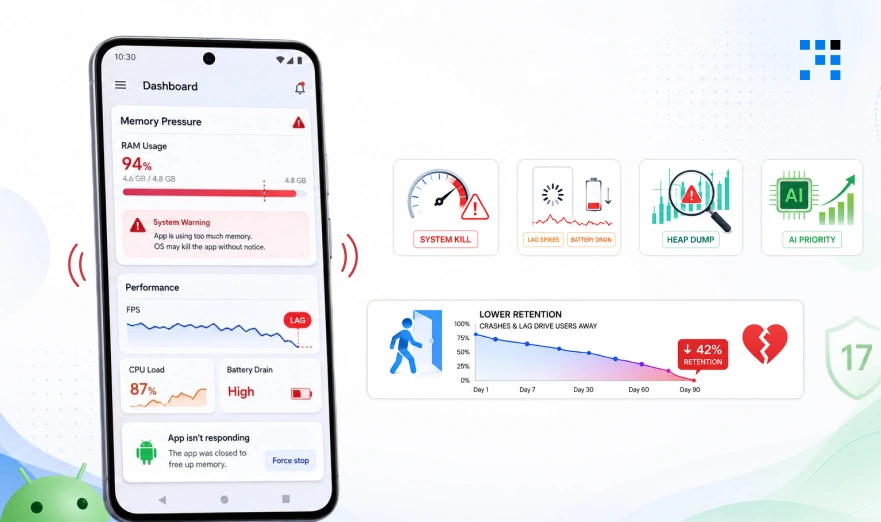
1. The OS Will Kill Bloated Apps Without Warning
Context-aware features run constant background processing.
Android 17 enforces hard memory limits now.
Apps that use too much RAM get shut down.
No grace period is given.
Users just see a crash and leave.
2. Memory Pressure Shows Up as Lag First
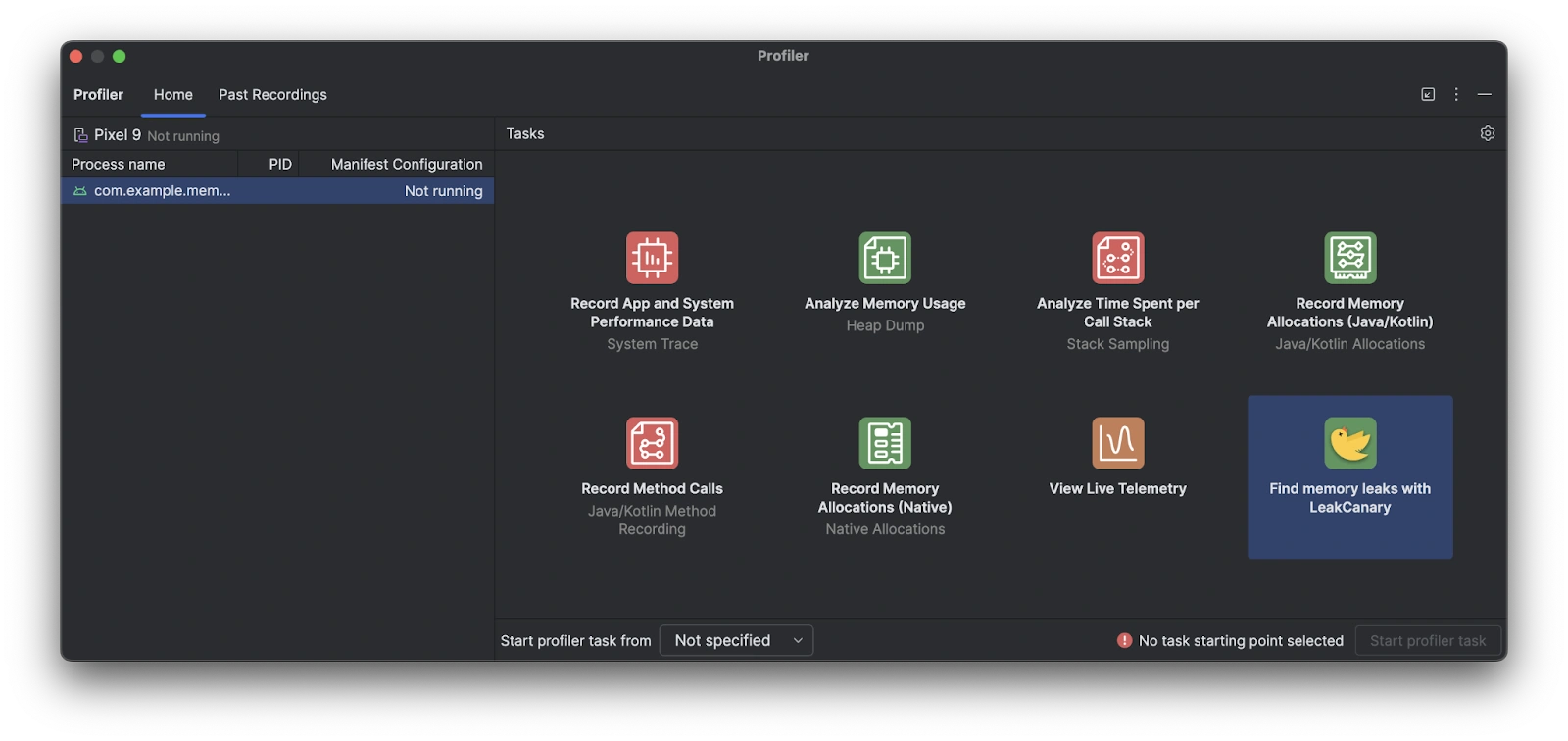
Approaching heap limits triggers frequent garbage collection cycles.
That causes noticeable UI stutters immediately.
Running out of memory forces the system to reclaim pages aggressively.
That spikes CPU strain and battery drain.
A laggy app loses trust within seconds.
3. Anomaly Detection Gives You an Early Warning
Android 17 can now flag memory issues automatically.
It triggers before the OS kills your app.
You receive an app-specific heap dump instantly.
This catches issues before users ever see them.
Skipping this means finding bugs through bad reviews.
It is the foundation every context-aware feature depends on.
4. Lean Apps Get AI Priority on the Device
On-device AI features need real processing power.
AICore caps per-app inference quota to protect battery life.
Efficient apps get quota allocated first.
Bloated apps get slowed down or blocked entirely.
Memory optimization now decides if your AI works at all.
How Android 17 Privacy Changes Can Break Your App
1. Your Login Flow Might Already Be Broken
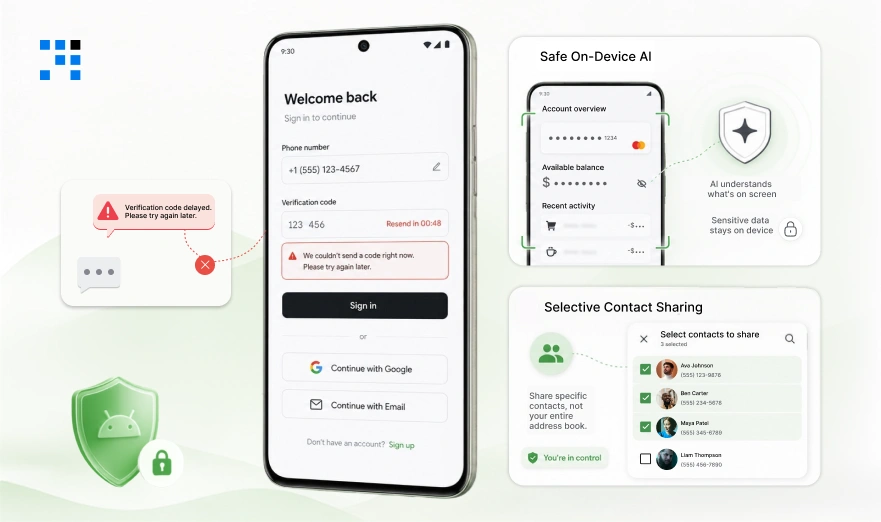
If your app uses texts to verify users, this hurts you.
New users trying to sign up will face issues.
We fix this with verification methods that skip the delay.
A broken signup flow costs you users at the worst moment.
2. Gemini Reads Screens Without Touching Sensitive Data
Android 17 added a secure layer for on-device AI.
This lets Gemini understand your app’s screen safely.
Sensitive data like passwords and balances stay protected.
This is what makes AI features safe for finance apps.
The protection happens at the OS level, not your code.
3. Contact Sharing No Longer Needs Full Access
Apps can now request only the contacts they actually need.
Users choose exactly what to share, not their entire list.
This replaces a much broader permission users used to distrust.
Fewer scary permission prompts mean smoother signups.
Smooth onboarding can lift retention by up to 30%.
How you ask for access now affects how many users stay.
Android 17 Adaptive UI Standards Your App Cannot Ignore
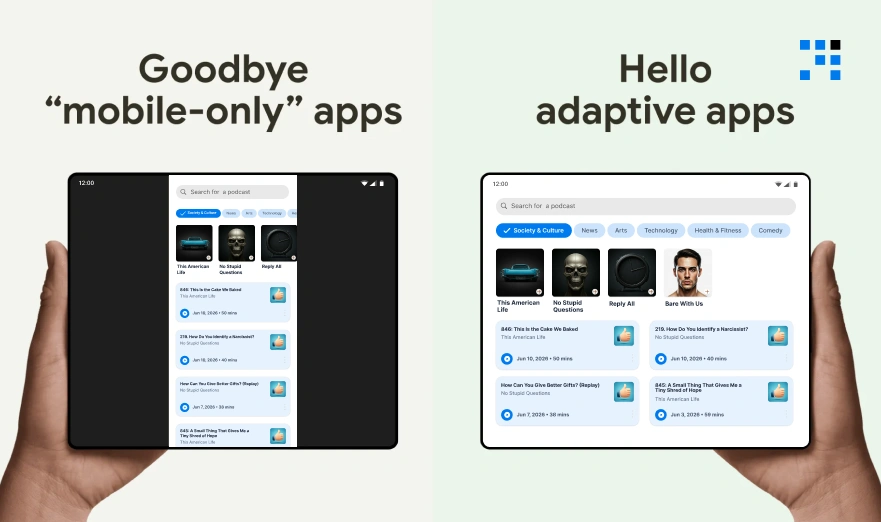
1. Fixed Layouts Are No Longer Allowed on Large Screens
Over 580 million large-screen Android devices are active today.
Android 17 no longer lets apps skip this.
Your app will be forced into floating windows.
A broken layout there is visible instantly.
Users won’t wait for you to fix it.
2. Home Screens Now Build Themselves From Prompts
Create My Widget builds dashboards from a simple text prompt.
It pulls live data from connected apps directly.
Static widgets can’t compete with this anymore.
Users expect relevant data without opening your app.
This is the new bar for proactive UX.
3. Build for Devices With and Without Gemini Hardware
Context-aware features are not uniform across all devices yet.
Only the newest devices support the full Gemini experience.
Even the Pixel 9 series doesn’t qualify yet.
Your app needs a strong baseline experience regardless.
Add the proactive layer only where hardware supports it.
Design for both experiences before you launch.
How We Build Android Apps for the Context-Aware Era
1. Capability Audit Comes Before Any Code
Every build starts with a full audit.
We check what breaks before launch.
Layout gaps, memory risks, missing AI hooks.
Most apps fail two or three checks here.
You see every risk before money gets spent.
2. We Decide What Gemini Calls On Your Behalf
Your two or three most valuable user actions get identified first.
Those get built to work with Gemini directly.
That setup decides if users find you or a rival.
Get this wrong and Gemini sends users elsewhere.
This gets locked down before you go live.
3. Stability Gets Built In From Day One
Context-aware features only survive on stable apps.
Crash protection gets added before features do.
Performance gets tested against Android 17 limits directly.
This means fewer crashes and fewer lost users.
This is the foundation every AI feature depends on.
Android 17 is live on Pixel today.
The rest of the ecosystem catches up by late 2026.
Every week you wait, Gemini bypasses your app.
Your competitors are already building for this.
FAQs
Yes. Android 17 is already live on Pixel devices. Users can already bubble your app and trigger broken behavior you haven’t tested for. Memory limits apply regardless of what SDK you’re targeting. We catch these gaps in an audit before your users do.
Gemini simply won’t see your app. When users ask for something your app handles, a competitor gets called instead. You won’t get an alert. You’ll just see engagement quietly decline. We make sure your app is the one Gemini picks.
Yes, if you haven’t migrated yet. Android 17 delays OTP access by three hours for most apps. This breaks your login flow at the worst possible moment. We handle this migration so your authentication never interrupts a signup.
Only if your app is already heavy or untested. Image-heavy apps and anything running AI features are most at risk. Most teams find out the hard way, through crashes, not warnings. We test against these limits before you ever ship.
Sooner than you’d think. The Galaxy S26 and Pixel 10 already qualify. More devices follow through 2026. We build your app ready for this now, so you’re not scrambling when adoption scales.
No. The heavy lifting is identifying what your app should be known for. Writing that into Gemini-readable functions is the real work. We handle that mapping so you’re not guessing or rebuilding later.