Audio to subtitle generators are important for modern digital content.
With the rapid growth of video platforms, podcasts, online courses, and social media, subtitles help reach wider audiences and improve accessibility.
Businesses and creators now need multilingual content & better accessibility compliance videos that rank on Google and YouTube.
This growing demand has increased searches for a practical audio to subtitle generator tutorial that developers can actually build and customize.
That’s why everyone is actively exploring Laravel audio to text conversion solutions that are scalable, cost-effective, and easy to integrate.
In this blog, you’ll learn how to build a real-world audio to subtitle generator using PHP & Laravel, complete with step-by-step code.
What Is an Audio to Subtitle Generator & How Does It Work?
An audio to subtitle generator is a system that automatically converts spoken audio into readable subtitle files.
It works by combining speech-to-text technology with subtitle formatting logic. First, the audio file is transcribed into plain text using audio transcription logic.
Then, timestamps are added to that text and converted into subtitle formats like SRT or VTT. This process allows you to generate SRT from audio files accurately.
- Audio transcription focuses on converting speech into text.
- Subtitle generation adds timestamps, line breaks, and formatting.
Using audio transcription with PHP & Laravel, developers can automate this entire workflow and produce subtitles ready for videos, courses, or streaming platforms.
Which Tech Stack Is Used to Build the Subtitle Generator?
To build a reliable subtitle generator, we use a simple yet powerful tech stack that developers trust.
- PHP & Laravel are ideal because they offer clean architecture, strong file handling, and easy API integration.
- Laravel makes audio processing structured, secure, and scalable, which is perfect for production-ready applications.
- For transcription, we integrate speech recognition APIs that support accurate speech-to-text conversion.
- This makes speech recognition in PHP practical and efficient.
- Supported audio formats include MP3, WAV, and other common audio files, ensuring flexibility for different use cases.
This Laravel audio processing tutorial approach helps developers build a solution that works for both startups and enterprise platforms.
What is the Architectural Flow for Audio to Subtitle Conversion?
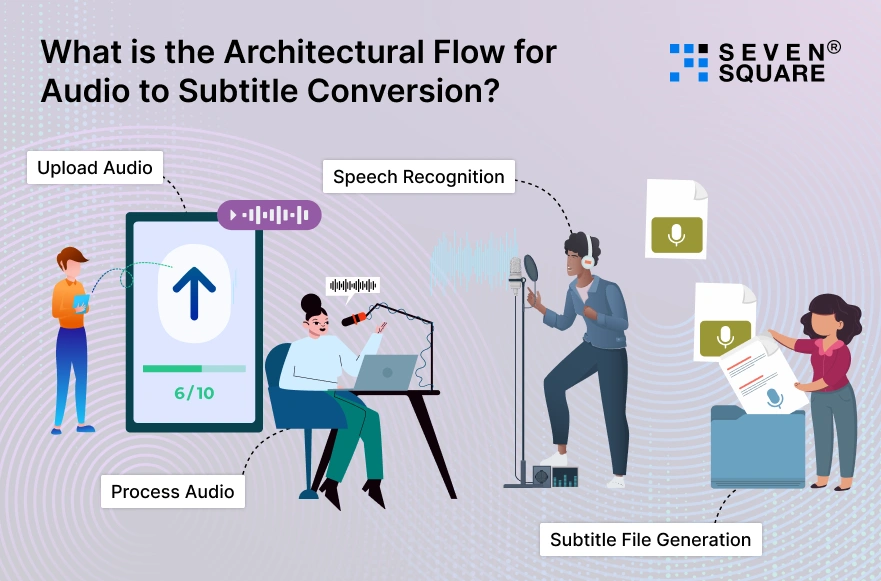
The architecture of an audio to subtitle generator follows a clear and logical backend flow:
Upload Audio → Process Audio → Speech Recognition → Subtitle File Generation
- Once an audio file is uploaded, Laravel validates and stores it securely.
- The audio is then processed and sent to a speech-to-text service using Laravel speech to text API integration.
- The returned transcription includes timestamps, which are converted into structured subtitle formats like SRT or VTT.
You can queue large audio files, support multiple languages, & handle higher traffic without breaking performance to make it suitable for SaaS platforms & business applications.
Step 1: Setting Up the Laravel Project for Audio Transcription
To begin the Laravel audio transcription setup, we create a clean Laravel project and prepare it for audio processing and speech recognition.
Create a New Laravel Project
                composer create-project laravel/laravel audio-to-subtitle
                cd audio-to-subtitle
                php artisan serve
Environment Configuration
Update your .env file with required API keys and storage settings:
                APP_NAME="Audio Subtitle Generator"
                APP_ENV=local
                APP_DEBUG=true

                OPENAI_API_KEY=your_api_key_here
                FILESYSTEM_DISK=local
Install Required Packages
We use HTTP clients and storage tools for transcription and subtitle generation:
composer require guzzlehttp/guzzle
Laravel’s built-in filesystem and queue system make it ideal for audio transcription in PHP & Laravel.
Step 2: Handling Audio Upload & Validation in Laravel
Before we convert the audio file to subtitles, we must securely upload and validate audio files.
Create Controller
php artisan make:controller AudioController
Audio Upload & Validation Code
                use Illuminate\Http\Request;
                use Illuminate\Support\Facades\Storage;

                public function upload(Request $request)
                {
                    $request->validate([
                    'audio' => 'required|file|mimes:mp3,wav|max:10240'
                    ]);

                    $path = $request->file('audio')->store('audio');

                    return response()->json([
                        'message' => 'Audio uploaded successfully',
                        'path' => $path
                    ]);
                }
Best Practices
- Limit file size for performance.
- Accept only valid formats (MP3, WAV).
- Store files securely using Laravel storage.
This ensures safe Laravel file upload and audio handling for production apps.
Step 3: Converting Audio to Text Using Speech Recognition API
This is the core of the speech to text Laravel tutorial.
How Speech-to-Text Works?
- The audio file is sent to a speech recognition API.
- API returns transcribed text with timestamps.
- We process the response for subtitle creation.
OpenAI Whisper Laravel Example
                use GuzzleHttp\Client;

                public function transcribe($audioPath)
                {
                    $client = new Client();

                    $response = $client->post('https://api.openai.com/v1/audio/transcriptions', [
                        'headers' => [
                            'Authorization' => 'Bearer ' . env('OPENAI_API_KEY')
                        ],
                        'multipart' => [
                            [
                                'name' => 'file',
                                'contents' => fopen(storage_path("app/$audioPath"), 'r')
                            ],
                            [
                            'name' => 'model',
                                'contents' => 'whisper-1'
                            ]
                        ]
                    ]);

                    return json_decode($response->getBody(), true);
                }
Timestamps from the API are crucial for subtitle accuracy.
Step 4: Generating Subtitle Files (SRT / VTT) from Transcription
Now we move to PHP subtitle file generation.
Subtitle File Structure (SRT)
                1
                00:00:01,000 --> 00:00:04,000
                Hello world
Create SRT Subtitle Generator in Laravel
                public function generateSRT($segments)
                {
                    $srt = '';
                    $index = 1;

                    foreach ($segments as $segment) {
                        $start = gmdate("H:i:s", $segment['start']) . ",000";
                        $end = gmdate("H:i:s", $segment['end']) . ",000";

                        $srt .= $index++ . "\n";
                        $srt .= "$start --> $end\n";
                        $srt .= $segment['text'] . "\n\n";
                    }

                    Storage::put('subtitles/output.srt', $srt);

                    return 'subtitles/output.srt';
                }
This allows users to download subtitles instantly.
Step 5: Improving Accuracy, Language Support & Performance
To build an automatic subtitle generator in Laravel, focus on optimization.
Best Practices
- Split long audio files into chunks.
- Enable language detection or specify language codes.
- Use Laravel queues for background processing.
Example: Queue Transcription
                php artisan queue:table
                php artisan migrate
Queues help handle long audio files without slowing your app.
Here’s the Complete GitHub Code to Create Audio to Subtitle Generator Using PHP & Laravel.
Why Choose Us for Custom Laravel & AI-Based App Development?
We specialize in building custom PHP & Laravel solutions by using AI & automation.
Our team has hands-on experience developing audio transcription and subtitle generation systems customized for startups and enterprises. We focus on:
- Secure and scalable Laravel architecture.
- Custom audio to subtitle solutions.
- Production-ready, business-focused development.
Want a Fully-Functional Laravel or PHP-Based Solution? Contact Us Now!
Where Audio to Subtitle Generators Can Be Used?
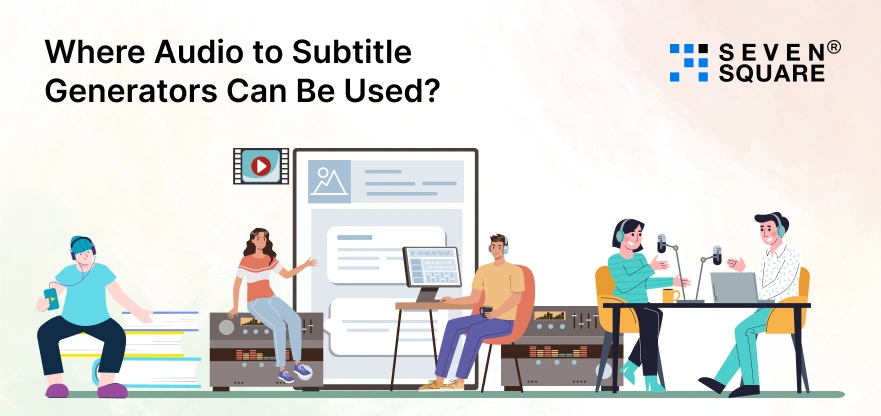
Audio to subtitle generators are widely used across industries:
- eLearning platforms use subtitles to improve engagement and accessibility.
- Video streaming apps rely on subtitles for global and multilingual audiences.
- Podcasters and content creators use subtitles to repurpose audio into videos.
- Accessibility compliance ensures content meets legal and inclusive standards.
For businesses, this technology boosts reach & improves user experience across platforms.
Build Your Own Audio to Subtitle Generator Easily
Building an audio to subtitle generator using PHP & Laravel is practical and scalable.
With the right architecture, speech recognition integration, and subtitle formatting logic, you can create a powerful solution for real-world use.
This step-by-step approach helps you understand how to generate subtitles from audio using Laravel, while giving you full control over customization & performance.
FAQs
- You can generate subtitles by uploading audio files in Laravel, converting them using a speech-to-text API, & formatting the output into SRT or VTT files.
- Yes, PHP can handle near real-time audio transcription when combined with efficient APIs, queues, and optimized Laravel backend processing.
- Popular options include cloud-based speech recognition APIs that integrate smoothly with Laravel and support accurate, multi-language transcription.