How can I build a home services booking app for my startup?
Start with core features like booking, providers, and payments, then build a simple backend using NodeJs. In this personalized guide, we have shown the full process with easy, ready-to-use code.
Today, people prefer booking services like cleaning, salon, or repairs directly from an app instead of calling or searching manually.
That’s why home services apps and service marketplace platforms are growing fast, and many startups are building their own Urban Company clone.
But the real challenge is knowing how it actually works and how to build one without getting lost in technical complexity.
That’s exactly why startups and agencies are investing in home services app development. This blog is designed to keep things simple.
Whether you’re a business owner or just exploring a startup idea, you’ll get a clear understanding of how a service booking app is built using NodeJs.
Why Is Everyone Building Apps Like Urban Company in 2026?
The on-demand economy is booming. People want convenience, speed, and trusted professionals, all from their phone. That’s where apps like Urban Company come in.
Problems It Solves
- Finding verified service professionals easily.
- Booking services without endless calls.
- Scheduling at your preferred time.
- Transparent pricing and reviews.
Why Are Startups Entering This Space?
- Huge demand for home services app development.
- Recurring revenue model (commission per booking).
- Easy scalability across cities.
Whether you’re a startup founder or an agency, building a service booking app is one of the most profitable digital opportunities right now.
How an App Like Urban Company Actually Works?
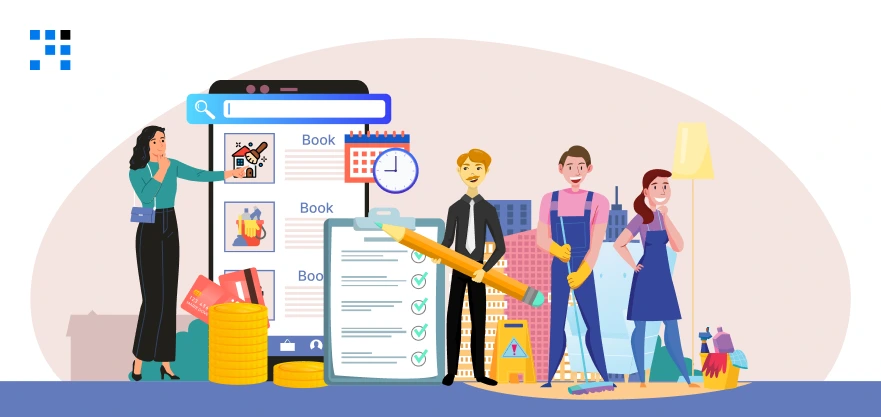
Before jumping into development, let’s understand how a typical service marketplace app works.
User Flow
- The user searches for a service (e.g., cleaning, salon).
- Select a service and time slot.
- Book the service.
- A professional is assigned.
- Service is completed, then Payment is made.
Must-Have Features in a Home Services App
If you’re planning to build an Urban Company clone app, these features are required.
1. User App Features
- Easy service search & filters.
- Quick booking & scheduling system.
- Secure online payments.
- Ratings & reviews for trust.
2. Service Provider Features
- Profile creation & availability management.
- Accept/reject booking requests.
- Earnings dashboard.
3. Admin Panel Features
- Manage users & service providers.
- Commission & pricing control.
- Analytics dashboard.
These features are the backbone of any multi-vendor service app & define a strong service booking app development strategy.
Have an Idea for a Home Services App like Urban Company?
Cost to Build an App Like Urban Company
One of the most common questions is: “What is the cost to build an app like Urban Company?”
Basic MVP Cost
- $3000 to $5000 approx.
- Limited features, faster launch.
Advanced App Cost
- $5000 to $10,000+.
- Full features, scalability, better UI/UX.
Smart Insight: Why NodeJs Saves Cost?
Using NodeJs for app development helps you:
- Build faster with reusable code.
- Handle real-time bookings efficiently.
- Reduce server and development costs.
That’s why many startups choose NodeJs for service marketplace apps.
Here’s the
Best Tech Stack for a Home Services App (Why NodeJs?)
Choosing the right tech stack is critical for your app’s success.
Frontend Options
- Flutter / React Native (for mobile apps).
- React.js (for web admin panel).
Backend (Node.js Focus)
- Fast and scalable backend.
- Handles multiple bookings in real-time.
- Perfect for service booking APIs.
Database
- MongoDB (flexible & scalable).
- MySQL (structured data).
APIs
- Payment integration (Stripe, Razorpay).
- Notifications (Firebase).
Why NodeJs?
- Highly scalable.
- Perfect for real-time applications.
- Cost-effective for startups.
That’s why NodeJs app development is widely used for home services apps.
Step-by-Step: Build an Urban Company Clone in NodeJs (Full Code)
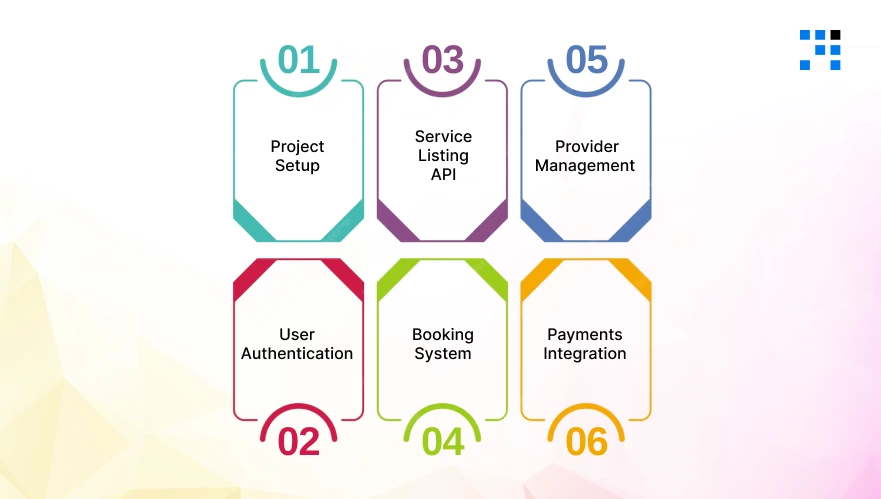
Here we’ll build a basic backend for a home services app like Urban Company using NodeJs.
Step 1: Project Setup
Let’s start by setting up your NodeJs project for a service booking app.
Folder Structure
urban-company-clone/
│── config/
│ └── db.js
│── models/
│ ├── User.js
│ ├── Service.js
│ ├── Booking.js
│── routes/
│ ├── authRoutes.js
│ ├── serviceRoutes.js
│ ├── bookingRoutes.js
│── middleware/
│ └── authMiddleware.js
│── server.js
│── package.json
Install Dependencies
                npm init -y
                npm install express mongoose jsonwebtoken bcryptjs dotenv cors
Basic Server Setup (server.js)
                const express = require('express');
                const mongoose = require('mongoose');
                const dotenv = require('dotenv');

                dotenv.config();
                const app = express();

                app.use(express.json());

                // Connect DB
                mongoose.connect(process.env.MONGO_URI)
                .then(() => console.log("MongoDB Connected"))
                .catch(err => console.log(err));

                // Routes
                app.use('/api/auth', require('./routes/authRoutes'));
                app.use('/api/services', require('./routes/serviceRoutes'));
                app.use('/api/bookings', require('./routes/bookingRoutes'));

                app.listen(5000, () => console.log("Server running on port 5000"));
Step 2: User Authentication (JWT)
This is required for any service marketplace app backend.
User Model (models/User.js)
                const mongoose = require('mongoose');
                const userSchema = new mongoose.Schema({
                name: String,
                email: String,
                password: String,
                role: { type: String, enum: ['user', 'provider'], default: 'user' }
                });

                module.exports = mongoose.model('User', userSchema);
Auth Routes (routes/authRoutes.js)
                const express = require('express');
                const bcrypt = require('bcryptjs');
                const jwt = require('jsonwebtoken');
                const User = require('../models/User');

                const router = express.Router();

                // Signup
                router.post('/signup', async (req, res) => {
                const { name, email, password, role } = req.body;

                const hashedPassword = await bcrypt.hash(password, 10);

                const user = new User({ name, email, password: hashedPassword, role });
                await user.save();

                res.json({ message: "User registered successfully" });
                });

                // Login
                router.post('/login', async (req, res) => {
                const { email, password } = req.body;

                const user = await User.findOne({ email });
                if (!user) return res.status(400).json({ message: "User not found" });

                const isMatch = await bcrypt.compare(password, user.password);
                if (!isMatch) return res.status(400).json({ message: "Invalid credentials" });

                const token = jwt.sign({ id: user._id, role: user.role }, "secretkey");

                res.json({ token });
                });

                module.exports = router;
Step 3: Service Listing API
This allows users to browse services like Urban Company.
Service Model (models/Service.js)
                const mongoose = require('mongoose');
                const serviceSchema = new mongoose.Schema({
                title: String,
                description: String,
                price: Number
                });

                module.exports = mongoose.model('Service', serviceSchema);
Service Routes (routes/serviceRoutes.js)
                const express = require('express');
                const Service = require('../models/Service');

                const router = express.Router();

                // Create Service
                router.post('/', async (req, res) => {
                const service = new Service(req.body);
                await service.save();
                res.json(service);
                });

                // Get All Services
                router.get('/', async (req, res) => {
                const services = await Service.find();
                res.json(services);
                });

                module.exports = router;
Step 4: Booking System (Core Feature)
This is the heart of your home services app backend.
Booking Model (models/Booking.js)
                const mongoose = require('mongoose');
                const bookingSchema = new mongoose.Schema({
                userId: String,
                serviceId: String,
                providerId: String,
                status: { type: String, default: "pending" }
                });

                module.exports = mongoose.model('Booking', bookingSchema);
Booking Routes (routes/bookingRoutes.js)
                const express = require('express');
                const Booking = require('../models/Booking');

                const router = express.Router();

                // Create Booking
                router.post('/', async (req, res) => {
                const booking = new Booking(req.body);
                await booking.save();
                res.json(booking);
                });

                // Update Booking Status
                router.put('/:id', async (req, res) => {
                const booking = await Booking.findByIdAndUpdate(
                        req.params.id,
                        { status: req.body.status },
                        { new: true }
                );
                res.json(booking);
                });

                // Get All Bookings
                router.get('/', async (req, res) => {
                const bookings = await Booking.find();
                res.json(bookings);
                });

                module.exports = router;
Step 5: Provider Management
This handles service provider assignment, which is key in any Urban Company clone app.
Simple logic: Assign provider manually or randomly.
Assign Provider Example
Update booking API:
                router.post('/assign', async (req, res) => {
                const { bookingId, providerId } = req.body;

                const booking = await Booking.findByIdAndUpdate(
                        bookingId,
                        { providerId, status: "assigned" },
                        { new: true }
                );

                res.json(booking);
                });
Step 6: Payments Integration (Basic Flow)
For a service booking app, payment is necessary.
Simple Dummy Payment API
                router.post('/pay', async (req, res) => {
                const { bookingId } = req.body;

                const booking = await Booking.findByIdAndUpdate(
                        bookingId,
                        { status: "paid" },
                        { new: true }
                );

                res.json({ message: "Payment successful", booking });
                });
Want to Get Real Payment Integrations in Your Urban-like App?
Pro Tips to Make Your App Stand Out
Most apps fail because they don’t innovate. Here’s how to stand out:
- Hyperlocal Targeting: Focus on specific areas first instead of going global.
- Smart Pricing: Dynamic pricing based on demand and availability.
- AI-Based Provider Matching: Automatically assign the best service provider based on ratings, availability, & location.
These strategies can turn your app into a successful Urban Company alternative.
Learn to Develop an Etsy Clone Using NodeJS.
The Future of Home Services Apps Is Here
Today, building a home services app like Urban Company is an opportunity. You now have:
- A clear understanding of features.
- Cost and business model insights.
- The right tech stack (Node.js).
- And access to real code to build your app faster.
If you’ve been planning to launch your own service marketplace app, this is your starting point.
FAQs
- Yes, most startups begin with an MVP (Minimum Viable Product) and then add more features based on user feedback and business growth.
- An Urban Company clone app is a ready-made or custom-built home services app that allows users to book services like cleaning, salon, repair, and maintenance online.
- Yes, a custom home services app can be fully customized with features, pricing models, and branding based on your business goals.
- Yes, you can integrate GPS tracking so users can see the service provider’s location in real-time, just like in advanced on-demand apps.
- Yes, launching in one city is the best strategy. A hyperlocal service booking app helps you test the market and grow step by step.