If you’ve ever searched for movie ratings before buying a ticket or streaming online, you already know how useful review platforms have become.
Giants like IMDb & Rotten Tomatoes have turned user opinions into global movie trends, changing what millions decide to watch every day.
But here’s the exciting part: With ReactJS, you don’t need a huge development team to build your own movie review platform.
If you are looking to build a movie review website, then ReactJS is the perfect choice.
React makes it easy to design a responsive movie review website that adapts beautifully across devices, from mobile to desktop.
You’ll also learn how to fetch real movie data using APIs, let users rate films, and display results dynamically, all in real time.
In this React movie website tutorial, we’ll help you through every step, from setting up the environment to deploying your fully functional, real-time movie review website.
By the end, you’ll have your own interactive platform that can display movie ratings, reviews, and data straight from an external API.
What We’re Building? (and Why It’s Different?)
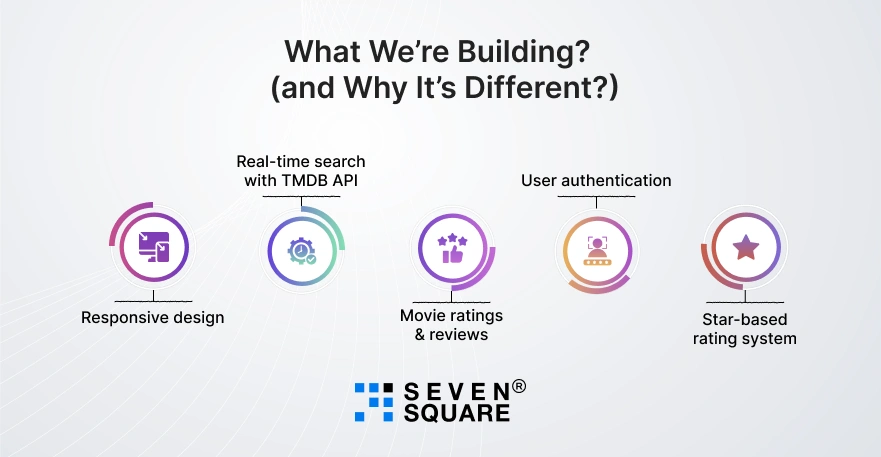
We’ll create a modern IMDb-style movie review website using ReactJS, complete with all the essential features that make such platforms engaging and scalable.
It’s a real-world ReactJS project with code that can grow into a commercial product or portfolio highlight.
Here’s what you’ll build step by step:
- Responsive design (mobile-first): The UI adjusts smoothly for smartphones, tablets, and desktops.
- Real-time search with TMDB API: Fetch movie titles, ratings, and images dynamically using The Movie Database API.
- Movie ratings & reviews: Allow users to add, edit, and display ratings and reviews in real time.
- User authentication (optional): Secure sign-in using Firebase or another auth provider.
- Star-based rating system: A clean and dynamic UX where users can click to rate movies instantly.
This project will help you build a movie review website in ReactJS that’s both beautiful and functional, like an IMDb clone in ReactJS, but entirely under your creative control.
Step 1: Setting Up Your React Environment the Smart Way
Before starting to build the movie review website, let’s set up your ReactJS development environment, the smart and efficient way.
Tools & Dependencies You’ll Need
- Node.js & npm: To manage React dependencies.
- ReactJS (via Vite or Create React App): Your front-end framework.
- Axios: For fetching movie data from TMDB API.
- Tailwind CSS: For clean and responsive UI.
- TMDB API Key: To access movie info.
- ESLint + Prettier: for consistent, error-free code.
Folder Structure Example
movie-review-app/
│
├── src/
│ ├── components/
│ │ ├── Header.jsx
│ │ ├── MovieCard.jsx
│ │ └── ReviewSection.jsx
│ ├── pages/
│ │ └── Home.jsx
│ ├── App.jsx
│ └── index.js
├── public/
│ └── index.html
└── package.json
Commands to Get Started
# Step 1: Create a React app
                npx create-react-app movie-review-app
                cd movie-review-app
# Step 2: Install dependencies
npm install axios tailwindcss @headlessui/react @heroicons/react
# Step 3: Initialize Tailwind
npx tailwindcss init -p
# Step 4: Set up ESLint + Prettier (optional but recommended)
npm install eslint prettier eslint-config-prettier eslint-plugin-react-hooks --save-dev
Pro Tip: Configure ESLint + Prettier to auto-fix issues every time you save. It’ll make your code clean and professional just like production-grade projects.
Step 2: Designing the Responsive UI (Look That Grabs Attention)
Now let’s make your app look amazing. The goal is to create a responsive movie review website that feels as smooth as Netflix.
Using Tailwind CSS or Material UI
You can use either, but Tailwind is faster for prototyping and customization. Here’s an example layout:
                // src/components/Header.jsx
                export default function Header() {
                return (
                    <header className="bg-gray-900 text-white p-4 flex justify-between items-center">
                    <h1 className="text-2xl font-bold">MovieVerse</h1>
                    <input
                        type="text"
                        placeholder="Search movies..."
                        className="rounded p-2 text-black w-1/3"
                    />
                    </header>
                );
                }
Movie Card Component
                // src/components/MovieCard.jsx
                export default function MovieCard({ movie }) {
                return (
                    <div className="bg-gray-800 text-white rounded-xl shadow-md hover:scale-105 transition-transform">
                    <img
                        src={`https://image.tmdb.org/t/p/w500${movie.poster_path}`}
                        alt={movie.title}
                        loading="lazy"
                        className="rounded-t-xl"
                    />
                    <div className="p-4">
                        <h2 className="font-semibold">{movie.title}</h2>
                        <p className="text-sm text-gray-400">⭐ {movie.vote_average}</p>
                    </div>
                    </div>
                );
                }
Pro Tips:
- Use lazy loading for movie images to improve page speed.
- Add media queries or Tailwind’s responsive utilities (sm:, md:, lg:) for mobile-friendly design.
- Optimize your layout grid with Tailwind’s grid-cols-2 md:grid-cols-4 setup.
Step 3: Fetching Real Movie Data Using TMDB API
To make your app dynamic, you’ll fetch real movie data from The Movie Database (TMDB), a free and reliable movie info API.
Why TMDB API?
- Completely free to use with registration.
- Provides movies, TV shows, genres, and images.
- Easy to integrate using Axios in React.
Integration Code
                // src/pages/Home.jsx
                import axios from "axios";
                import { useEffect, useState } from "react";
                import MovieCard from "../components/MovieCard";

                const API_KEY = "YOUR_TMDB_API_KEY";

                export default function Home() {
                const [movies, setMovies] = useState([]);

                useEffect(() => {
                    axios
                    .get(`https://api.themoviedb.org/3/movie/popular?api_key=${API_KEY}`)
                    .then((res) => setMovies(res.data.results))
                    .catch((err) => console.error(err));
                }, []);

                return (
                    <div className="grid grid-cols-2 md:grid-cols-4 gap-4 p-4">
                    {movies.map((movie) => (
                        <MovieCard key={movie.id} movie={movie} />
                    ))}
                    </div>
                );
                }
Add pagination and filters using query params like page=2 or with_genres=28.
Step 4: Adding Movie Ratings & Review Functionality
Every great movie review website needs ratings and user feedback. Let’s implement a star rating system using React state.
Star Rating Example
                // src/components/Rating.jsx
                import { useState } from "react";

                export default function Rating() {
                const [rating, setRating] = useState(0);

                return (
                    <div className="flex space-x-2">
                    {[1, 2, 3, 4, 5].map((star) => (
                        <span
                        key={star}
                        onClick={() => setRating(star)}
                        className={`cursor-pointer text-2xl ${
                            star <= rating ? "text-yellow-400" : "text-gray-400"
                        }`}
                        >
                        ★
                        </span>
                    ))}
                    </div>
                );
                }
Add a Review Section
You can use localStorage for storing reviews locally or Firebase for real-time updates.
                // src/components/ReviewSection.jsx
                import { useState } from "react";

                export default function ReviewSection() {
                const [review, setReview] = useState("");
                const [reviews, setReviews] = useState([]);

                const handleSubmit = () => {
                    const newReviews = [...reviews, review];
                    setReviews(newReviews);
                    localStorage.setItem("reviews", JSON.stringify(newReviews));
                    setReview("");
                };

                return (
                    <div className="p-4">
                    <textarea
                        value={review}
                        onChange={(e) => setReview(e.target.value)}
                        placeholder="Write your review..."
                        className="w-full p-2 rounded"
                    />
                    <button
                        onClick={handleSubmit}
                        className="mt-2 bg-blue-600 text-white px-4 py-2 rounded"
                    >
                        Submit
                    </button>

                    <ul className="mt-4 space-y-2">
                        {reviews.map((r, i) => (
                        <li key={i} className="bg-gray-800 p-2 rounded text-white">
                            {r}
                        </li>
                        ))}
                    </ul>
                    </div>
                );
                }
Step 5: Make It Smarter with Search, Filter, and Sort Movies
Let’s make your solution more interactive and useful with search, filters, and sorting.
Global Search Bar with Live Results
                // src/components/SearchBar.jsx
                import { useState, useEffect } from "react";
                import axios from "axios";

                export default function SearchBar({ setMovies }) {
                const [query, setQuery] = useState("");

                useEffect(() => {
                    if (query.length > 2) {
                    axios
                        .get(
                        `https://api.themoviedb.org/3/search/movie?api_key=YOUR_TMDB_API_KEY&query=${query}`
                        )
                        .then((res) => setMovies(res.data.results));
                    }
                }, [query]);

                return (
                    <input
                    type="text"
                    value={query}
                    onChange={(e) => setQuery(e.target.value)}
                    placeholder="Search movies..."
                    className="rounded p-2 w-full md:w-1/3"
                    />
                );
                }
Filter & Sort Using Hooks
                const sortedMovies = useMemo(
                  () => movies.sort((a, b) => b.vote_average - a.vote_average),
                  [movies]
                );
Filters can be applied by genres (with_genres), rating, or popularity, to give users full control.
Here’s the Complete GitHub Code to Build a Responsive Movie Review Website in ReactJs.
What Are the Advanced Features to Add for Next-Level Experience?

Once your base project is ready, you can level it up with some modern and advanced features that make it stand out from basic tutorials.
Here are some improvements you can implement to take your advanced React movie app to the next stage:
- Dark/Light Mode Toggle: Add theme switching with React Context or Tailwind CSS to improve UX and accessibility.
- Infinite Scroll for Reviews: Load more user reviews smoothly without refreshing the page.
- User Login Using Firebase Auth: Allow users to create accounts, save favorite movies, and write reviews securely.
These upgrades turn your project from a simple ReactJS project with code into a real-world web website ready for production or clients.
How Our ReactJs Experts Deliver Real Results?
Our team of ReactJS experts & UI/UX designers helps businesses and startups create high-performing web apps that attract users and scale smoothly.
- We’ve built multiple responsive ReactJS websites, from social platforms to movie apps that are optimized for performance and speed.
- We use Tailwind CSS and modern UI frameworks to deliver mobile-first designs that work smoothly on all devices.
- From setup to Netlify or Vercel deployment, we handle everything, so your app goes live faster and stays online with minimal downtime.
- We help you add advanced features like live search, filters, ratings, and reviews that keep users coming back for more.
Want a Scalable ReactJs Website? Contact Us Now!
How to Make This Movie Review Website Production-Ready?
To ensure your production-ready React app performs smoothly and ranks higher on search engines, follow these expert tips:
- Boost React Website Performance: Use React.memo and useCallback to prevent unnecessary re-renders. Apply lazy loading for images and components to reduce initial load time.
- Add Structured Data: Use JSON-LD schema for movie pages so Google understands your content to improve visibility in rich results.
With these tweaks, your React movie review website will load fast, rank well, and deliver a smooth user experience across devices.
What You’ve Learned?
Now you can easily build a movie review website using ReactJS, from setting up your environment to deploying it live.
You’ve learned how to connect to APIs, add star ratings, manage user reviews, and make your interface responsive and interactive.
You can experiment with this movie-based platform so that you can have a solid & scalable base to build on.
FAQs
- You can build it by creating a React app, integrating the TMDB API for movie data, and adding features like ratings, reviews, & responsive design.
- You can use The Movie Database (TMDB) API; it’s free, reliable, and easy to integrate with React using Axios or Fetch.
- Use React state to track ratings and display dynamic stars. You can use simple icons or libraries like react-star-ratings.
- Get your TMDB API key, then use Axios or Fetch to call endpoints like /trending/movie/day and display results.