People want to learn new languages for jobs, travel, and global communication, right from their mobile phones.
This demand has made language learning apps one of the most profitable and competitive app categories today.
If you plan to build a language learning app in Flutter, you are already on the right path.
A Flutter language learning app offers fast performance, smooth animations, and a beautiful UI using a single codebase for Android and iOS.
This means lower development cost, faster launch, and easier maintenance for businesses and startups.
In this blog, you will develop a language learning app in Flutter from scratch.
By the end, you will build real features like lessons, quizzes, speech practice, offline access, & progress tracking, complete with working code that you can reuse or scale.
What Makes a Language Learning App Successful? (Some Features That Users Want)
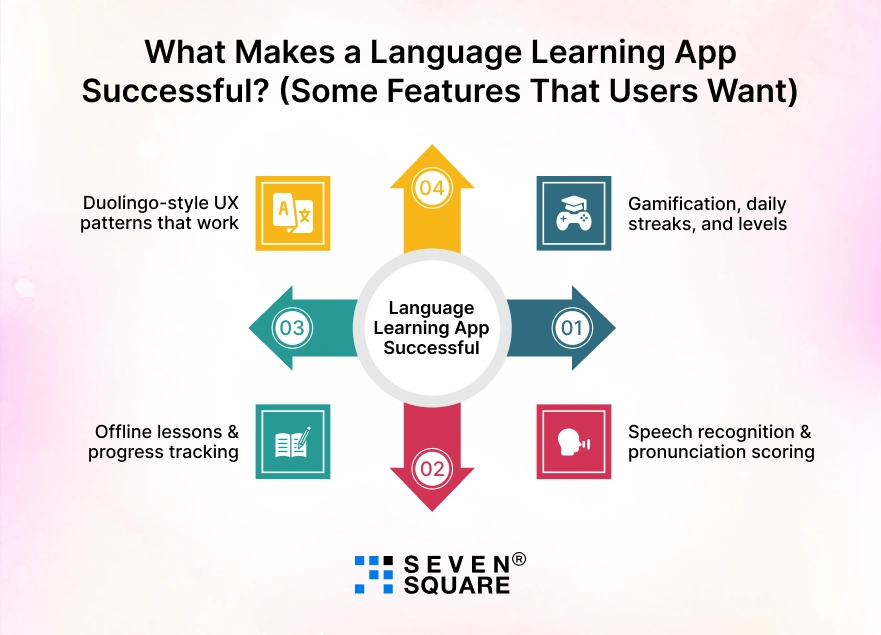
A successful language app is about engagement and habit-building. Here’s a practical language learning app that features a checklist that users now expect.
1. Gamification, daily streaks, and levels
- Gamification keeps learners motivated.
- Points, levels, achievements, and daily streaks encourage users to return every day, just like top apps such as Duolingo.
2. Speech recognition & pronunciation scoring
- Modern language learners expect to speak, not just read.
- Speech recognition helps users practice pronunciation and receive instant feedback, making learning more effective.
3. Offline lessons & progress tracking
- Offline support allows users to learn anytime, anywhere.
- Combined with smart progress tracking, it improves retention and user satisfaction significantly.
4. Duolingo-style UX patterns that work
- Simple lesson flows, visual progress bars, bite-sized exercises, and instant feedback create a smooth learning experience that users love.
How Should You Create a Language Learning App in Flutter from Day One?
Knowing how to structure a Flutter project for a language learning app early saves time and scaling issues later.
Clean Architecture vs MVC vs MVVM
- Clean Architecture is ideal for large apps because it separates UI, business logic, and data.
- MVC is simple but hard to scale. MVVM works well, but still benefits from clean layering.
Folder structure that scales
- A scalable Flutter project separates features like lessons, quizzes, authentication, and speech modules into independent folders.
- This keeps code clean and reusable.
State management choice explained simply
- For learning apps, tools like Provider, Riverpod, or Bloc help manage lessons, progress, and user state smoothly without performance issues.
Why do most Flutter tutorials fail here?
- Most tutorials focus on UI only.
- They ignore architecture, which later causes bugs, slow performance, and painful refactoring.
Which Flutter Packages Are Best for Modern Language Learning Apps?
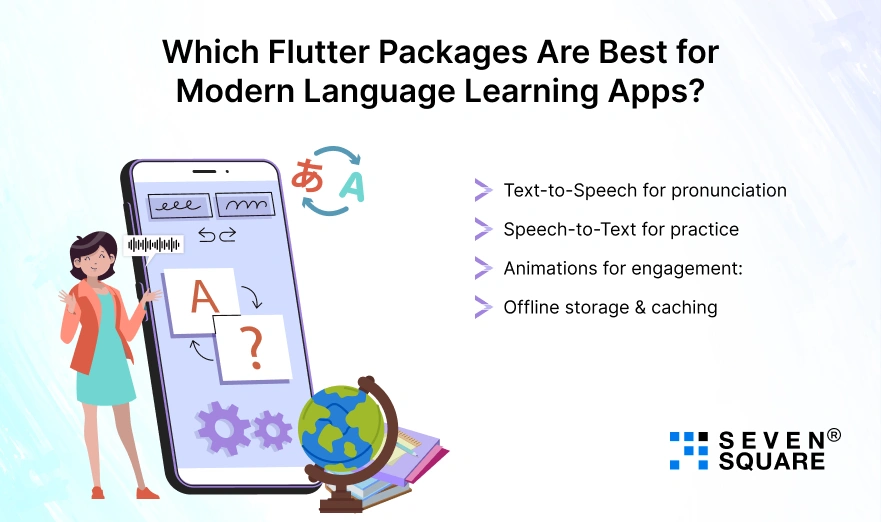
Choosing the right Flutter packages for learning apps speeds up development and improves quality.
- Text-to-Speech for pronunciation : Text-to-Speech packages help users hear correct pronunciation instantly, improving listening and speaking skills.
- Speech-to-Text for practice : Speech-to-Text enables pronunciation practice and real-time feedback, making learning interactive and engaging.
- Animations for engagement : Flutter’s animation libraries bring lessons to life with smooth transitions, progress indicators, and reward animations.
- Offline storage & caching : Local databases and caching packages allow lessons & progress data to work offline, ensuring a smooth learning experience.
How Do You Design a Duolingo-Like UI in Flutter Without Overengineering?
Designing a Duolingo clone in Flutter does not mean copying every animation or screen.
The goal is to build a clean, engaging Flutter language app UI that keeps users learning daily without complex UI logic.
Designing Lesson Screens
Lesson screens should feel light, focused, and distraction-free. Each screen should guide users through one task at a time.
Example: Lesson Card UI
                class LessonCard extends StatelessWidget {
                  final String title;
                  final VoidCallback onTap;

                  const LessonCard({required this.title, required this.onTap});

                  @override
                  Widget build(BuildContext context) {
                  return Card(
                    shape: RoundedRectangleBorder(borderRadius: BorderRadius.circular(16)),
                    child: ListTile(
                      title: Text(title, style: TextStyle(fontSize: 18)),
                      trailing: Icon(Icons.play_arrow),
                      onTap: onTap,
                    ),
                  );
                  }
                }
Progress Bars & Streak Visuals
Progress bars and streaks create habit-forming behavior, which is critical for retention.
Simple progress indicator
                LinearProgressIndicator(
                  value: completedLessons / totalLessons,
                  minHeight: 8,
                  borderRadius: BorderRadius.circular(8),
                )
Daily streak display
                Row(
                  children: [
                  Icon(Icons.local_fire_department, color: Colors.orange),
                  SizedBox(width: 8),
                  Text("5 Day Streak", style: TextStyle(fontWeight: FontWeight.bold)),
                  ],
                )
Adaptive Layouts for Mobile & Tablet
A good Flutter language app UI adapts automatically.
                Widget build(BuildContext context) {
                  return LayoutBuilder(
                  builder: (context, constraints) {
                    if (constraints.maxWidth > 600) {
                      return TabletLayout();
                    } else {
                      return MobileLayout();
                    }
                  },
                  );
                }
How Do You Build Core Language Learning Features in Flutter?
Here you can learn about the language learning app Flutter, where code becomes real.
Lesson & Vocabulary Module
Lesson Model
                class Lesson {
                  final String id;
                  final String word;
                  final String meaning;

                  Lesson({required this.id, required this.word, required this.meaning});

                  factory Lesson.fromMap(Map data, String id) {
                  return Lesson(
                    id: id,
                    word: data['word'],
                    meaning: data['meaning'],
                  );
                  }
                }
Lesson Screen
                class LessonScreen extends StatelessWidget {
                  final Lesson lesson;

                  const LessonScreen({required this.lesson});

                  @override
                  Widget build(BuildContext context) {
                  return Scaffold(
                    appBar: AppBar(title: Text("Lesson")),
                    body: Padding(
                      padding: EdgeInsets.all(16),
                      child: Column(
                        children: [
                          Text(lesson.word, style: TextStyle(fontSize: 32)),
                          SizedBox(height: 16),
                          Text(lesson.meaning, style: TextStyle(fontSize: 20)),
                        ],
                      ),
                    ),
                  );
                  }
                }
Quiz & Practice Logic (Scoring + Progress)
Quiz Question Model
                class QuizQuestion {
                  final String question;
                  final List options;
                  final int correctIndex;

                  QuizQuestion({
                  required this.question,
                  required this.options,
                  required this.correctIndex,
                  });
                }
Quiz Logic
                int score = 0;

                void checkAnswer(int selected, QuizQuestion question) {
                  if (selected == question.correctIndex) {
                  score++;
                  }
                }
Progress Update
double progress = currentQuestion / totalQuestions;
Pronunciation Practice Using Speech Recognition
Using speech recognition makes your app interactive and modern.
                import 'package:speech_to_text/speech_to_text.dart';

                final SpeechToText speech = SpeechToText();

                  Future startListening() async {
                    bool available = await speech.initialize();
                    if (available) {
                    speech.listen(onResult: (result) {
                      print(result.recognizedWords);
                    });
                    }
                  }
You can compare spoken words with the expected answer to calculate pronunciation accuracy.
How Do You Store User Progress, Streaks, and Scores Using Firebase?
A Flutter + Firebase language app ensures data security and scalability.
Firestore Data Structure
users
└── userId
├── name
├── streak
├── score
└── completedLessons
Authentication Basics
                import 'package:firebase_auth/firebase_auth.dart';

                final FirebaseAuth auth = FirebaseAuth.instance;

                Future signInAnonymously() async {
                  final userCredential = await auth.signInAnonymously();
                  return userCredential.user;
                }
Saving Progress to Firestore
                FirebaseFirestore.instance
                  .collection('users')
                  .doc(userId)
                  .set({
                    'score': score,
                    'streak': streak,
                    }, SetOptions(merge: true));
Here’s the Complete GitHub Code to Build a Language Learning App in Flutter.
Our Proven Approach to Building High-Performance Flutter Apps
- We plan features using a clear language learning app features checklist to avoid overengineering and reduce long-term development costs.
- Our developers structure every project using a clean Flutter architecture that scales easily as users and lessons grow.
- We focus on speed, UX clarity, and engagement to help your Flutter language learning app compete with market leaders.
- Our solutions support startups, enterprises, and educators looking to launch reliable Duolingo clone Flutter apps.
Want a Scalable Flutter App? Contact Us Today!
Is Flutter the Right Choice for Your Language Learning App Idea?
Many businesses ask: Is Flutter good for language learning apps? The answer depends on your goals.
- Flutter vs React Native vs Native: Flutter offers better UI consistency and performance than React Native and faster development compared to native apps.
- When does Flutter shine? Flutter is perfect when you need fast development, beautiful UI, real-time updates, and cross-platform support.
- When should you reconsider? If your app needs heavy platform-specific features or advanced native-only integrations, pure native development may be better.
Build Your Own Language Learning App in Flutter
With the help of this blog, you can build a language learning app in Flutter, choose the right architecture, implement must-have features, & select powerful Flutter packages.
You now understand what makes a language app successful and scalable.
You can expand it with AI features, multiple languages, or premium subscriptions.
FAQs
- Yes. Flutter is beginner-friendly, well-documented, and perfect for building language learning apps with clean UI and logic.
- Yes. Flutter supports real-time speech recognition using reliable plugins and native integrations.
- With proper architecture, backend support, and performance optimization, a Flutter language learning app can scale to millions of users.