How to create a writing assistant app like Grammarly?
What actually works today is combining AI grammar checker APIs with a simple UX, and we explained how to build it step by step in this blog.
Creating content today is easy, but writing error-free content is still a big challenge.
Businesses, bloggers, and teams spend hours fixing grammar mistakes, improving sentences, and making content look professional.
This is where AI writing assistants and grammar checker apps come in. Tools like Grammarly have changed how people write.
They help users fix mistakes instantly, improve tone, and save time.
Because of this, many startups and businesses now want to build a Grammarly clone in ReactJS with AI features to enter this fast-growing market.
If you’re planning to create a grammar checker app or AI writing assistant, this is the perfect opportunity to build a scalable and profitable product.
What Is a Grammarly Clone?
A Grammarly clone is a writing assistant app that helps users improve their text automatically. In simple terms, it works like this:
- You write text.
- The app checks grammar, spelling, and sentence structure.
- It gives suggestions to improve clarity and tone.
This type of AI grammar checker app is used in:
- Writing blogs and articles.
- Sending professional emails.
- Business communication.
- Social media content.
Who Needs It?
- Startups building SaaS tools.
- Content agencies.
- SaaS founders.
- Businesses that want better communication tools.
If you’re planning to build an app like Grammarly, you’re solving a real problem that millions of users face daily.
Why Build a Grammarly Clone?
The demand for AI writing assistant apps is growing quickly. Businesses are investing heavily in tools that improve productivity and content quality.
Here’s why building a Grammarly clone makes sense:
- High Demand: People are actively searching for grammar checker tools and writing assistants.
- SaaS Opportunity: You can launch it as a subscription-based product.
- Recurring Revenue: Monthly or yearly plans generate consistent income.
- Competitive Advantage: AI tools are still evolving, giving you room to innovate.
- Growing Market: AI content tools are one of the fastest-growing industries.
If you’re looking to build a profitable AI product, a Grammarly clone with AI features is one of the smartest ideas today.
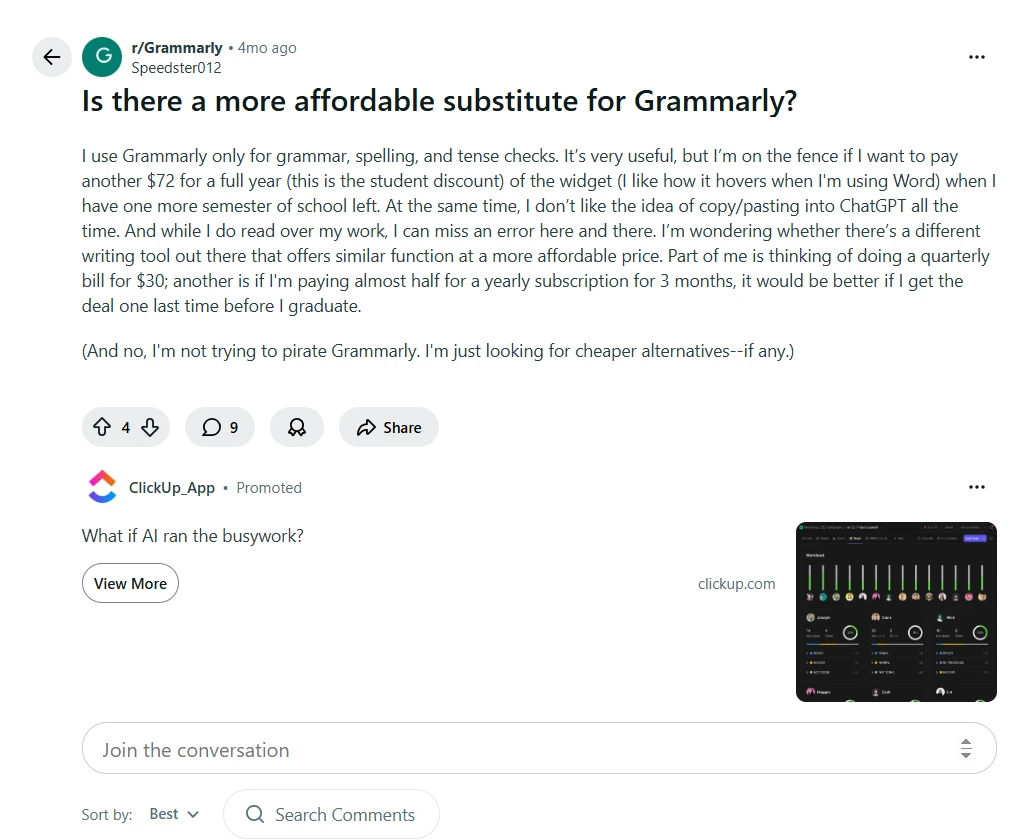
Source: Reddit
What Makes This Grammarly Clone Development Stand Out?
- Focus on real business needs & helping clients launch a profitable AI grammar checker app.
- A clear development process that turns ideas into a working Grammarly-like app with AI features quickly and efficiently.
- Flexible solutions for startups, agencies, and enterprises looking to build a writing assistant SaaS product.
- Balanced approach between cost and performance while building a grammar checker app in ReactJS.
- Strong emphasis on delivering real value & making the product useful and market-ready.
Have a Unique Idea for a Grammarly-like App?
Key Features of a Grammarly-Like App
To build a successful grammar checker app in ReactJS, you need the right set of features:
- Real-Time Grammar Checking: Instantly detects grammar mistakes while typing.
- Spell Correction: Fixes spelling errors automatically.
- AI-Based Suggestions: Suggests better sentence structures using AI.
- Tone & Clarity Improvement: Makes writing more professional and clear.
- Auto-Complete Sentences: Helps users write faster.
- Multi-Language Support: Supports global users.
- Browser/Editor Integration: Works inside editors, forms, and websites.
These features are required if you want to create a writing assistant app like Grammarly that users actually love.
Learn to Build a Reddit Clone with ReactJS.
How Does a Grammarly Clone Work?
A Grammarly clone app works using a simple but powerful process: Step-by-step flow:
- User types text in the editor.
- Text is sent to an AI grammar checker API.
- The system analyzes grammar, spelling, and tone.
- Suggestions are returned instantly.
- Errors are highlighted, and fixes are shown.
It uses Natural Language Processing (NLP) to understand text. AI models detect mistakes and suggest improvements. APIs handle most of the heavy processing.
This is how you can build a real-time grammar checker app using ReactJS without making it too complex.
Tech Stack to Build a Grammarly Clone in ReactJS
If you’re planning to build a Grammarly clone in ReactJS, here’s a simple tech stack:
Frontend
- ReactJS (for UI and text editor)
Backend (Optional)
- Node.js (to manage APIs and logic)
APIs
- Grammar checking APIs.
- AI writing assistant APIs.
Database (Optional)
- Store user data, history, and preferences.
You can start with a simple version and scale later. This makes it cost-effective for startups and businesses.
Here’s the
Step-by-Step Guide to Build a Grammarly Clone in ReactJS
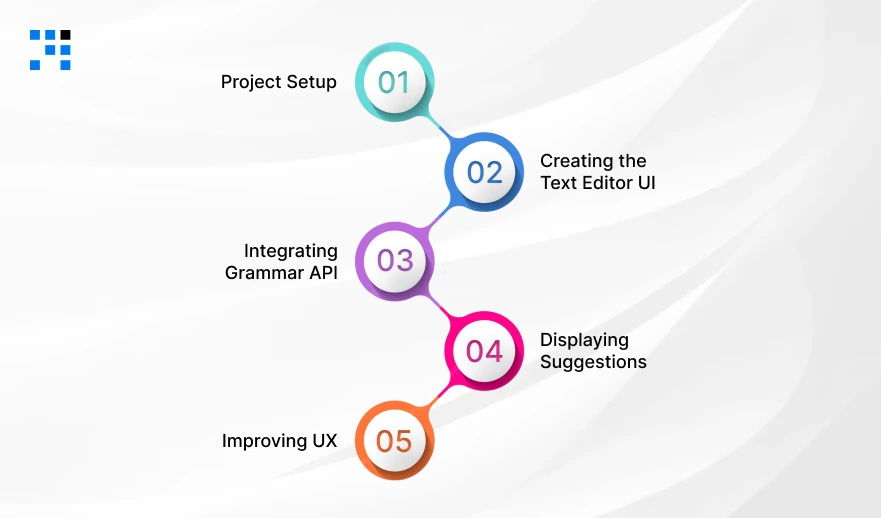
This will help you understand how your app will be built and what goes into a writing assistant app like Grammarly.
Step 1: Project Setup (ReactJS App)
First, we create a simple ReactJS project.
                npx create-react-app grammarly-clone
                cd grammarly-clone
                npm start
Clean Your Project
Delete unnecessary files inside /src and keep it simple.
Step 2: Creating the Text Editor UI
Now we build a simple text editor, where users will type content.
App.js
                import React, { useState } from "react";
                import "./App.css";

                function App() {
                const [text, setText] = useState("");

                return (
                        <div className="container">
                        <h1>AI Grammar Checker App</h1>

                        <textarea
                        value={text}
                        onChange={(e) => setText(e.target.value)}
                        placeholder="Start typing your content..."
                        rows={10}
                        />

                        <button>Check Grammar</button>
                        </div>
                );
                }

                export default App;
App.css
                .container {
                width: 60%;
                margin: auto;
                text-align: center;
                margin-top: 50px;
                }

                textarea {
                width: 100%;
                padding: 10px;
                font-size: 16px;
                }

                button {
                margin-top: 15px;
                padding: 10px 20px;
                cursor: pointer;
                }
At this stage, you’ve created the basic UI of a grammar checker web app using ReactJS.
Step 3: Integrating Grammar API (AI Feature)
To make this a real AI grammar checker, we integrate a grammar API.
Example: Using LanguageTool API (free & easy)
Update App.js
                import React, { useState } from "react";
                import "./App.css";

                function App() {
                const [text, setText] = useState("");
                const [suggestions, setSuggestions] = useState([]);

                const checkGrammar = async () => {
                        const response = await fetch("https://api.languagetool.org/v2/check", {
                        method: "POST",
                        headers: {
                        "Content-Type": "application/x-www-form-urlencoded",
                        },
                        body: new URLSearchParams({
                        text: text,
                        language: "en-US",
                        }),
                        });

                        const data = await response.json();
                        setSuggestions(data.matches);
                };

                return (
                        <div className="container">
                        <h1>AI Grammar Checker App</h1>

                        <textarea
                        value={text}
                        onChange={(e) => setText(e.target.value)}
                        placeholder="Start typing your content..."
                        rows={10}
                        />

                        <button onClick={checkGrammar}>Check Grammar</button>

                        <div className="results">
                        {suggestions.map((item, index) => (
                        <div key={index} className="suggestion">
                        <p><strong>Error:</strong> {item.message}</p>
                        <p><strong>Suggestion:</strong> {item.replacements[0]?.value}</p>
                        </div>
                        ))}
                        </div>
                        </div>
                );
                }

                export default App;
Step 4: Displaying Suggestions (Like Grammarly)
Now we show users grammar mistakes and corrections, just like a Grammarly-like app.
Update CSS
                .results {
                margin-top: 20px;
                text-align: left;
                }

                .suggestion {
                background: #f8f8f8;
                padding: 10px;
                margin-bottom: 10px;
                border-left: 4px solid red;
                }
Now your grammar correction tool, using ReactJS, can:
- Detecting errors.
- Show suggestions.
- Help users improve writing.
Step 5: Improving UX (Highlight Errors Like Grammarly)
To make your writing assistant app like Grammarly, you need better UX. Instead of just showing errors below, highlight them inside the text.
Simple Highlight Logic
Install a helper library:
npm install react-highlight-words
Update App.js
                import React, { useState } from "react";
                import Highlighter from "react-highlight-words";
                import "./App.css";

                function App() {
                const [text, setText] = useState("");
                const [suggestions, setSuggestions] = useState([]);
                const [highlightWords, setHighlightWords] = useState([]);

                const checkGrammar = async () => {
                        const response = await fetch("https://api.languagetool.org/v2/check", {
                        method: "POST",
                        headers: {
                        "Content-Type": "application/x-www-form-urlencoded",
                        },
                        body: new URLSearchParams({
                        text: text,
                        language: "en-US",
                        }),
                        });

                        const data = await response.json();

                        setSuggestions(data.matches);

                        const words = data.matches.map(
                        (item) => text.substring(item.offset, item.offset + item.length)
                        );

                        setHighlightWords(words);
                };

                return (
                        <div className="container">
                        <h1>AI Grammar Checker App</h1>

                        <textarea
                        value={text}
                        onChange={(e) => setText(e.target.value)}
                        placeholder="Start typing your content..."
                        rows={10}
                        />

                        <button onClick={checkGrammar}>Check Grammar</button>

                        <div className="preview">
                        <h3>Preview with Highlights:</h3>
                        <Highlighter
                        highlightClassName="highlight"
                        searchWords={highlightWords}
                        autoEscape={true}
                        textToHighlight={text}
                        />
                        </div>

                        <div className="results">
                        {suggestions.map((item, index) => (
                        <div key={index} className="suggestion">
                        <p><strong>Error:</strong> {item.message}</p>
                        <p><strong>Suggestion:</strong> {item.replacements[0]?.value}</p>
                        </div>
                        ))}
                        </div>
                        </div>
                );
                }

                export default App;
Add Highlight Style
                .highlight {
                background-color: yellow;
                }
Want a Grammar Checker App with AI features?
What Are the Advanced AI Features You Can Add?

To make your app stand out from competitors, you can add advanced AI writing assistant features:
- AI Rewrite Suggestions: Rewrite full sentences automatically.
- Tone Detection: Detects formal, casual, or professional tone.
- Plagiarism Checker: Check content originality.
- Smart Autocomplete: Predict what users want to write next.
- Voice-to-Text Correction: Convert speech into corrected text.
These features turn a basic app into a powerful AI writing tool like Grammarly.
How to Monetize a Grammarly-Like App?
Once you build your writing assistant app, you can generate revenue in multiple ways:
- Freemium Model: Basic features are free, and premium features are paid.
- Subscription Plans: Monthly or yearly pricing.
- API-Based SaaS: Sell the grammar API to other businesses.
- Chrome Extension Model: Offer a browser-based writing assistant.
This makes a Grammarly clone a highly profitable SaaS product.
FAQs
- No, with modern APIs and AI tools, you can build a basic version quickly and improve it step by step.
- Yes, we can create a Grammarly clone with AI features that can be easily converted into a SaaS product with subscription plans & premium features.
- A grammar checker app should include real-time grammar checking, spell correction, AI suggestions, tone improvement, and text highlighting features.
- A successful writing assistant app like Grammarly focuses on accuracy, speed, user experience, and useful AI features.