Want to protect your software from unauthorized use?
This blog includes building a complete license key validation and activation server using ReactJS and Node.js with full working code.
Imagine you baked 100 cookies to sell at a fair. You sold 10 boxes. But somehow, 200 people ended up eating your cookies, and you got paid for only 10.
That is exactly what happens when you sell software without a proper license key system. You put in the hard work. You built something useful. You priced it fairly.
But without a system that controls who can actually use it, anyone can share it, copy it, or use it forever without paying.
A proper license key validation and activation server solves all of this. It is the gatekeeper between your hard work and the people who should be paying for it.
It checks who has a valid key, how many devices they are using, whether their subscription is still active, and gives you the power to turn access on or off at any time.
What Is a License Key and Why Does It Matter?
Have you ever bought software and been asked to enter a long code like ABCD-1234-EFGH-5678 before you could use it? That is a license key.
It is how software companies make sure only people who actually paid for the product can use it.
Think of it like a movie ticket. You buy the ticket, you get a unique code, and the system checks that code at the door before letting you in. No valid ticket? No entry.
Now imagine you are building your own software product, a desktop app, a SaaS tool, or even a browser extension.
You want to sell it, but you also want to make sure someone cannot just copy and share a single purchase with hundreds of people.
That is exactly where a license key validation and activation server comes in. This blog shows you how to build that system from scratch using ReactJS and NodeJs.
How a License Key Activation System Works?
Before we write a single line of code, let us understand the big picture. Here is how the whole system flows:
- You (the seller) generate a unique license key for every customer who buys your product.
- The customer installs your software and enters their license key.
- Your software sends that key to your activation server.
- The server checks: Is this key valid? Has it been used too many times? Is it expired?
- If everything checks out, the server says ‘Approved’, and the software unlocks.
- If the key is fake, already used, or expired, the server says ‘Denied.’
This is called online license validation; the software checks in with a server every time it needs to verify access.
There is also offline validation (using cryptography), but online is simpler to build and understand, so that is what we will cover here.
How We Are Your Ideal Partner for Building Licensing Systems?
We build software products that work reliably, scale smoothly, and protect your business from day one.
- Our team builds end-to-end systems using ReactJS, NodeJs, and modern backend technologies.
- We design and develop custom-made license key validation and activation servers built around your specific product, pricing model, and user base.
- Every API we build follows industry security standards: Rate limiting, token authentication, encrypted storage, and protection against brute-force attacks.
- Our frontend team creates smooth, user-friendly activation forms and product interfaces that make a strong first impression on every new customer.
Want to Build Your Own License Activation Systems?
Have a Call With Our Experts Today!
What We Are Building?
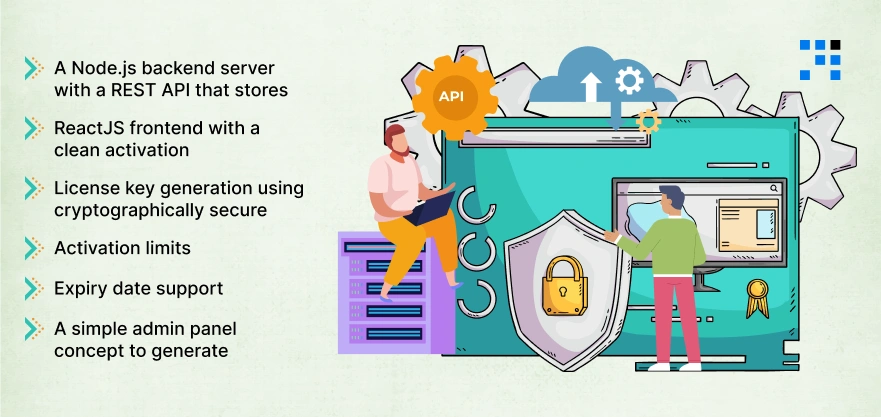
By the end of this blog, you will have a fully working license key system with:
- A Node.js backend server with a REST API that stores, validates, and activates license keys.
- A ReactJS frontend with a clean activation form that users fill out.
- License key generation using cryptographically secure random strings.
- Activation limits (e.g., a key can only be activated on 3 devices)
- Expiry date support (keys that stop working after a set date).
- A simple admin panel concept to generate and revoke keys.
Which Tech Stack Are We Using & Why?
Here is a quick overview of the tools involved:
| Tool | Role | Why We Use It? |
|---|---|---|
| Node.js + Express | Backend server | Fast, widely used, great for REST APIs |
| ReactJS | Frontend UI | Popular, component-based, easy forms |
| UUID / Crypto | Key generation | Creates unique, hard-to-guess keys |
| JSON file / SQLite | Data storage | Simple, no heavy database setup needed |
| Axios | HTTP requests | React uses this to talk to the backend |
Here’s the
How to Build the Backend? The License Activation Server
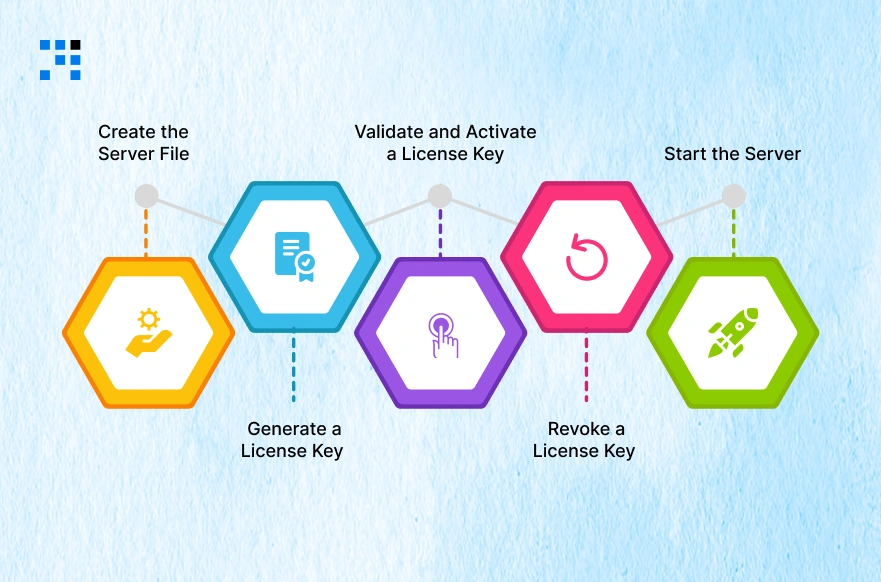
This is the brain of the whole system. The backend does four things: generates keys, stores them, validates them, and tracks activations.
Create the Server File
Inside your backend folder, create a file called server.js and add this code:
           // server.js
                const express = require('express');
                const { v4: uuidv4 } = require('uuid');
                const cors = require('cors');
                const bodyParser = require('body-parser');
                const fs = require('fs');

                const app = express();
                app.use(cors());
                app.use(bodyParser.json());

                const DB_FILE = './licenses.json';

                // Helper: Load license database from file
                function loadDB() {
                        if (!fs.existsSync(DB_FILE)) return {};
                        return JSON.parse(fs.readFileSync(DB_FILE, 'utf-8'));
                }

                // Helper: Save license database to file
                function saveDB(data) {
                        fs.writeFileSync(DB_FILE, JSON.stringify(data, null, 2));
                }
Generate a License Key (Admin Route)
This route lets you (as the admin) create a new license key. In a real product, this would be triggered automatically after a successful purchase.
        // POST /generate - Create a new license key
        app.post('/generate', (req, res) => {
        const { maxActivations = 3, expiryDays = 365 } = req.body;

        const key = uuidv4().toUpperCase();   // e.g. 1B9D6-BFF92-...
        const expiryDate = new Date();
        expiryDate.setDate(expiryDate.getDate() + expiryDays);

        const db = loadDB();
        db[key] = {
                key,
                maxActivations,
                activations: [],
                expiryDate: expiryDate.toISOString(),
                active: true
        };
        saveDB(db);

        res.json({ success: true, key, expiryDate });
        });
Validate and Activate a License Key
This is the most important route. When a user enters their key in your React app, this endpoint checks everything and records the activation.
       // POST /activate - Validate and activate a license key
        app.post('/activate', (req, res) => {
        const { licenseKey, deviceId } = req.body;

        if (!licenseKey || !deviceId) {
                return res.status(400).json({ success: false, message: 'Missing key or device ID' });
        }

        const db = loadDB();
        const record = db[licenseKey.toUpperCase()];

        // Check: does this key exist?
        if (!record) {
                return res.status(404).json({ success: false, message: 'Invalid license key' });
        }

        // Check: is the key deactivated?
        if (!record.active) {
                return res.status(403).json({ success: false, message: 'This license has been revoked' });
        }

        // Check: has the key expired?
        if (new Date() > new Date(record.expiryDate)) {
                return res.status(403).json({ success: false, message: 'This license key has expired' });
        }

        // Check: is this device already activated?
        if (record.activations.includes(deviceId)) {
                return res.json({ success: true, message: 'Already activated on this device' });
        }

        // Check: has the max activation limit been reached?
        if (record.activations.length >= record.maxActivations) {
                return res.status(403).json({
                success: false,
                message: `Activation limit reached (max: ${record.maxActivations})`
                });
        }

        // All checks passed — activate this device
        record.activations.push(deviceId);
        saveDB(db);

        res.json({
                success: true,
                message: 'License activated successfully!',
                activationsUsed: record.activations.length,
                maxActivations: record.maxActivations
        });
        });
Revoke a License Key (Admin Route)
Sometimes you need to cancel a key, for example, if a customer requested a refund. This route handles that.
       // POST /revoke - Revoke a license key
        app.post('/revoke', (req, res) => {
        const { licenseKey } = req.body;
        const db = loadDB();

        if (!db[licenseKey]) {
                return res.status(404).json({ success: false, message: 'Key not found' });
        }

        db[licenseKey].active = false;
        saveDB(db);

        res.json({ success: true, message: 'License revoked successfully' });
        });
Start the Server
        // Start the server
        app.listen(5000, () => {
        console.log('License server running on http://localhost:5000');
        });
Now start it with:
node server.js
How to Build the Frontend? The ReactJS Activation Form
Now, let’s build the user interface. This is what your customers will see when they launch your product for the first time.
The form asks for their license key and sends it to the server for validation.
Create a Device ID Utility
To track activations per device, we need a unique ID for each machine. Since we are in a browser environment, we will generate and store one in localStorage.
Create a new file: src/utils/deviceId.js
        // src/utils/deviceId.js
        export function getDeviceId() {
        let id = localStorage.getItem('device_id');
        if (!id) {
                id = 'device-' + Math.random().toString(36).substr(2, 16);
                localStorage.setItem('device_id', id);
        }
        return id;
        }
Build the Activation Form Component
Now create the main component. Replace everything in src/App.js with the following:
        // src/App.js
        import React, { useState } from 'react';
        import axios from 'axios';
        import { getDeviceId } from './utils/deviceId';
        import './App.css';

        const API_URL = 'http://localhost:5000';

        function App() {
        const [licenseKey, setLicenseKey] = useState('');
        const [status, setStatus] = useState(null);   // null | 'success' | 'error'
        const [message, setMessage] = useState('');
        const [loading, setLoading] = useState(false);

        const handleActivate = async () => {
                if (!licenseKey.trim()) {
                setStatus('error');
                setMessage('Please enter a license key.');
                return;
                }

                setLoading(true);
                setStatus(null);

                try {
                const deviceId = getDeviceId();
                const response = await axios.post(`${API_URL}/activate`, {
                licenseKey: licenseKey.trim(),
                deviceId
                });

                setStatus('success');
                setMessage(response.data.message);
                } catch (err) {
                setStatus('error');
                setMessage(
                err.response?.data?.message || 'Something went wrong. Please try again.'
                );
                } finally {
                setLoading(false);
                }
        };

        return (
                <div className='activation-wrapper'>
                <div className='activation-card'>
                <h1>Activate Your License</h1>
                <p className='subtitle'>
                Enter your license key below to unlock the full product.
                </p>

                <input
                type='text'
                placeholder='e.g. 1B9D6BFF-92F4-...'
                value={licenseKey}
                onChange={(e) => setLicenseKey(e.target.value)}
                className='key-input'
                />

                <button
                onClick={handleActivate}
                disabled={loading}
                className='activate-btn'
                >
                {loading ? 'Checking...' : 'Activate License'}
                </button>

                {status && (
                <div className={`alert alert-${status}`}>
                        {status === 'success' ? '✅' : '❌'} {message}
                </div>
                )}
                </div>
                </div>
        );
        }
        export default App;
Add Styles
Replace the contents of src/App.css with this clean, minimal stylesheet:
        /* src/App.css */
        .activation-wrapper {
        display: flex;
        justify-content: center;
        align-items: center;
        min-height: 100vh;
        background: #f0f2f5;
        font-family: 'Segoe UI', sans-serif;
        }

        .activation-card {
        background: white;
        padding: 40px;
        border-radius: 16px;
        box-shadow: 0 4px 24px rgba(0,0,0,0.08);
        max-width: 480px;
        width: 100%;
        text-align: center;
        }

        .activation-card h1 {
        font-size: 26px;
        color: #1a1a2e;
        margin-bottom: 8px;
        }

        .subtitle {
        color: #6b7280;
        font-size: 14px;
        margin-bottom: 28px;
        }

        .key-input {
        width: 100%;
        padding: 14px 16px;
        border: 2px solid #e5e7eb;
        border-radius: 10px;
        font-size: 15px;
        letter-spacing: 1px;
        margin-bottom: 16px;
        box-sizing: border-box;
        transition: border-color 0.2s;
        }

        .key-input:focus {
        border-color: #4f46e5;
        outline: none;
        }

        .activate-btn {
        width: 100%;
        padding: 14px;
        background: #4f46e5;
        color: white;
        border: none;
        border-radius: 10px;
        font-size: 16px;
        font-weight: 600;
        cursor: pointer;
        transition: background 0.2s;
        }

        .activate-btn:hover:not(:disabled) { background: #4338ca; }
        .activate-btn:disabled { background: #a5b4fc; cursor: not-allowed; }

        .alert {
        margin-top: 20px;
        padding: 14px 16px;
        border-radius: 10px;
        font-size: 14px;
        font-weight: 500;
        }

        .alert-success { background: #ecfdf5; color: #065f46; border: 1px solid #a7f3d0; }
        .alert-error   { background: #fef2f2; color: #991b1b; border: 1px solid #fecaca; }
How to Make Your System Production-Ready?
This blog gives you a solid foundation. Before going live, here are important improvements to consider:
- Replace the JSON file with a real database like PostgreSQL or MongoDB. JSON files are fine for learning, but not for production.
- Add authentication to your admin routes (/generate and /revoke) so only you can access them. Use an API key or JWT token.
- Use HTTPS. Never send license keys over plain HTTP on a live server.
- Rate limit your /activate endpoint to prevent brute-force attacks (try express-rate-limit).
- Hash your device IDs before storing them. Do not store raw machine identifiers.
- Add logging so you can see activation attempts and suspicious activity.
Online vs Offline License Validation: What’s the Difference?
You may have heard of both approaches. Here is a quick comparison to help you decide which suits your product:
| Feature | Online Validation | Offline Validation |
|---|---|---|
| Requires internet | Yes | No |
| Revocation support | Instant | Not possible (until key expires) |
| Complexity | Simple | Complex (cryptography required) |
| Best for | SaaS, web tools | Desktop apps, air-gapped systems |
| Piracy resistance | High (server controls access) | Medium (key can be leaked) |
For most indie developers and SaaS product builders, online validation (what we built here) is the right choice. It is simpler, you have full control, and you can revoke keys instantly.
From Zero to License Server: What You’ve Built?
Building a license key validation and activation server does not have to be complicated.
With ReactJS handling the user-facing form and Node.js managing the server-side logic, you can have a working system up in a single afternoon.
Here is a quick recap of what we built:
- A Node.js + Express backend with four routes: generate, activate, revoke, and validate.
- A ReactJS activation form with clean error and success handling.
- Per-device activation tracking with configurable limits.
- Expiry date support is built into every key.
- A solid foundation for production-ready software licensing.
FAQs
- A license key validation system checks if a user’s key is genuine, active, and within its allowed usage limits before granting software access.
- A license activation server prevents unauthorized use, limits installations per purchase, and lets you revoke access instantly if needed.
- Yes. ReactJS handles the activation form on the frontend, while Node.js manages key generation, validation, and storage on the backend.
- Store each activation’s device ID on the server and reject new activations once the count reaches your defined maximum limit.