Many applications start with a single-region Node.js API, and it works fine until real users arrive from different parts of the world.
In real-world scenarios, single-region APIs suffer from high latency, frequent downtime, and poor handling of traffic spikes.
Users located far from the server experience slow API responses, timeouts, and failed requests. A single cloud outage can bring the entire system down.
Today’s global users expect low-latency API deployments regardless of location.
Whether it’s an eCommerce platform, SaaS product, or mobile app, slow APIs directly impact user experience, conversions, and trust.
You actually need a multi-region API deployment in Node.js when:
- Your users are spread across multiple countries.
- Downtime is unacceptable for your business.
- Traffic spikes can’t be handled by one region.
- You want better reliability and global performance.
This is where a multi-region Node.js API deployment strategy becomes important. Here in this blog, you will learn about multi-region API deployment in Node.js with code.
What Is a Multi-Region API Deployment Strategy in Node.js?
A multi-region API deployment strategy in Node.js means deploying the same Node.js API across multiple geographic regions & routing users to the nearest or healthiest region.
In simple terms, instead of relying on one server location, your global API deployment in Node.js runs in parallel across regions like the US, Europe, and Asia.
Traffic is automatically routed to the closest region using global DNS or load balancers. The key benefits include:
- High availability: Your API stays online even if one region fails.
- Better performance: The users get faster responses due to reduced latency.
- Disaster recovery: Regional outages don’t break the entire system.
This approach is the foundation of modern multi-region API architecture.
What Are the Core Building Blocks of a Global Node.js API Architecture?

A production-ready global Node.js API architecture relies on a few critical components:
- Stateless Node.js Services: APIs should remain stateless so any request can be served by any region. This is important for multi-region Node.js API deployment.
- Global DNS & Traffic Routing: Global DNS services route users based on location, latency, or health checks. This enables efficient global traffic management.
- Regional Infrastructure & Replicas: Each region runs identical Node.js API instances to ensure consistency, scalability, and failover.
- Databases in Multi-Region Setups: Databases are often the most complex part and must be designed carefully to support multi-region access.
How to Design a Low-Latency Multi-Region API Architecture?
To achieve low-latency API deployments, you must design with users in mind. Start by choosing regions based on user distribution, not cloud popularity.
Deploy closer to where traffic originates. Node.js global load balancing plays a key role here:
- DNS-based routing sends users to the nearest region.
- Latency-based routing dynamically selects the fastest region.
For cross-region communication, always:
- Minimize synchronous calls.
- Use async messaging or queues.
- Encrypt traffic between regions.
A well-designed setup ensures performance without compromising security.
Step-by-Step: Deploying a Node.js API Across Multiple Regions (With Code)
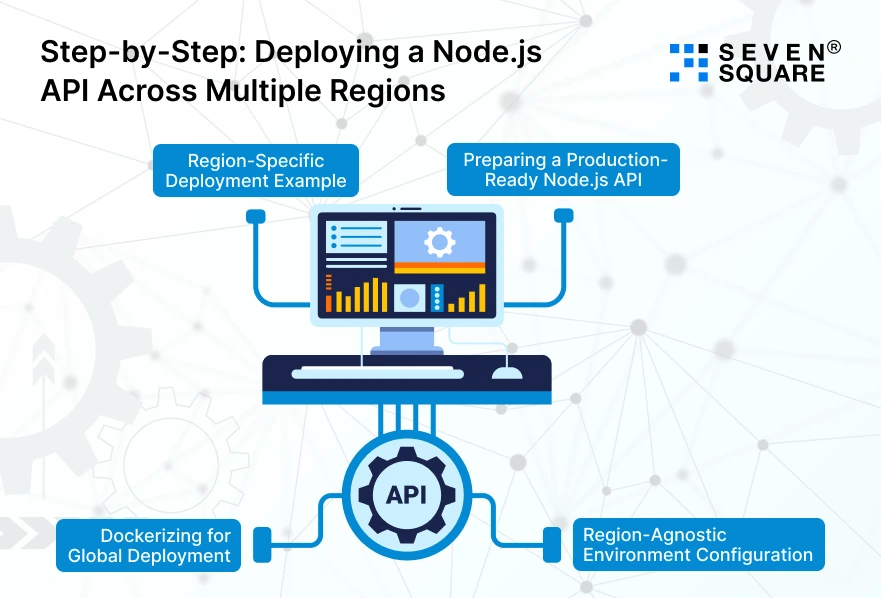
Learn exactly how to deploy a Node.js API across multiple regions using a region-agnostic setup, Docker, and scalable deployment principles.
Step 1: Preparing a Production-Ready Node.js API
Your Node.js API must be stateless, scalable, and ready for multi-region API deployment.
Basic Folder Structure
node-multi-region-api/
├── src/
│ ├── app.js
│ ├── routes.js
│ └── health.js
├── Dockerfile
├── package.json
└── .env
package.json
                {
                    "name": "multi-region-node-api",
                    "version": "1.0.0",
                    "main": "src/app.js",
                    "scripts": {
                        "start": "node src/app.js"
                    },
                    "dependencies": {
                        "express": "^4.18.2"
                    }
                }
src/app.js
                const express = require("express");
                const routes = require("./routes");
                const health = require("./health");

                const app = express();
                const PORT = process.env.PORT || 3000;
                const REGION = process.env.REGION || "unknown";

                app.use(express.json());

                app.get("/", (req, res) => {
                res.json({
                    message: "Global Node.js API is running",
                    region: REGION
                });
                });

                app.use("/api", routes);
                app.use("/health", health);

                app.listen(PORT, () => {
                console.log(`API running on port ${PORT} in region ${REGION}`);
                });
src/health.js
                const express = require("express");
                const router = express.Router();

                router.get("/", (req, res) => {
                res.status(200).json({ status: "healthy" });
                });

                module.exports = router;
This health endpoint is important for global traffic routing and failover.
Step 2: Region-Agnostic Environment Configuration
To support global API deployment in Node.js, avoid hardcoding region logic.
.env
                PORT=3000
                REGION=us-east-1
In production, each region sets its own REGION value:
- us-east-1
- eu-west-1
- ap-south-1
This allows one codebase to run across multiple regions.
Step 3: Dockerizing for Global Deployment
Docker ensures your Node.js API runs identically in every region.
Dockerfile
                FROM node:20-alpine
                WORKDIR /app

                COPY package.json package-lock.json ./
                RUN npm install --production

                COPY . .

                EXPOSE 3000

                CMD ["npm", "start"]
Build & Run Locally
                docker build -t multi-region-node-api .
                docker run -p 3000:3000 -e REGION=local multi-region-node-api
Docker makes multi-region Node.js API deployment predictable and repeatable.
Step 4: Region-Specific Deployment Example
You deploy the same Docker image in multiple regions.
Example:
| Region | REGION Env | Endpoint |
| US East | us-east-1 | api-us.example.com |
| Europe | eu-west-1 | api-eu.example.com |
| Asia | ap-south-1 | api-ap.example.com |
Each instance returns:
                {
                "message": "Global Node.js API is running",
                "region": "us-east-1"
                }
This confirms that the multi-region Node.js API deployment is working.
What is Global Traffic Routing & Failover Strategy for Node.js APIs?
Now let’s handle global traffic management, failover, and zero-downtime routing.
How Global API Routing Actually Works?
Global routing happens before requests hit your API.
Request Flow:
                User
                ↓
                Global DNS / Traffic Manager
                ↓
                Nearest Healthy Region
                ↓
                Node.js API
Routing decisions are based on:
- User location
- Latency
- Health checks
- Failover rules
Implementing Multi-Region Failover in Node.js
Failover depends on health checks, not API logic.
Health Check Endpoint (Already Created)
GET /health
If a region stops responding:
- Traffic is automatically routed to another region.
- Users experience zero downtime.
Health Checks, Failover Rules & Traffic Shifting
Typical Failover Rules
- If /health returns non-200 → mark region unhealthy.
- Shift traffic to the next closest region.
- Restore traffic when health recovers.
Your Node.js API doesn’t need to change, as routing handles everything.
Zero-Downtime Traffic Redirection Strategy
To avoid downtime during deployments:
Blue-Green Deployment Flow
- Deploy the new version to a region.
- Run health checks.
- Gradually shift traffic.
- Roll back instantly if issues occur.
Canary Deployment Flow
- Send a small % of traffic to the new version.
- Monitor errors and latency.
- Increase traffic gradually.
This ensures safe multi-region Node.js deployments.
Here’s the Complete GitHub Code to Build a Multi-Region API Deployment Strategy in NodeJs.
How to Manage Data in a Multi-Region Node.js API Setup?
Data management is the hardest part of a multi-region API deployment strategy.
Multi-Region Database Strategies
Options include centralized databases, read replicas, or fully distributed databases.
Read Replicas vs Active-Active Databases
- Read replicas improve read performance but have write limitations.
- Active-active setups offer high availability but add complexity.
Data Consistency vs Performance
Strong consistency increases latency, while eventual consistency improves speed. The right balance depends on your use case.
How Do We Build Scalable Multi-Region Node.js APIs?
We design and deliver enterprise-ready multi-region Node.js APIs built for scale. Our approach focuses on:
- Proven global API architectures.
- Secure, stateless Node.js services.
- Advanced monitoring and observability.
- Scalable CI/CD pipelines.
- Failover-ready infrastructure.
We help businesses deploy low-latency, high-availability Node.js APIs that perform globally.
Want a Customized NodeJs Solution? Contact Us Now!
CI/CD for Automated Multi-Region Node.js API Deployment
Automation is critical for scaling global API deployment in Node.js. A strong multi-region deployment pipeline allows:
- Region-wise deployments using CI/CD.
- Automated testing before production releases.
- Controlled rollouts per region.
Using canary and blue-green deployment strategies, you can release updates safely with minimal risk.
Rollback and recovery automation ensures fast response during failures to make your Node.js multi-region deployment strategy production-ready.
How Global Node.js APIs Handle Traffic?
In a real-world setup, the request flow looks like this:
User → Global DNS → Nearest Region → Node.js API
If one region fails:
- Health checks detect the issue.
- Traffic automatically shifts to another region.
- Users experience minimal or no downtime.
A clear architecture diagram helps readers understand global API routing, failover paths, and recovery flows, increasing engagement and time on page.
Building Production-Ready Global APIs with Node.js
A multi-region API deployment strategy in Node.js has become a necessity for global applications. Start when:
- Performance issues impact users.
- Downtime affects revenue.
- Your product scales internationally.
By combining the right architecture, data strategy, and CI/CD automation, you can build future-proof, scalable, and reliable global Node.js APIs.
FAQs
- Choose regions based on where most users are located, not just cloud availability.
- Use multi-region deployment, global DNS routing, and caching at the edge.
- Yes, but the cost is justified for high-traffic, global, or mission-critical applications.
- Implement health checks, automated failover, and region-wise rollback strategies.