Hospitals invest heavily in a patient management system, yet in many places, daily workflows are still slow, confusing, and overloaded.
On paper, these systems promise better coordination, faster patient handling, and higher healthcare workflow efficiency.
But in reality, doctors still wait for records, nurses still re-enter the same data, and admin teams still chase updates across departments. So what’s going wrong?
Across hospitals and clinics, we repeatedly see the same hospital management software challenges:
- Patient data was entered multiple times on different screens.
- Appointment and admission delays.
- Doctors are switching between too many tabs.
- Nurses handling software instead of patients.
- Admin staff are fixing system errors manually.
From our experience as healthcare software builders, workflow optimization specialists, and internal system auditors, it’s a pattern.
We’ve reviewed and rebuilt multiple internal systems across healthcare organizations. The same design and implementation mistakes appear again and again.
Our team has audited multiple internal patient management systems & patterns are repeatable. And once you see them, they’re fixable.
Why Do Most Internal Patient Management Systems Fail in Real Clinical Workflows?
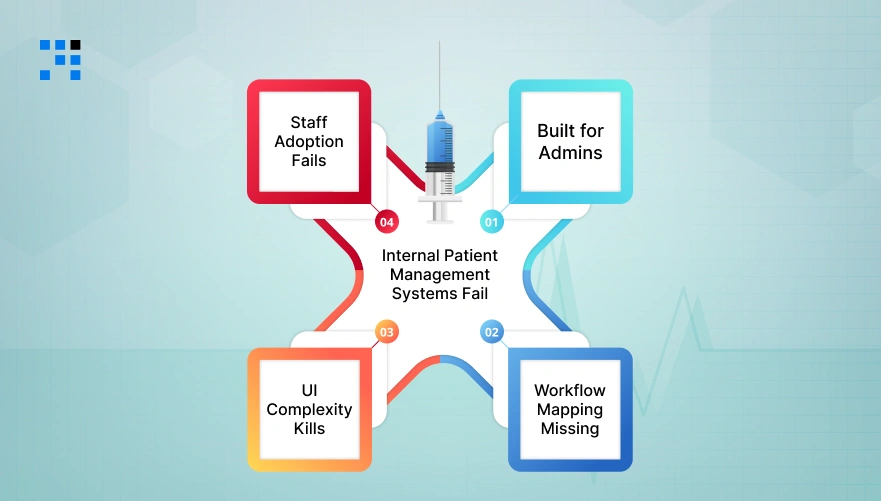
Many tools are sold as complete solutions. But once they enter real hospital environments, problems start showing, such as structural PMS implementation issues.
Below are the most common patient management system problems in hospitals that we repeatedly observe.
1. What Happens When Software Is Built for Admins?
Many systems are designed around reporting and billing needs & not clinical usage. That means:
- Too many required fields.
- Long forms during patient intake.
- Navigation designed for data officers, not clinicians.
- Extra clicks during consultation.
Doctors think in clinical flow, not software flow. When software ignores that, it creates clinical workflow challenges instead of solving them.
Industry pattern: Clinicians abandon system shortcuts and create personal workarounds.
2. Why Is Workflow Mapping Missing in PMS Implementation?
A major cause of health information system problems is this: The software is installed, but the real workflow is never mapped. Hospitals often skip:
- Role-by-role workflow mapping.
- Patient journey mapping.
- Exception case handling.
- Cross-department transitions.
Without workflow mapping, the system forces users to adapt, instead of adapting to users.
3. Why UI Complexity Kills Healthcare Workflow Efficiency?
Complex UI is one of the biggest hidden workflow killers. Common UI problems:
- Too many fields on one screen.
- Unclear labels.
- Nested menus.
- Overloaded dashboards.
- Alert fatigue.
Studies across healthcare IT adoption repeatedly show:
If a task takes more than a few seconds longer digitally than manually, staff avoid the system.
When UI slows users down, healthcare workflow efficiency drops, even if the software is powerful.
4. Why Staff Adoption Fails Even With Good Software?
Even well-built systems fail if adoption is ignored. Typical adoption gaps:
- No role-based training.
- No pilot testing.
- No usability feedback loops.
- No workflow simulation.
- No change management plan.
Industry pattern shows:
Software adoption failure, not software capability, is often the real reason PMS projects underperform.
When staff feel forced, they resist.
When they’re involved, they adopt.
Learn Why Internal Healthcare Systems Struggle with User Adoption.
What Users Are Saying About Patient Management System Workflow Issues?
Here you can see about patient management system problems in hospitals, healthcare workflow inefficiencies, and how poor technology affects their daily work.
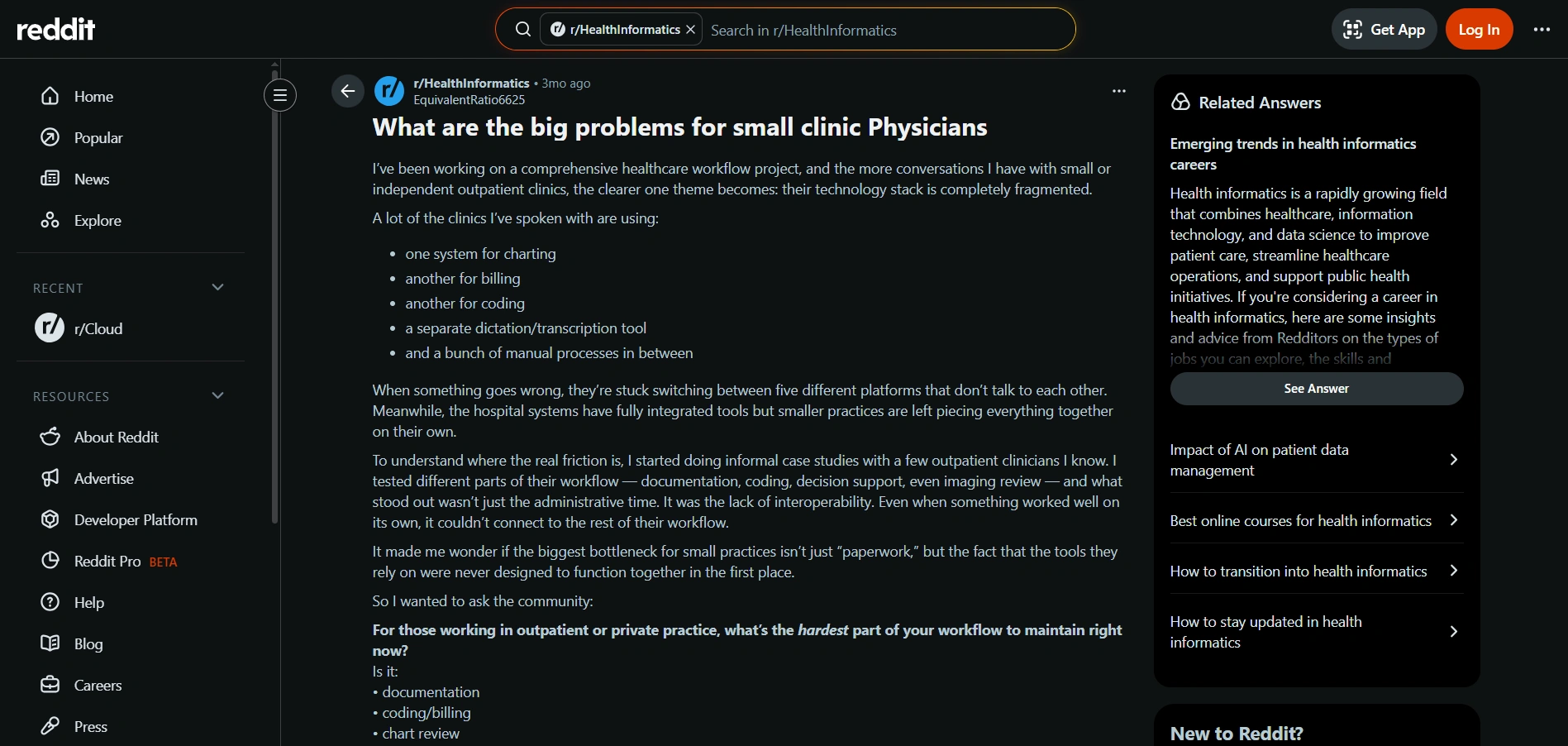
Source: Reddit
What You Can Learn From It?
- Systems interrupt real clinical workflows.
- Frequent updates and bugs create new work.
- Integration problems break information flow.
- Tools lack design insight into frontline care.
- Fragmentation across multiple tools adds manual effort.
Why Internal Patient Management Systems Fail Even After Heavy Investment?
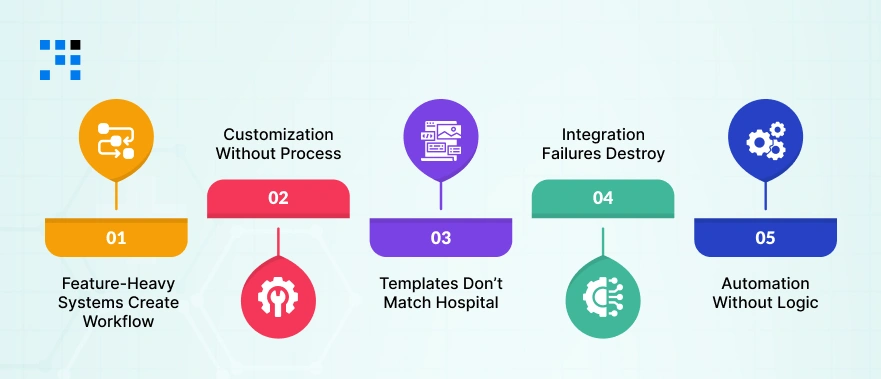
Hospitals often spend a large budget on a new patient management system, expecting instant workflow improvement. But after launch, reality looks different.
Here are the most common hidden failure reasons behind patient management system workflow inefficiencies.
1. What Happens When Feature-Heavy Systems Create Workflow Bottlenecks?
Many vendors sell feature-rich platforms. But more features ≠ better workflow. Too many modules often mean:
- More fields to fill.
- More clicks per action.
- More configuration errors.
- Slower onboarding.
Instead of improving healthcare workflow efficiency, the system becomes heavy and slow.
2. Why Customization Without Process Mapping Backfires?
Hospitals often request heavy customization but skip workflow mapping first. Result:
- Features are built on assumptions.
- Wrong approval chains.
- Missing exception handling.
- Broken patient journeys.
Customization without workflow science leads to PMS implementation issues, not workflow optimization.
3. Why Vendor Templates Don’t Match Hospital Reality?
Template-based setups are fast but dangerous. Every hospital differs in:
- Patient volume.
- Department coordination.
- Specialty workflows.
- Compliance requirements.
Generic templates create clinical workflow challenges because real operations are never generic.
4. Why Integration Failures Destroy Efficiency?
If your PMS does not fully connect with:
- Lab systems.
- Pharmacy
- Billing
- Radiology
- Insurance
Staff must manually bridge the gap, which kills efficiency.
Integration gaps = hidden manual work.
5. Why Automation Without Logic Adds More Work?
Bad automation creates:
- Wrong alerts.
- Duplicate tasks.
- Routing errors.
- Approval confusion.
Smart automation reduces work. Blind automation multiplies it.
What Workflow-Optimized Patient Management System Architecture Looks Like?
A high-performance patient management system is not feature-first; it is workflow-first. Here’s what optimized architecture includes:
What Smart PMS Design Includes?
- Role-based dashboards for doctors, nurses, admin, and billing
- Single-entry patient data model
- Automated patient journey tracking
- Smart task routing between departments
- Real-time status visibility
- Built-in escalation paths
- Integration-ready APIs
- Minimal-click UI flows
This is how medical practice workflow optimization actually happens, by design.
How We Fixed a Broken Internal Patient Management System?
One mid-size hospital approached us after their internal patient management system rollout failed to improve workflow.
Client’s Pain Point:
- Duplicate patient entries across 3 modules
- Doctors are spending 30% more time on documentation
- Lab reports are manually uploaded
- Appointment queues are growing
- Staff resistance is increasing
What Did We Change?
- Rebuilt patient data flow
- Unified record entry
- Automated lab integration
- Simplified doctor UI
- Reduced form fields by 42%
- Added role-based shortcuts
Results
- Documentation time reduced by 28%
- Patient throughput increased
- Staff adoption improved
- Manual corrections dropped sharply
Workflow improved without replacing the entire system.
Want a Customized Patient Management System?
How Do We Design Workflow-First Patient Management Systems?
We approach patient management system development differently, workflow first, software second.
- Workflow audit before coding
- Patient journey mapping
- Role-wise task modeling
- Clinical shadow testing
- UI validated by real users
- Integration architecture planning
- Adoption strategy built-in
- Iterative rollout model
We create a patient management system that reduces failure risk and improves healthcare workflow efficiency sustainably.
What to Check Before You Upgrade or Rebuild Your Patient Management System?
Use this quick patient management system best-practice checklist:
- Is the workflow mapped role-by-role?
- Is duplicate data entry removed?
- Are integrations complete?
- Is UI tested by clinicians?
- Are exception cases handled?
- Is adoption training planned?
- Are metrics defined before rollout?
- Is workflow performance measured after launch?
If more than 2 answers are “no”, workflow risk is high.
How to Fix Your Patient Management System Workflow?
Most patient management system workflow failures are not technology failures; they are design and implementation failures. The good news: They are fixable.
If your hospital is facing:
- Workflow delays
- Staff frustration
- Low adoption
- Data duplication
- Integration gaps
We provide workflow audits, PMS optimization, and system redesign support.
FAQs
- Because they are implemented without workflow mapping, proper integration, and user-centric UI design.
- Through role-based flows, automation with logic, integration, and minimal-click interfaces.
- Duplicate data entry, poor UI, missing integrations, adoption failure, and template-based workflows.
- Yes, many systems can be optimized through redesign and integration improvements.