What is a multi-tab session guard in React?
Learn how to detect duplicate browser tabs, broadcast logout events, and secure React authentication using BroadcastChannel API and useTabSessionGuard hook.
Imagine you open your banking app, log in, and then, out of habit, open a second tab and visit the same page.
Now you have two tabs showing your account. You log out on one tab.
But the other tab? Still open. Still showing your balance. Still doing things.
That is a real security problem. And it is more common than you think.
This blog will walk you through exactly what causes this problem and how to fix it in ReactJs with clean code.
What Is a Browser Tab Session?
When you log into a website, the website creates a session, a small record that says “this person is logged in.”
That session is stored either in the browser’s memory, a cookie, or something called localStorage or sessionStorage. Here is the interesting part:
- localStorage is shared across all tabs of the same website.
- sessionStorage is separate for each tab.
- Cookies can be shared or scoped, depending on settings.
So when you open a second tab on the same site, both tabs are often reading from the same login data.
This means both tabs think the user is logged in, even if you have logged out on one of them.
It’s like using the same hotel key card to open two rooms. Both rooms are “unlocked” because they use the same key, but only one should be active at a time.
Why Are Multiple Active Tabs a Security Risk?
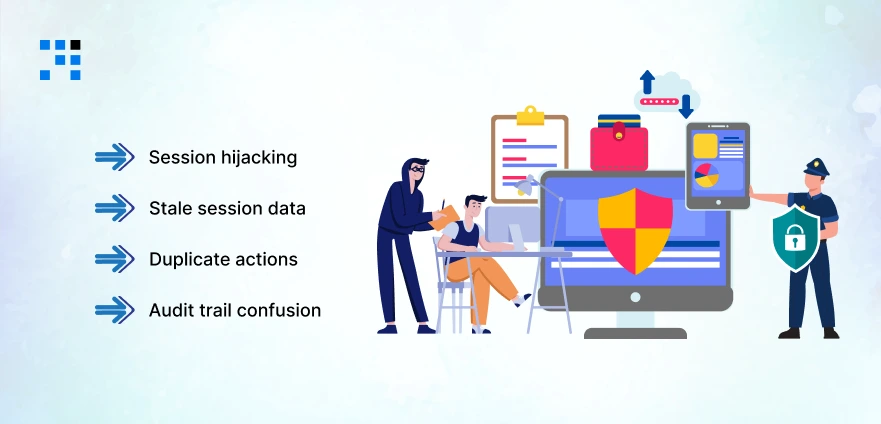
For most casual websites, having two tabs open is not a big deal.
But for apps that handle sensitive data, banking, healthcare, HR portals, & admin dashboards, it can be a serious issue.
Here are the real risks:
- Session hijacking: If someone else gains access to a second tab that was left open, they can continue acting as you.
- Stale session data: Tab A logs out, but Tab B is still making API calls with the old token. This can cause data inconsistencies.
- Duplicate actions: In e-commerce or finance apps, two tabs could trigger duplicate form submissions or payments.
- Audit trail confusion: Security logs may show the same user performing actions from two different sessions simultaneously.
We Solve the React Problems That Most Development Teams Overlook
- We identify and fix duplicate session vulnerabilities before they become security incidents in your live app.
- Our React experts implement single active session enforcement for banking, admin dashboards, and sensitive portals.
- We prevent multiple tab login issues in React using the modern BroadcastChannel API and a custom hook architecture.
- Our team builds localStorage and sessionStorage sync strategies tailored to your app’s specific user flow.
- We write production-grade React code that handles session timeout across multiple windows without losing user data.
Want a Secure ReactJs Application?
The Tools That Solve This Problem
React does not do this automatically; you have to build it. But the good news is that modern browsers give us exactly the right tools to do it cleanly.
Here is a quick comparison before we go into the code:
| Tool | Shared Across Tabs? | Best Use Case |
| localStorage | Yes | Persisting login tokens, syncing logout events. |
| sessionStorage | No (per tab) | Isolating each tab’s temporary session data. |
| BroadcastChannel API | Yes (real-time) | Sending live messages between all open tabs instantly. |
| window storage event | Yes | Detecting when localStorage changes in another tab. |
Here’s the
Step-by-Step Building a Secure Multi-Tab Session Guard in React
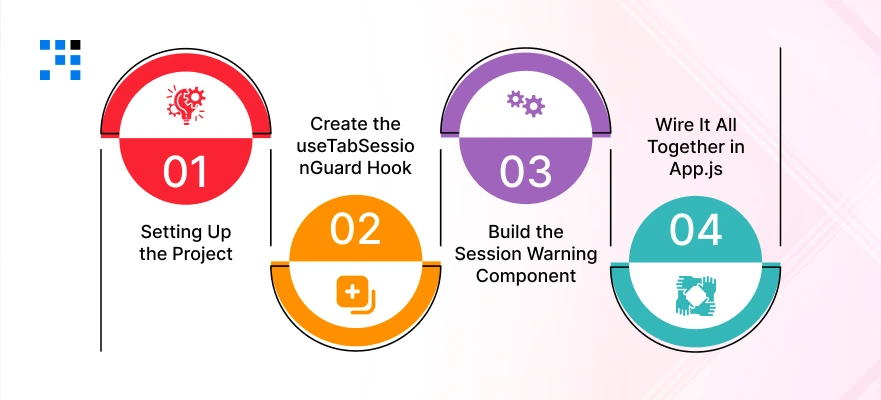
Let’s create a custom React hook called useTabSessionGuard that does the following:
- Assigns a unique ID to each browser tab when it opens.
- Uses BroadcastChannel to communicate between all open tabs.
- Tracks which tab is the “primary” active tab.
- Automatically logs out or warns users when a duplicate session is detected.
Step 1: Setting Up the Project
First, create a new React app if you do not have one already:
                npx create-react-app multi-tab-session-demo
                cd multi-tab-session-demo
                npm start
No external packages needed for the core logic; BroadcastChannel is built into modern browsers.
Step 2: Create the useTabSessionGuard Hook
Create a new file at src/hooks/useTabSessionGuard.js and paste the following code:
                // src/hooks/useTabSessionGuard.js
                // Secure Multi-Tab Session Guard — custom React hook

                import { useEffect, useRef, useState } from 'react';

                const CHANNEL_NAME = 'session_guard_channel';
                const STORAGE_KEY = 'active_tab_id';

                // Generate a unique ID for this tab
                function generateTabId() {
                return 'tab_' + Math.random().toString(36).slice(2, 9);
                }

                export function useTabSessionGuard({ onDuplicateDetected }) {
                const [isDuplicate, setIsDuplicate] = useState(false);
                const tabId = useRef(generateTabId());
                const channelRef = useRef(null);

                useEffect(() => {
                        // Create a BroadcastChannel — all tabs share this channel
                        const channel = new BroadcastChannel(CHANNEL_NAME);
                        channelRef.current = channel;

                        // Announce this tab to all other open tabs
                        channel.postMessage({
                        type: 'TAB_OPENED',
                        tabId: tabId.current,
                        });

                        // Store this tab as the currently active tab
                        localStorage.setItem(STORAGE_KEY, tabId.current);

                        // Listen for messages from other tabs
                        channel.onmessage = (event) => {
                        const { type, tabId: otherTabId } = event.data;

                        if (type === 'TAB_OPENED' && otherTabId !== tabId.current) {
                        // Another tab just opened — this one becomes a duplicate
                        setIsDuplicate(true);
                        if (onDuplicateDetected) {
                        onDuplicateDetected();
                        }
                        }
                        };

                        // Cleanup when this tab closes
                        return () => {
                        channel.close();
                        localStorage.removeItem(STORAGE_KEY);
                        };
                }, []);

                return { isDuplicate, tabId: tabId.current };
                }
Step 3: Build the Session Warning Component
Now create a component that shows a warning banner when a duplicate tab is detected. Create src/components/DuplicateTabWarning.js:
                // src/components/DuplicateTabWarning.js

                import React from 'react';

                export function DuplicateTabWarning({ onDismiss, onLogout }) {
                return (
                        <div style={styles.overlay}>
                        <div style={styles.card}>
                        <h2 style={styles.title}>⚠️ Duplicate Session Detected</h2>
                        <p style={styles.body}>
                        You have opened this app in another tab. For your security,
                        only one session can be active at a time.
                        </p>
                        <div style={styles.buttonRow}>
                        <button style={styles.btnPrimary} onClick={onDismiss}>
                                Continue Here
                        </button>
                        <button style={styles.btnDanger} onClick={onLogout}>
                                Log Out
                        </button>
                        </div>
                        </div>
                        </div>
                );
                }

                const styles = {
                overlay: {
                        position: 'fixed', top: 0, left: 0,
                        width: '100vw', height: '100vh',
                        backgroundColor: 'rgba(0,0,0,0.6)',
                        display: 'flex', alignItems: 'center',
                        justifyContent: 'center', zIndex: 9999,
                },
                card: {
                        background: '#fff', borderRadius: 12,
                        padding: '2rem', maxWidth: 420,
                        boxShadow: '0 20px 60px rgba(0,0,0,0.3)',
                },
                title: { color: '#B45309', fontSize: '1.3rem', marginBottom: '0.5rem' },
                body: { color: '#374151', lineHeight: 1.6, marginBottom: '1.5rem' },
                buttonRow: { display: 'flex', gap: '0.75rem' },
                btnPrimary: {
                        flex: 1, padding: '0.6rem 1rem', borderRadius: 8,
                        background: '#1E4D9B', color: '#fff',
                        border: 'none', cursor: 'pointer', fontWeight: 600,
                },
                btnDanger: {
                        flex: 1, padding: '0.6rem 1rem', borderRadius: 8,
                        background: '#DC2626', color: '#fff',
                        border: 'none', cursor: 'pointer', fontWeight: 600,
                },
                };
Step 4: Wire It All Together in App.js
Now update your src/App.js to use both pieces:
                // src/App.js

                import React, { useState } from 'react';
                import { useTabSessionGuard } from './hooks/useTabSessionGuard';
                import { DuplicateTabWarning } from './components/DuplicateTabWarning';

                function App() {
                const [showWarning, setShowWarning] = useState(false);
                const [isLoggedIn, setIsLoggedIn] = useState(true);

                const { isDuplicate, tabId } = useTabSessionGuard({
                        onDuplicateDetected: () => setShowWarning(true),
                });

                function handleLogout() {
                        setIsLoggedIn(false);
                        setShowWarning(false);
                        // In a real app: clear tokens, call API logout, redirect
                        localStorage.clear();
                }

                if (!isLoggedIn) {
                        return <div style={{ padding: 40 }}>You have been logged out. Goodbye!</div>;
                }

                return (
                        <div style={{ padding: 40, fontFamily: 'Arial' }}>
                        <h1>My Secure Dashboard</h1>
                        <p>Tab ID: <code>{tabId}</code></p>
                        <p>Duplicate tab detected: <strong>{isDuplicate ? 'Yes' : 'No'}</strong></p>

                        {/* Show warning if a duplicate tab is found */}
                {showWarning && (
                        <DuplicateTabWarning
                        onDismiss={() => setShowWarning(false)}
                        onLogout={handleLogout}
                        />
                        )}
                        </div>
                );
                }

                export default App;
Run the app with npm start. Open it in your browser. Then open a second tab with the same URL. You will immediately see the duplicate session warning modal appear.
Handling JWT and Token-Based Authentication Across Tabs
Most modern React apps use JWT (JSON Web Tokens) for authentication. Here is how to extend the guard to handle token sync properly.
The key idea: When the user logs out on any tab, broadcast a logout event so all tabs respond immediately.
                // Add to your useTabSessionGuard hook inside the onmessage handler

                channel.onmessage = (event) => {
                const { type, tabId: otherTabId } = event.data;

                if (type === 'TAB_OPENED' && otherTabId !== tabId.current) {
                        setIsDuplicate(true);
                        if (onDuplicateDetected) onDuplicateDetected();
                }

                // NEW: listen for logout broadcasts from other tabs
                if (type === 'USER_LOGGED_OUT') {
                        // Clear local token and redirect to login
                        localStorage.removeItem('auth_token');
                        window.location.href = '/login';
                }
                };

                // In your logout function, broadcast to all tabs:
                function handleLogout() {
                channelRef.current.postMessage({ type: 'USER_LOGGED_OUT' });
                localStorage.removeItem('auth_token');
                window.location.href = '/login';
                }
With this addition, logging out on one tab immediately logs out all other tabs. No stale sessions. No security gaps.
React Session Timeout with Idle Detection Across Multiple Windows
Another common need is to log the user out after a period of inactivity, even if they have multiple tabs open.
If the user is idle on all tabs for 15 minutes, log them out everywhere. Here is the strategy:
- Track the last activity timestamp in localStorage (so all tabs share it).
- Each tab checks the timestamp on a timer (every 30 seconds is fine).
- If the timestamp is older than your timeout threshold, broadcast a logout.
- Use mouse, keyboard, and scroll events to reset the timestamp on the activity.
                // Simplified idle timeout with cross-tab sync
                const TIMEOUT_MS = 15 * 60 * 1000; // 15 minutes
                const LAST_ACTIVE_KEY = 'last_active_time';

                // Reset timestamp on any user activity
                function resetTimer() {
                localStorage.setItem(LAST_ACTIVE_KEY, Date.now().toString());
                }

                // Check for timeout every 30 seconds
                setInterval(() => {
                const lastActive = parseInt(localStorage.getItem(LAST_ACTIVE_KEY) || '0');
                if (Date.now() - lastActive > TIMEOUT_MS) {
                        channel.postMessage({ type: 'USER_LOGGED_OUT' });
                        handleLogout();
                }
                }, 30000);

                // Attach activity listeners
                ['mousemove', 'keydown', 'scroll', 'click'].forEach(event => {
                window.addEventListener(event, resetTimer, { passive: true });
                });
Best Practices for React Session Management
Before you ship this to production, here is a quick checklist:
- Never store sensitive data (passwords, full tokens) in localStorage: Use httpOnly cookies for auth tokens when possible.
- Use HTTPS everywhere: BroadcastChannel and sessionStorage are safer on HTTPS.
- Handle browser support gracefully: Check if BroadcastChannel is available before using it.
- Test with private/incognito windows: These are treated as separate sessions entirely.
- Add meaningful UX for duplicate detection: Do not just silently log users out to show a clear message.
- Consider server-side session invalidation too: For high-security apps, validate sessions server-side on each request.
Want this Code Built & Integrated into Your App?
One App, One Session: Build It Right From the Start
Managing sessions across multiple tabs might sound like a small detail, but it is one of those things that separates a good app from a truly trustworthy one.
Users may never notice when it works, but they will definitely notice when it does not.
The good news is that you now have everything you need.
A custom hook, a broadcast-based logout system, and a cross-tab sync strategy, all without a single external package.
Start with the basic guard, test it, and layer in the advanced features as your app grows.
Security is not a feature you add later. It is something you build in from the beginning.
FAQs
- A duplicate session happens when you open the same website in two or more browser tabs while being logged in.
- Both tabs think you are the same active user, which can cause security issues, data conflicts, or unexpected behavior in the app.
- Private windows are completely isolated from regular windows.
- They do not share localStorage or BroadcastChannel messages with your normal tabs.
- So, a user logged in on a regular tab, and an incognito tab will not trigger the duplicate session guard.
- That depends on how you configure it. The hook detects when a duplicate tab opens and gives you a callback to decide what to do.
- You can silently log the user out, show a warning pop-up and let them choose, or simply display a soft notification.
- The behavior is fully in your control & the guide covers all approaches.
- It is a strong layer of client-side protection, but security works in layers.
- For full protection, you should also use httpOnly cookies for storing tokens (instead of localStorage), validate sessions on the server with every API request, set token expiry times, and use HTTPS across your entire app.
- It’s like the multi-tab guard as one important piece of a complete security strategy.