Need a simple app to manage tasks like Trello?
Use this step-by-step React Native guide to create a Trello-like app that helps manage tasks, reduce confusion, and keep your team’s work organized.
Managing daily tasks can quickly become messy: Missed deadlines, scattered updates, and no clear workflow.
Many teams struggle because they don’t have a simple task tracking app for business.
The solution?
Build your own task management app like Trello that fits your exact workflow, improves team productivity, and keeps everything organized in one place.
What You’ll Build in This React Native Trello Clone?
You’ll create a powerful and easy-to-use Trello-like app in React Native designed for real-world usage.
Here’s what you’ll build:
- A Kanban board with columns like To Do, In Progress, Done.
- Smooth drag & drop cards for task movement.
- Task creation, editing, and deletion.
- A clean and user-friendly mobile UI.
You can build a complete Trello clone in React Native with the code given here.
Why Do You Need Trello-Like Apps?
Today, businesses want better control over their work and teams.
That’s why companies go for mobile app development and have customized project management apps according to their requirements.
Here’s why Trello-like apps are in demand:
- Improve team productivity with clear task tracking.
- Enable real-time updates across teams.
- Simplify project management for daily operations.
- Offer custom workflows based on business needs.
With growing demand for Trello alternative app development, companies are focusing on building apps with the right features of Trello-like apps that match their workflow.
Must-Have Features in a Task Management App Like Trello
To build a successful task management app like Trello, you need features that are simple yet powerful. Important features are:
- Kanban board system for visual task management.
- Drag-and-drop tasks for easy updates.
- User roles and team collaboration.
- Notifications for task updates.
- Task deadlines and reminders.
These are the core features of Trello-like apps that make task tracking simple and effective for any business.
Building Trello-Like Apps That Work for Your Business
- Real experience in building task management apps like Trello that solve daily business problems.
- Smooth experience in creating drag-and-drop React Native apps that feel easy and natural for users.
- Experience in Trello alternative app development with custom features designed for different business needs.
- Clear process to build a Trello clone in React Native step by step, so development stays smooth and organized.
Want a Customized Trello-like App?
Tech Stack You Need to Build This React Native Trello Clone
To create a scalable and high-performing app, choosing the right tech stack is important.
Here’s what we’ll use:
- React Native for building the mobile app (frontend).
- Node.js or Firebase for backend development.
- MongoDB or Firestore for database management.
- Drag-and-drop libraries for smooth user interaction.
This setup helps you build a powerful React Native app with a backend, perfect for mobile task management app development.
Here’s the
Step-by-Step Development Guide to Build a Trello Clone in React Native
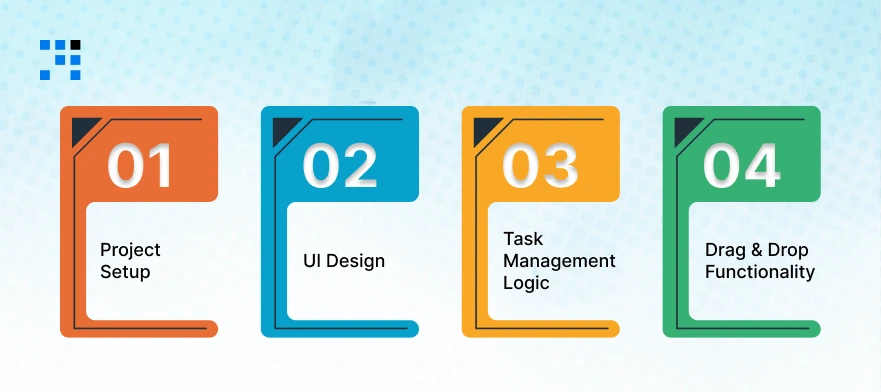
Now you’ll learn how to build a Trello clone in React Native step by step. This will help you understand how a task management app like Trello is built.
Step 1: Project Setup
First, we set up the base of our React Native app with a backend-ready structure.
Install React Native CLI
npm install -g react-native-cli
Create Project
                npx react-native init TrelloCloneApp
                cd TrelloCloneApp
Install Required Packages
We’ll use basic libraries for UI and drag-and-drop:
npm install react-native-gesture-handler react-native-reanimated
Step 2: UI Design (Kanban Board)
Now let’s create a simple Kanban board UI (To Do, In Progress, Done), the core of any task management app like Trello.
Create File: App.js
                import React, { useState } from "react";
                import { View, Text, StyleSheet, FlatList, TextInput, Button } from "react-native";

                const initialData = {
                todo: [{ id: "1", title: "Task 1" }],
                inProgress: [{ id: "2", title: "Task 2" }],
                done: [{ id: "3", title: "Task 3" }],
                };

                export default function App() {
                const [data, setData] = useState(initialData);
                const [task, setTask] = useState("");

                const renderColumn = (title, key) => (
                        <View style={styles.column}>
                        <Text style={styles.columnTitle}>{title}</Text>
                        <FlatList
                        data={data[key]}
                        keyExtractor={(item) => item.id}
                        renderItem={({ item }) => (
                        <View style={styles.card}>
                        <Text>{item.title}</Text>
                        </View>
                        )}
                        />
                        </View>
                );

                return (
                        <View style={styles.container}>
                        <View style={styles.board}>
                        {renderColumn("To Do", "todo")}
                        {renderColumn("In Progress", "inProgress")}
                        {renderColumn("Done", "done")}
                        </View>

                        <TextInput
                        style={styles.input}
                        placeholder="Enter new task"
                        value={task}
                        onChangeText={setTask}
                        />
                        </View>
                );
                }

                const styles = StyleSheet.create({
                container: { flex: 1, padding: 10 },
                board: { flexDirection: "row", justifyContent: "space-between" },
                column: { flex: 1, margin: 5, backgroundColor: "#f2f2f2", padding: 10 },
                columnTitle: { fontWeight: "bold", marginBottom: 10 },
                card: { backgroundColor: "#fff", padding: 10, marginBottom: 8, borderRadius: 5 },
                input: { borderWidth: 1, padding: 10, marginTop: 10 },
                });
This creates a basic Kanban board app, the foundation of your Trello clone React Native project.
Step 3: Task Management Logic (Add / Edit / Delete)
Now we add real functionality to make this a working task management app like Trello.
Update App.js (Add Task Function)
Add this function inside your component:
                const addTask = () => {
                if (!task) return;

                const newTask = {
                        id: Date.now().toString(),
                        title: task,
                };

                setData({
                        ...data,
                        todo: [...data.todo, newTask],
                });

                setTask("");
                };
Add Button in UI
<Button title="Add Task" onPress={addTask} />
Delete Task Function
Update renderItem:
                renderItem={({ item }) => (
                        <View style={styles.card}>
                                <Text>{item.title}</Text>
                                <Button
                                title="Delete"
                                onPress={() => {
                                const updated = data.todo.filter((t) => t.id !== item.id);
                                setData({ ...data, todo: updated });
                                }}
                                />
                        </View>
                        )}
Now users can add and delete tasks, just like a simple task tracking app for business.
Step 4: Drag & Drop Functionality
This is what makes your app feel like a real Trello-like app. We’ll implement a simple version of a drag and drop React Native app.
Install Library
npm install react-native-draggable-flatlist
Update Code for Drag & Drop
Replace FlatList with DraggableFlatList:
import DraggableFlatList from "react-native-draggable-flatlist";
Update Column Render
                const renderColumn = (title, key) => (
                <View style={styles.column}>
                        <Text style={styles.columnTitle}>{title}</Text>
                        <DraggableFlatList
                        data={data[key]}
                        keyExtractor={(item) => item.id}
                        renderItem={({ item, drag }) => (
                        <View style={styles.card}>
                        <Text onLongPress={drag}>{item.title}</Text>
                        </View>
                        )}
                        onDragEnd={({ data: newData }) => {
                        setData((prev) => ({ ...prev, [key]: newData }));
                        }}
                        />
                </View>
                );
Now users can long press and drag tasks, making it a real drag and drop React Native app.
Have an Idea for a Task Management App?
How a Trello-Like Task Management App Works?
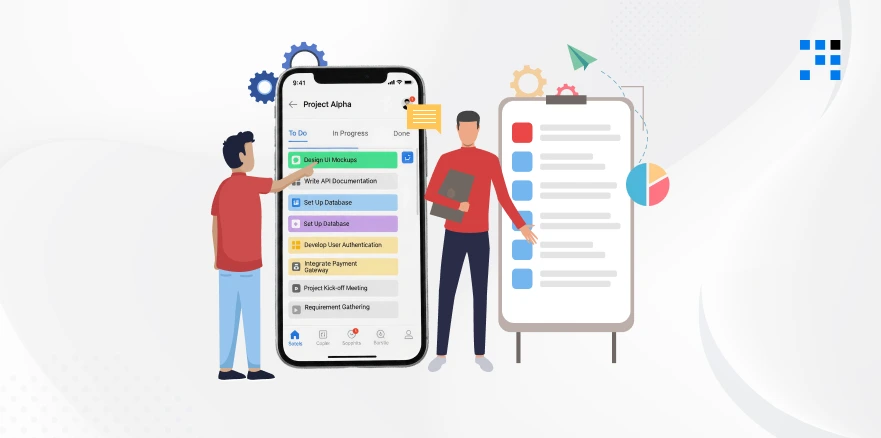
If you’re new to this concept, here’s a simple explanation of how a Trello app works:
- Tasks are organized into Boards (projects).
- Each board has Lists (To Do, In Progress, Done).
- Inside lists, you create Cards (tasks).
- You can drag tasks from one list to another as work progresses.
This system makes workflow tracking simple, visual, and easy to manage—even for non-technical users.
Want to Build Your Own Trello-Like App?
If you’re planning to create a custom task management app like Trello, now is the right time. We help businesses:
- Build custom project management apps.
- Develop scalable and user-friendly solutions.
- Turn ideas into fully functional mobile apps.
FAQs
- Key features include Kanban boards, task creation, drag-and-drop functionality, notifications, deadlines, and team collaboration tools.
- Yes, React Native is a great choice for building fast, scalable, and cost-effective productivity apps for both Android and iOS.
- Yes, you can build multi-user features where teams can collaborate, assign tasks, and track progress in real time.
- Yes, you can fully customize workflows, features, and UI based on your business process when you build your own Trello-like app.